Executive Summary
Strong passwords, password managers, multifactor authentication, software updates, and phishing awareness reduce avoidable security risks. Even employees who follow this guidance can encounter a malicious request that closely resembles the work they expect. Familiar branding, plausible language, and deadline pressure can make deception difficult to recognize. Security leaders need to evaluate what protects the organization when someone makes the wrong call.
Effective protection follows the employee’s workflow. Website inspection and isolation, file sanitization, sensitive data controls, and appropriate application access can interrupt the path from a mistaken decision to a damaging outcome. The browser brings many of these interactions together, making it a practical place to apply protection alongside existing identity and endpoint defenses.
AI agents need enforceable versions of the same security principles. Restrictions on destinations, separation of external content from authorized instructions, data policies, and approval requirements establish boundaries that cautionary prompts alone cannot provide. For security leaders, the central question is whether controls remain effective when an employee or agent follows a convincing malicious request. Combining informed employees with enforced protections creates a stronger foundation for everyday work and AI adoption.
You’re finishing a vendor review before an afternoon deadline when a document-sharing notification arrives. You’ve been waiting for the vendor’s updated proposal, and the message looks familiar: the usual branding, a reference to the project, and a link to view the file. With a meeting starting in ten minutes, you open it.
You’ve followed your organization’s security guidance. Your password manager stores a unique password for each account. Multifactor authentication is enabled, your software is current, and you’ve completed phishing training. You know to question unexpected requests. This one arrives when you’re expecting a document and fits the work already underway.
Those habits reduce risk. They also leave you with a judgment call: Is this particular request legitimate? An attacker who imitates a familiar business interaction can make that decision difficult, especially when your attention is divided between the message and the deadline.
Security programs need to account for that moment by pairing employee guidance with protections inside everyday workflows. If someone follows a convincing malicious request, controls should limit what the website can execute and what information it can receive.
The precautions in that vendor-review scenario each serve a purpose. A strong, unique password makes an account harder to guess and prevents a password exposed in one breach from being used to open other accounts. A password manager makes that practice manageable when employees move among dozens of applications throughout the week.
Multifactor authentication adds another check beyond the password, reducing the chance that stolen credentials alone will grant access. Software updates address known vulnerabilities in the browsers, applications, and operating systems employees use every day. Phishing awareness prepares people to question an unusual request, verify it through a trusted channel, and report a suspicious message before colleagues encounter it.
These practices work best when they’re part of the normal routine. Your organization has a role in making that possible: provide an approved password manager, make multifactor authentication straightforward to set up, and manage updates so employees can install them without repeatedly interrupting their work. Give people a clear way to report suspicious activity and guidance on what to do next.
Even with those precautions in place, employees still need to assess requests that arrive during legitimate work. That assessment becomes harder when a malicious message closely matches something they expect.
The document-sharing notification in the opening scenario arrives when you’re waiting for a proposal. Its wording matches the task, the branding resembles a service you use, and opening the file feels like the next step in the review. An attacker who reproduces those details gives you fewer reasons to pause.
Familiar business processes can make deception especially convincing. A request to sign in before viewing a document or confirm account information may resemble something you’ve done many times before. Training that teaches employees to spot spelling mistakes and unexpected messages remains useful, but a polished request can pass those checks and still lead to a malicious destination.
With a deadline approaching and meeting notifications interrupting your review, there’s less time to inspect the request. Several legitimate sharing messages that morning may also make the next one feel routine. Security teams need to design protections for those working conditions.
The attacker is responsible for creating the deception. The organization is responsible for placing defenses between an employee’s click and the damage an attack could cause.
Opening the link triggers a sequence of interactions in which security controls can intervene. The destination and its content can be inspected for deception, while risky web code can be executed in an isolated environment separate from the employee’s device. These protections reduce the opportunity for a convincing page to turn a click into a compromise.
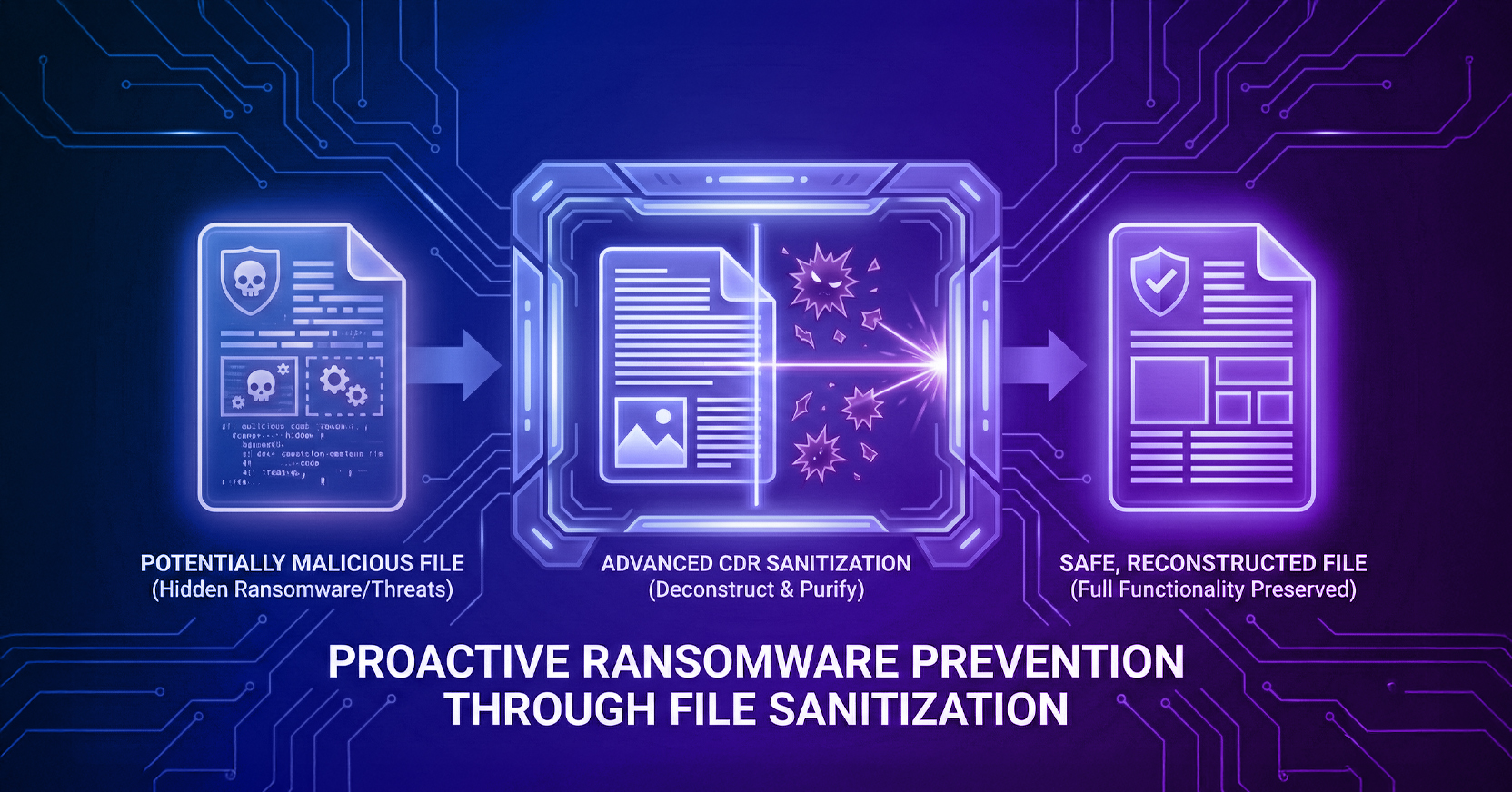
Before the downloaded proposal reaches the employee, file sanitization breaks it into components and reconstructs a usable copy from permitted elements, excluding unsafe content. The employee can review the proposal without having to determine whether a familiar-looking file contains hidden malicious code.
Protection also needs to follow information as it moves out of the organization. Suppose the employee uploads an internal comparison sheet as part of the vendor discussion. Data controls can inspect that transfer and block prohibited sharing or mask sensitive details before delivery. Where policy permits, masking can preserve the information needed for the discussion while concealing customer identifiers or other private data.
Application access adds a further boundary. Restricting employees to the systems and information their roles require limits what an attacker could reach through a compromised account. Permission to enter an application should also be accompanied by controls over what information can be downloaded or shared.
These safeguards need to operate within the browsers, applications, and file-sharing tools employees already use. For security leaders, the practical goal is to reduce the chance that an ordinary mistake becomes an incident while keeping legitimate work moving.
In the vendor-review scenario, a message takes you to a document-sharing website. You view the proposal, download a copy, and open a business application to compare it with internal records. You may then upload a response or share information with a colleague. Much of that work happens through the browser, where each interaction introduces a decision about content, access, or data.
Verifying who signed in and checking the initial destination provide important protection. The session still needs controls as new content loads and the employee downloads or shares information.
Browser protections should work alongside identity controls, endpoint security, and other existing defenses. Together, they act as defense-in-depth, addressing who can access a service, the device’s security, and what happens as the employee uses websites, applications, and data throughout the session.
Now consider an AI agent handling part of the vendor review. It retrieves the proposal, extracts pricing and delivery terms, and updates an internal record. The document is relevant to its assignment, but it may also contain instructions planted by an attacker to redirect the task, retrieve unrelated information, or send data elsewhere.
Employees can learn to question a request that exceeds the purpose of their work. For an agent, the organization needs to restrict permitted websites and applications and enforce policies governing data retrieval and transmission. Retrieved content must remain separate from the instructions authorizing the task, so a vendor document cannot grant permission for unrelated activity. Actions such as submitting a payment or changing a supplier’s account details should require approval at defined points in the workflow.
Telling an agent to “be careful” leaves boundaries dependent on how it interprets the instruction and the content it encounters. Therefore, access restrictions, data policies, and approval gates need to be enforced outside the agent’s own reasoning.
For security leaders, this creates a practical basis for delegating browser-based work. Agents can retrieve documents and interact with business applications within enforced limits, while the organization defines which decisions require human approval.
If an employee or agent follows a convincing malicious request, which controls interrupt the path to harm? Use the vendor review as a test case: verify what happens when someone opens the link, downloads the proposal, or uploads internal information. Confirm that protections enforce policy at those points and that consequential actions require the appropriate approval.
Keep reinforcing strong passwords, password managers, multifactor authentication, software updates, and phishing awareness. Alongside those habits, test the safeguards that employees and agents depend on while doing their work.
Book a Menlo Security Demo to see how we protect employees and govern AI agent activity across everyday workflows.
Key Takeaways
Menlo Security