Binance’s preliminary findings describe a campaign in which malicious downloads, a convincing recruitment process, and compromised employee systems gave attackers a path to sensitive wallet operations. The incident illustrates how an apparently personal activity, such as interviewing for a new role, can expose an employer when it involves a device with corporate access. Professional profiles, repeated conversations, and technically credible interviewers can make a request to download or execute unfamiliar material seem reasonable.
Organizations can interrupt similar attacks at several stages. Independent verification of recruitment requests, separation of external assessments from corporate devices, and restrictions on software installation and execution reduce opportunities for initial compromise. Browser inspection, isolation, and file protection can address malicious content during delivery, while separate controls must cover code executed in local terminals and development environments. If a workstation is compromised, limited permissions, short-lived credentials, and independent authorization for sensitive actions can constrain the attacker’s reach. Internal AI tools require the same scrutiny of credentials, connectivity, and permitted actions.
Security leaders should test these safeguards using a realistic developer workflow, tracing an external message through browsing, downloading, execution, and attempts to access sensitive resources. That exercise can reveal gaps in individual controls and show which activities reach the security team. Menlo Threat Prevention supports the early stages through HEAT Shield AI’s inspection of deceptive web content, Secure Cloud Browsing’s remote execution of active web content, and Menlo File Security’s sanitization of supported files. When applied with appropriate traffic coverage and policies, these capabilities can help interrupt malicious delivery before it results in an endpoint compromise.
An engineer receives a message about a promising role. The recruiter seems credible, the opportunity fits their experience, and the conversation progresses to interviews. By the time someone asks them to download material for the next stage, the request feels like an ordinary part of the process. If the engineer uses a laptop with access to company systems, that personal career conversation can create an opening into their employer’s network.
According to Binance’s preliminary findings, attackers used recruitment impersonation and malicious downloads as part of a campaign that ultimately reached sensitive internal systems. The reported sequence also involved compromised employee devices, stolen credentials, and an internal AI tool.
For security leaders, the incident raises a practical concern: a convincing recruitment process can persuade an employee to run unfamiliar code on a device with corporate access. Controls around downloads and execution can interrupt that step, while restrictions on credentials and internal access can limit what follows.
Binance’s preliminary account describes a campaign that developed over several months. An early malware infection exposed information about employees working on wallet infrastructure. A later recruitment scam gave attackers access to another engineer’s work computer, which they then used to gain further access within the organization.
The reported timeline shows how that access accumulated:
Binance identifies an internal AI tool as part of the route between compromised systems, but the available account does not explain exactly how attackers used it. Its involvement alone does not establish prompt injection or a model vulnerability. Assessing that stage requires more detail about the tool’s permissions and how it enabled access to other engineers’ systems.
By the time an interviewer asks an engineer to download an assessment, the attacker may have spent days establishing credibility. A professional profile gives the candidate a plausible identity to check, while follow-up conversations demonstrate familiarity with their experience. If the interviewer can also discuss the technical work convincingly, the download request arrives in a conversation the candidate already has reasons to trust.
The request then fits the expectations the attacker has created. Developers routinely complete coding exercises during interviews, and candidates often use unfamiliar conferencing platforms to meet prospective employers. A download presented as the next step can feel unremarkable, particularly when the people requesting it have already answered questions and invested time in the conversation.
The platform carrying that conversation can reinforce the impression. An employee may recognize and trust the job site or messaging service where the approach begins. Yet a legitimate service can carry a fraudulent profile, an attacker’s message, or a link to malicious content. Its familiarity offers little assurance about the safety of the next download.
The FBI has warned about this broader pattern in campaigns targeting cryptocurrency employees. Its advisory describes attackers researching candidates, building rapport through extended conversations and presenting tailored employment opportunities. Requests to run unfamiliar packages, scripts, or repositories during technical assessments are among the warning signs it identifies.
Employees need a way to verify recruitment requests independently, backed by technical controls that still apply when they decide to proceed.
An external interview should not require running untrusted code on a workstation connected to company systems. Establish that boundary in employee guidance and reinforce it through software installation and execution policies.
Start with independent verification. Employees should confirm the recruiter and opportunity using contact information obtained separately, such as the employer’s official careers site or published switchboard number. A profile, reference, or phone number supplied by the recruiter keeps verification within the attacker’s control.
When an assessment requires code execution, use a separate, isolated environment without corporate connectivity, company credentials, mounted work folders, or active business sessions. The FBI recommends keeping pre-employment code execution off company-owned devices and verifying contacts through separate channels.
Software controls should reinforce that guidance. Approved installation sources and restrictions on unfamiliar installers, scripts, and packages can interrupt delivery even when an employee accepts the recruiter’s story. For developers, those controls need to account for package managers, repository setup commands, development tools, and conventional application installers.
Browsing and download protections address earlier steps. Destination inspection can identify deceptive pages, browser isolation can separate active web content from the endpoint, and file inspection or download restrictions can reduce exposure to malicious files. Their effectiveness depends on the content involved and whether the employee’s activity passes through those controls.
That coverage needs to extend to the point of execution. Isolating a webpage does not automatically contain a script copied into a local terminal or a downloaded project opened in a development environment. Reviewing the full path from message to webpage to download to execution helps security teams find where protection ends while the employee’s activity continues.
If unfamiliar code runs despite those protections, the next question is what the compromised device can access. An employee’s workstation may hold active sessions, development credentials, and connections to internal services. Each can give an attacker a route beyond the original infection.
Separate everyday browsing and development from privileged administration and transaction approval. A device used to review external repositories or attend interviews should not also provide unrestricted access to production infrastructure or financial operations. Limit standing permissions, and make elevated access available only for the task and time required.
Short-lived credentials and tightly scoped service permissions can further constrain that access. A token intended to deploy one application should have permissions limited to that application and environment. High-impact actions, such as moving funds or changing production access, should require independent authorization that an attacker controlling a single workstation cannot obtain.
Monitoring should look for attempts to cross those boundaries. Unexpected credential use, remote execution, and connections between employee systems warrant investigation, especially when they lead toward privileged services. Recording which identity performed an action, from which device, and against which resource helps responders trace that movement.
Include internal AI tools in access reviews. Examine the credentials they hold, the systems they connect to, the actions they can perform, and the records they retain. For tools that execute commands or invoke privileged services, verify that permissions stay within the intended task and that sensitive actions require approval the tool cannot provide for itself.
To assess whether those boundaries hold, follow one developer workflow from an external contact through an attempted action against a sensitive resource. Use a controlled exercise with harmless test content and designated systems to observe where protections intervene.
Begin with a recruiter’s link opened from a messaging application on a corporate laptop. Does that destination receive the same inspection as a link opened from a company email? If the page offers a technical assessment, can the developer download it, install its dependencies, and execute its setup commands? Check each step, since protection may cover the webpage while leaving subsequent activity in a terminal or development tool outside its scope.
Next, examine the environment provided for unfamiliar code. A disposable workspace may still inherit credentials, mounted folders, browser sessions, or connectivity to internal services. Determine whether the assessment is separated from company access in practice, including any connections introduced for convenience.
Then evaluate what a compromised developer session could reach. Which repositories, deployment services, or administrative interfaces would accept its credentials? Could a connected internal tool perform additional actions on the developer’s behalf? For sensitive operations, identify where approval must come from a separate, trusted environment and verify that the compromised session cannot itself provide that approval.
For each step, record whether the action succeeded, which control intervened, and what evidence reached the security team. Assign an owner to each gap, then repeat the affected steps after remediation to verify that the change blocks the action or limits access as intended.
Links and downloads from recruitment conversations need the same protection as other external content employees encounter. Menlo Threat Prevention can strengthen coverage at those points, before a malicious page or file compromises the workstation.
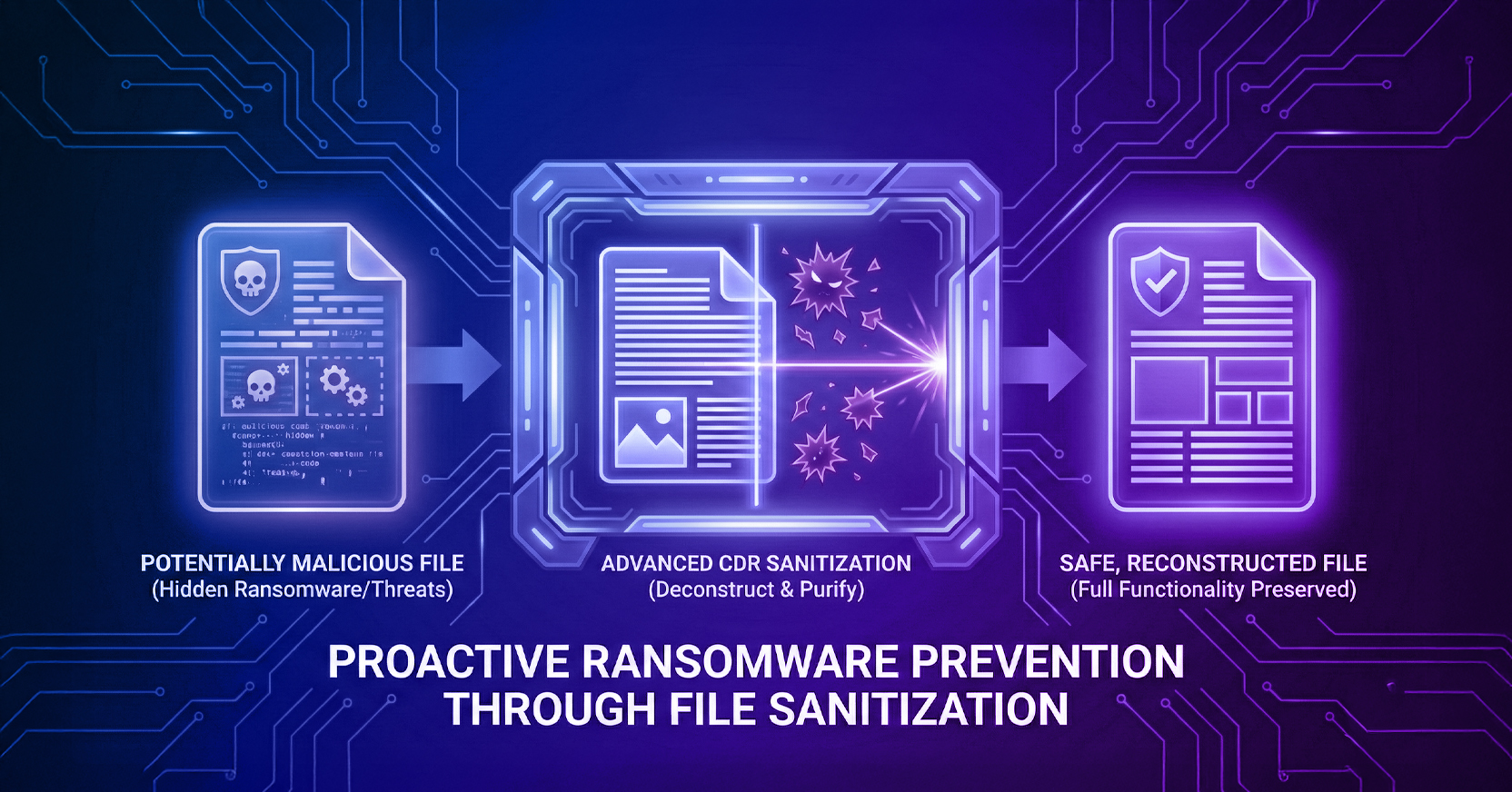
HEAT Shield AI inspects web content for signs of phishing, impersonation, and deceptive behavior. Secure Cloud Browsing executes active web content remotely in the Menlo Cloud, separating that execution from the employee’s endpoint. Menlo File Security uses content disarm and reconstruction to remove malicious elements from supported files while preserving usable content.
Coverage depends on routing the relevant traffic through these protections and configuring policies for the files and activities involved. Installers, coding projects, and locally executed commands also need execution controls, supported by access restrictions that limit the consequences of a compromised workstation.
Book a Demo to see how Menlo’s browser inspection, isolation, and file sanitization can help interrupt malicious web and file delivery before an endpoint is compromised.
Menlo Security