Menlo Closes the Loop on Zero-Day and AI Agent Attacks with New Google Security Operations Integration
Details



Recent research found that 68% of enterprises have multiple policies across different DLP solutions. You know from experience that multiple tools trying to do some of the same things across different types of traffic and stores doesn’t translate to better security. You can end up with conflicts between tools as well as unexpected blind spots.
Today, the user IT experience is web-based applications, either software as a service (SaaS) or internal applications, accessed with a web browser. Meanwhile, many DLP offerings claim to secure the browser channel—that is, the traffic between websites and browsers. But their mechanisms for securing the browser channel are extremely complex to configure but, worse, are fraught with complication and risk:
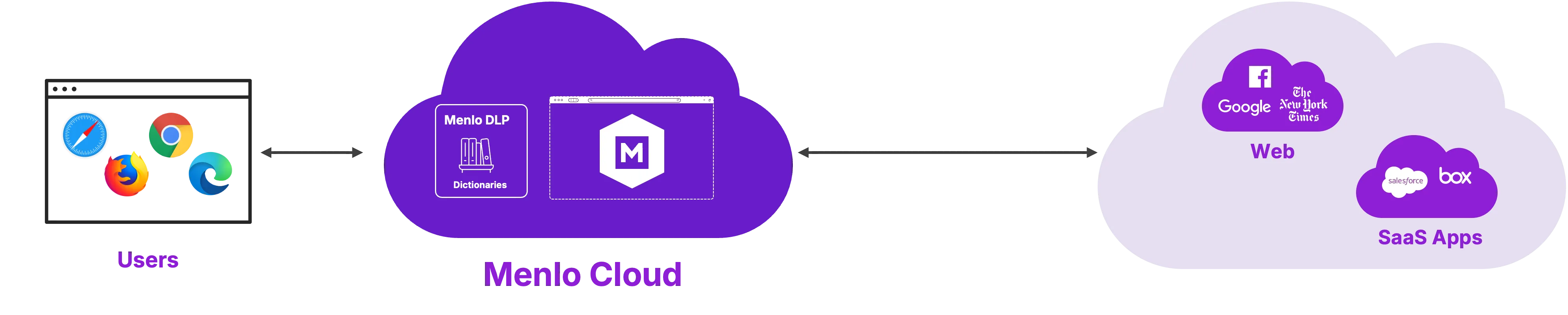
It’s easy to avoid these risks and complications with DLP operating within web traffic. The Menlo architecture replicates each browser session in the Menlo Cloud. Then, with direct access to web traffic, Menlo Browser DLP prevents data loss quickly and easily.
Menlo Browser DLP closes security gaps left by traditional DLP. Menlo Browser DLP is the first and only DLP solution providing this combination: Preemptive cloud-based DLP, covering both internal apps and internet traffic, and fully agentless, making it perfect for third parties such as contractors and employee BYOD. Seeing browser traffic in context and being user-aware solves all the problems that legacy DLP faces with browser traffic.

Menlo DLP prevents data loss with two distinct capabilities: first, browser-centric DLP features. Second, traditional, dictionary-based DLP, which is applied to text inputs (web form fields) and to files and archives in any traffic flow seen by the Menlo Cloud, including those that are password-protected and encrypted.
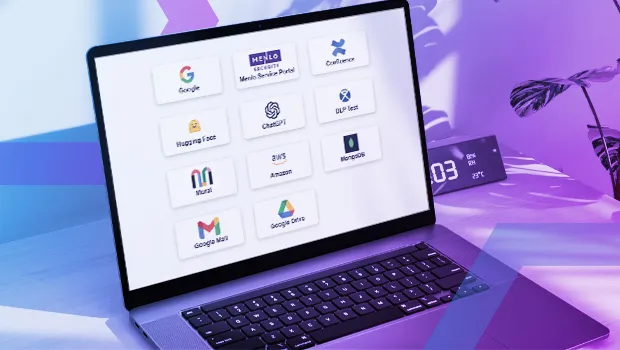
Menlo Browser DLP prevents data from leaking out to the internet and prevents data harvesting from mission-critical internal applications.
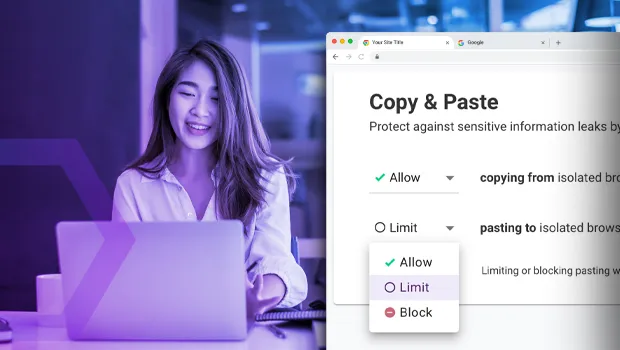
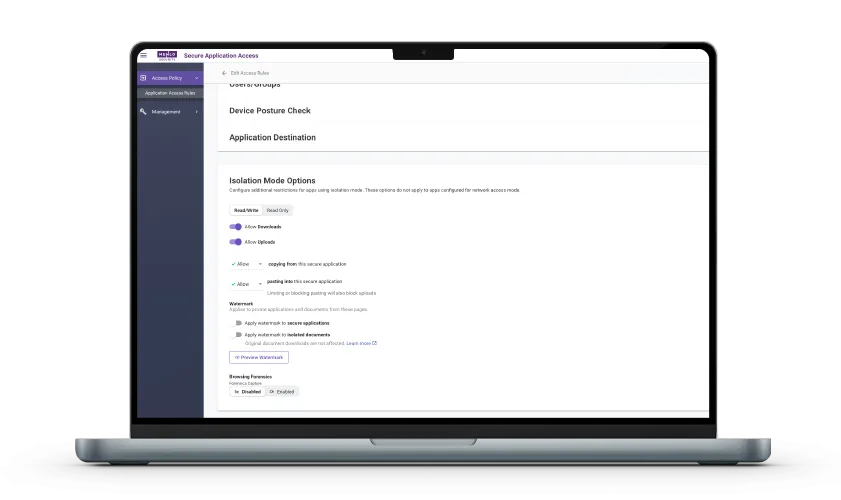
Copy-and-paste controls: restrict copying from or pasting to web-form fields; gain control over HTTP POST operations
Watermarks: organization-designed watermarks may be applied on web page or applied to safe-PDF editions of downloaded files
File upload and download controls can prevent uploading or downloading of files or archives on a per-web application basis
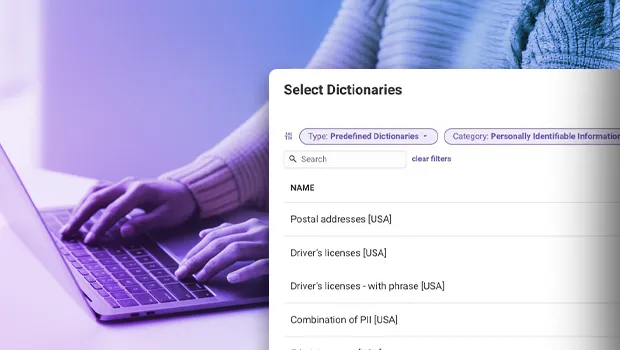
Fast start: Over 380 built-in dictionaries
Extensible: add dictionaries as needed for your organization and data
Convenient exceptions: while many sites require DLP for most users, you can define exceptions to DLP rules for specific users or groups
Menlo Browser DLP inspects user traffic to the Internet, blocking sensitive data paste or upload
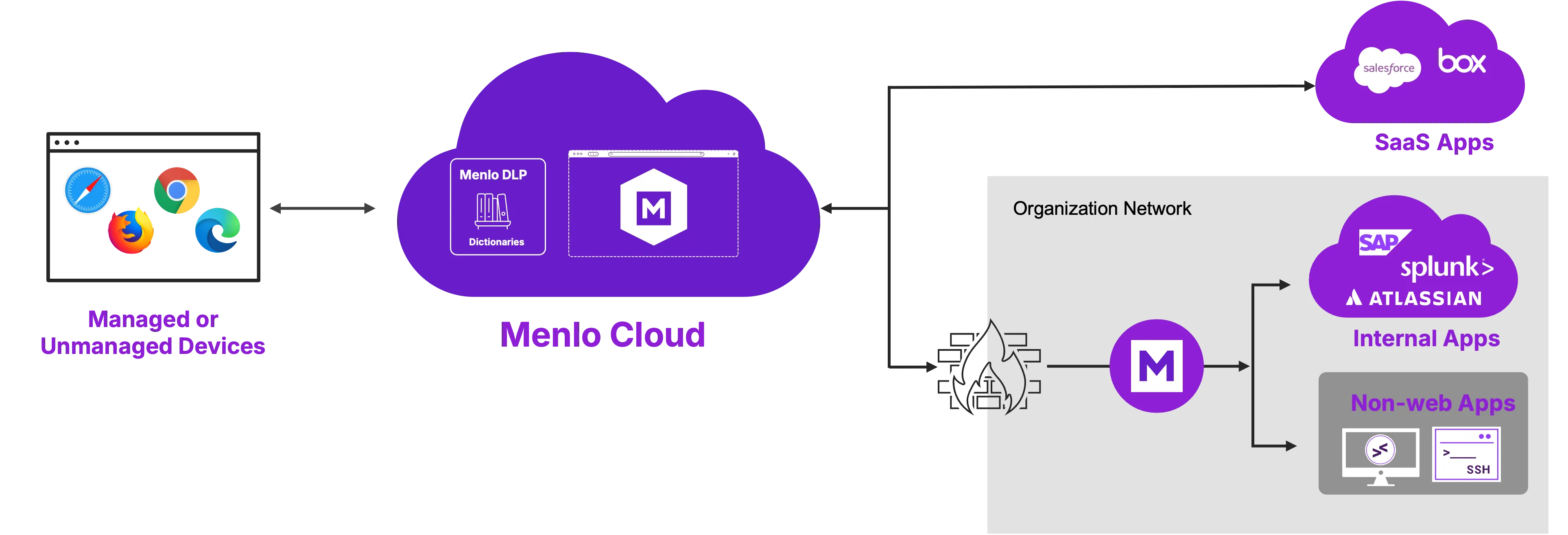
Menlo Browser DLP prevents untrusted devices from taking internal data outside
Legacy DLP tools are blind to sensitive data being pasted into GenAI tools or lost in browser-based file uploads. Learn how Menlo Browser DLP protects your organization where traditional security can't reach.


Browser DLP Reduces Overall DLP Complexity
An Industry study found that 68% of enterprises have multiple policies maintained by DLP products across the network. This is a clear indication of complexity made worse by requirements that endpoint DLP agents have risky and complex mechanisms for inspecting fields and files in browser traffic. A DLP solution that is inline with browser traffic eliminates a range of complexities, especially with the nonstop migration of work to web-based applications.
Your Organization Will Stop Losing Data to GenAI Training Models
Windows and MacOS access to GenAI is via the browser. The GenAI prompt is a browser form field. Menlo Browser DLP inspects both GenAI prompts and files and archives uploaded to GenAI.
Broaden Your Privacy Regulatory Compliance with Menlo Browser DLP
Global privacy regulations worldwide have a common theme: compliance requires DLP, often with extensible dictionaries. Menlo Browser DLP adds browser traffic to the protection of PII, PCI, PHI, and the like.
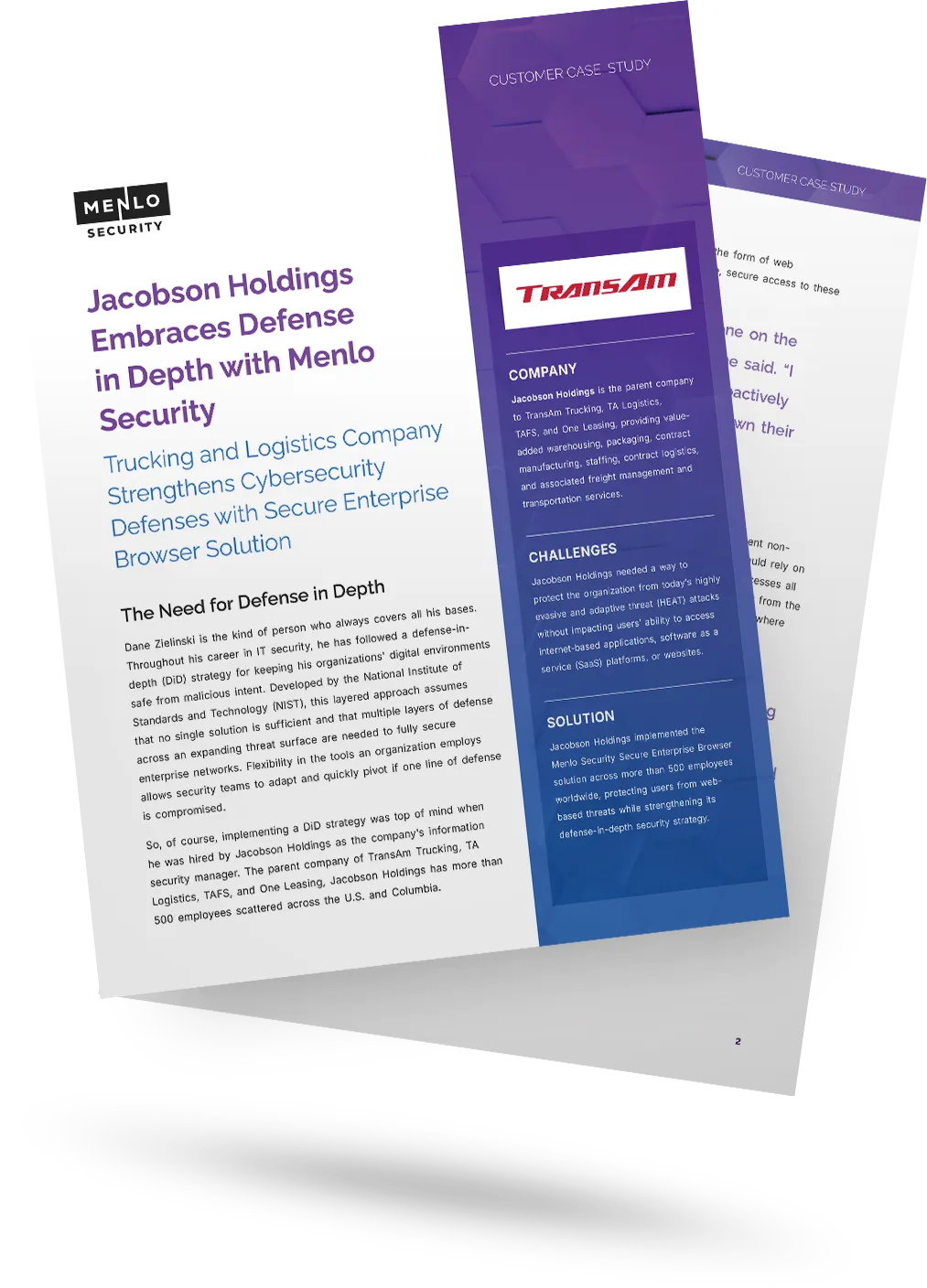
Effective Data Loss Prevention starts by preventing the breach in the first place. Learn how Jacobson Holdings used browser isolation to stop the web-based threats that lead to data theft, strengthening their defense-in-depth strategy before sensitive information could ever be put at risk.

Discover why organizations around the world rely on Menlo Security to protect the enterprise and enable secure access to applications, preventing attacks that legacy security tools cannot stop.
"Menlo was easy to roll out and integrates well with our security and technology stack in the cloud.”

“To employees, Menlo is completely transparent, allowing users to navigate a completely functional web resource.”

“…allows Synapxe to protect its assets from malicious threats without impacting the native user experience.“

“I wanted a layered approach that would protect users from web-based threats without slowing down their ability to get work done.”

“The platform has decreased our remediation needs, while reducing patch pressure.”

“Menlo Security helped us eliminate the possibility of a malware infection, rather than just detecting and removing an infection.”
“Before, we had to manually examine every single potential malware problem. Now, my job is much easier…with the Menlo Secure Cloud Browser.”
“Menlo takes care of all the unknown risks running rampant around the internet.”
“Zero-client,easy scaling, and cloud provisioned versus appliance.”
“Menlo Secure Cloud Browser provided the scalability to ensure that users world wide have the same transparent experience and unyielding protection.”
“[Menlo has] eliminated the need to manually apply and update policies across an increasingly distributed IT infrastructure.”
“Menlo provides protection from email-based malware embedded in links and attachments without impacting the user’s native email experience.”
Menlo Browser DLP secures Generative AI use, helps achieve regulatory compliance, and enables you to retire DLP mechanisms that attempt to secure browser traffic.
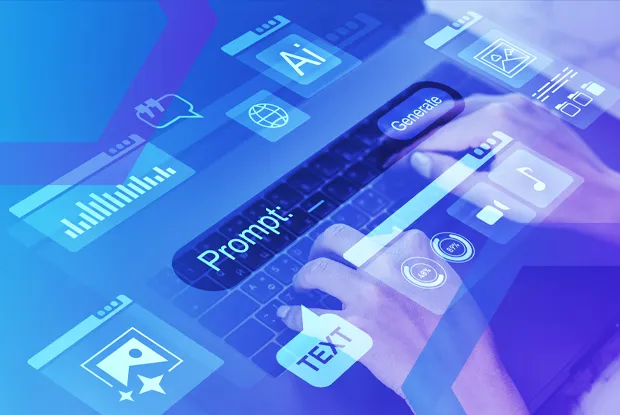
GenAI and browser security are inextricably linked. You can both permit and secure its use, by controlling both copy and paste operations in the web browser, and leveraging dictionary-based DLP that operates directly in browser traffic, in two crucial ways: first, for text inputs, including GenAI form fields and, second, for files and archives uploaded to GenAI (and elsewhere, including web-based email). Further, Menlo can block, set as read-only, or watermark specific web properties, such as unapproved GenAI providers.
Countless Regulations Worldwide Require DLP
Regulations like the EU’s General Data Protection Regulation (GDPR), the California Consumer Privacy Act (CCPA) and even HIPAA and similar health information protection regulations worldwide have a common theme: compliance requires DLP, often with extensible dictionaries. Menlo Browser DLP adds browser traffic to the protection of PII, PCI, PHI, and the like.


Treat Insider Risk the Same as Threats
Your intellectual property (IP) needs to stay within your organization regardless of accidental or malicious exfiltration. Users’ browsers present a crucial potential IP loss vector. Menlo Browser DLP can prevent users from uploading code or other IP to internet locations such as personal web-based email or file sites.
Answers to the burning questions in your mind.


IT teams face multiple, crucial challenges around sensitive data:
- Privacy-oriented regulations worldwide require that PII and PHI be prevented from loss
- IT user communities continue to evolve, making it difficult to secure sensitive internal data accessed with web browsers at the fast pace that users come and go
- GenAI consumption is exploding, and almost 100% through web browsers
- Legacy DLP attempts to secure browser traffic using heavyweight agents that require escalated privileges and kernel mode access, creating unecessary risk
Menlo Browser DLP solves all these problems and more with agentless cloud-based DLP that prevents data harvesting from internal applications and blocks the loss of sensitive data to Gen AI specifically, as well as the broader internet, all from a single console where app access and DLP rules can be changed at the pace of modern business.
Unlike legacy DLP and replacement browsers, Menlo Browser DLP is agentless, requiring no endpoint deployment. All DLP capabilities, covering both internal apps, SaaS, and the internet at large, are configured and managed in the web-based Menlo administrative user experience.
On desktop operating systems, GenAI use is nearly entirely through the browser leveraging two common browser features: form fields (the GenAI "prompt") and file uploads. Menlo Browser DLP includes an amazing feature: the ability to apply dictionary DLP to form fields, or GenAI prompts, and prevent those containing sensitive data from being transmitted to GenAI. In addition, Menlo Browser DLP is applied to all files and archives uploaded to GenAI. Any file with sensitive data is blocked from upload to GenAI.
Browser-centric refers to offering forms of loss prevention on web pages, rather than in files and archives carried in web traffic. Examples of browser-centric loss prevention include copy-and-paste restrictions and setting pages, for example, as “read only”.
Take a self-guided tour to observe some of the ways that Menlo products enable secure app access, block sophisticated attacks, and provide critical insight into browsing sessions.
See exactly how Menlo can be tailored to solve your unique security challenges. We offer a live demo customized to your teamʼs goals, showing you how to secure your stack and protect your users. A truly secure browsing experience is one click away.