Menlo Closes the Loop on Zero-Day and AI Agent Attacks with New Google Security Operations Integration
Details



These trends are creating significant data loss risk for modern organizations:
Unfortunately, traditional endpoint DLP often fails to secure data in the face of these trends.
Organizations clearly need solutions that can balance the needs for data protection, user efficiency, and compliance. The key is doing so without compromising productivity for users of modern collaboration workflows or restricting the flexibility required for data placement and modern workforces.
Choosing how to protect data—including where and for whom— is extremely use-case-dependent. We can help you choose. Contact us.
The Menlo Security unified vision for data security combines Browser DLP for web use with AI Adaptive DLP for automated data security in the web browser and beyond. Together, they ensure that data is protected whether it is being typed into a browser, stored in a cloud bucket, or shared in a collaboration app.
Menlo Data Security is a key component of the Menlo Browser Security Platform
Menlo AI Adaptive DLP protects sensitive data across many common file stores and files in motion. Unlike endpoint DLP and DSPM, AI Adaptive DLP provides automated, instant sensitive data detection and masking to prevent exfiltration. This allows users to safely collaborate with full productivity while drastically reducing compliance scope.
Read more about Menlo AI Adaptive DLP

Menlo Browser DLP closes security gaps left by traditional DLP. Menlo Browser DLP is the first and only DLP solution providing a combination of preemptive cloud-based DLP, covering both internal apps and internet traffic, as well as being fully agentless, making it perfect for third parties such as contractors and employee BYOD.
Seeing browser traffic in context and being user-aware solves all the problems that legacy DLP faces with browser traffic. Read more about Menlo Browser DLP.

Learn how Menlo can help you prevent data loss.
Contact us!
Learn How to Leverage Menlo Browser DLP to Prevent Data Loss to GenAI.
Menlo AI Adaptive DLP and Browser DLP enable you to embrace modern workflows and secure with confidence the modern workforce.
Unlike heavyweight endpoint DLP agents, Menlo Data Security solutions are cloud-based, which means there’s no endpoint footprint. This architecture enables the IT Security team, from the CISO to the help desk, to say yes to business units and departments with modern workflow and application needs. Without the need for endpoint agents, contractors and BYOD users remain compliant with Menlo Data Security solutions.
Business is moving at the speed of light. When a business unit needs to hire an outside firm for creative work, financial services, or factory optimization, collaboration tools and data must be extended at the same speed. Menlo Data Security solutions prevent IT security from being caught between compliance and business.
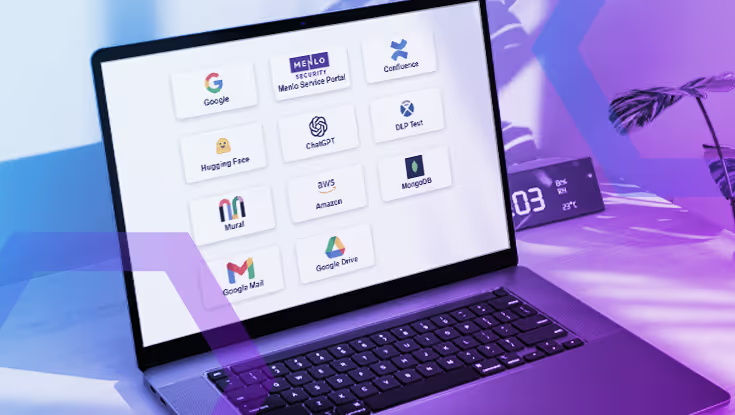
The web browser is where most work gets done today, but many desktop applications remain. Data must be protected where users use it. And Menlo Data Security has you covered. Menlo Data Security offers unmatched coverage in the web browser: in form fields, managing copy and paste, providing watermarks, and masking sensitive data in real time. Further, masking prevents data disclosure in collaboration applications and the most common modern data storage locations including Box, OneDrive, and Amazon S3. Menlo Data Security ensures compliance where work gets done.

Menlo Data Security solutions, particularly Menlo AI Adaptive DLP, deliver unexpected and valuable productivity gains to multiple communities in the business: users, the help desk, and security administrators responsible for data access governance and data loss prevention. By automatically detecting and masking sensitive data in files and then delivering them, rather than simply blocking the use of the file, user workflows are maintained, ending productivity-damaging manual mitigations. The IT help desk gets fewer calls from frustrated users, and Security Administrators get fewer demands to relax DLP enforcement.
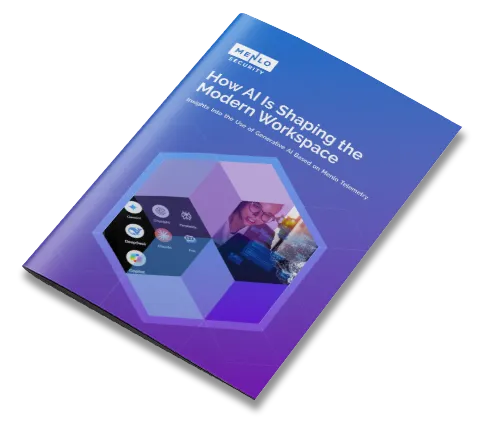
Analyzes GenAI use and risks: Shadow AI, data loss, compliance, phishing, and malware.

Traditional Data Loss Prevention is a multi-step journey often fraught with complexity. Menlo Data Security accelerates this journey by moving security to the cloud and integrating it directly into users’ workflows. These key capabilities enable you to move beyond legacy DLP.
Menlo AI Adaptive DLP utilizes AI to identify sensitive and private data—including PII, PHI, and PCI—inside files and web traffic. Its automated approach allows for extensible detection that adapts to your organization's specific data protection needs without constant manual updates.


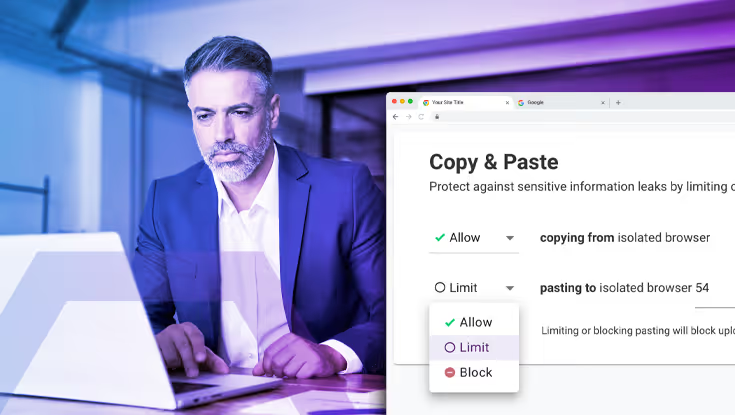
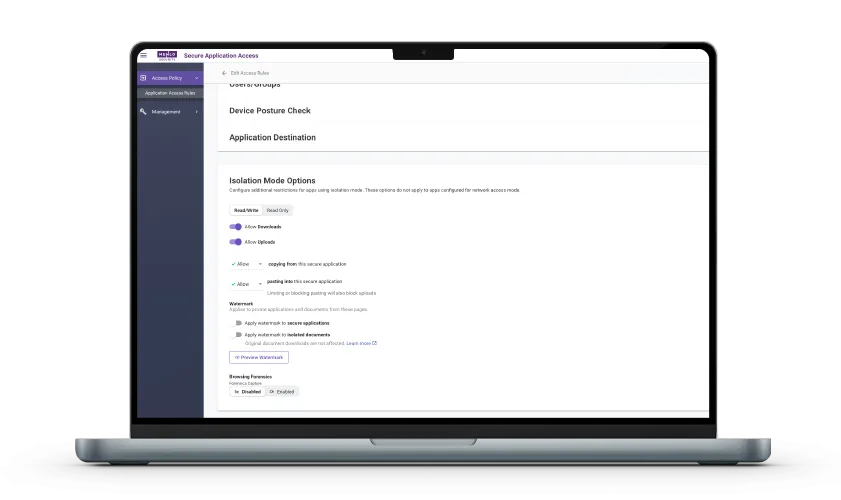
Menlo Browser DLP offers advanced controls on active browser use. You can gain administrative control of HTTP POST operations on a granular basis with copy-and-paste controls that restrict copying from or pasting to web form fields.
Web page watermarking enables you to automatically provide guidance to the user not to share data. If a site has sensitive data, you can apply controls on the movement of files, including uploads and downloads, regardless of content.
Finally, Menlo Browser DLP ships with almost 400 data dictionaries and is easily extensible. Both built-in and your own custom dictionaries may be applied to web form fields. With Windows and Mac users leveraging GenAI through their browsers, Menlo Browser DLP dictionary detection covers both the GenAI prompt and any files uploaded to the GenAI LLM.The Menlo Browser SSE inline CASB controls SaaS consumption with an intuitive administrative workflow and a user-friendly experience, beginning with a curated list of thousands of known web applications. Application Discovery gives you information needed to manage SaaS consumption. Rules give you unique combinations of security and flexibility, on a per-application basis. Exceptions to least-privileged access rules offer the same level of specificity.
Both Menlo Browser DLP and AI Adaptive DLP act on files and archives carried in web traffic, including those that are password-protected. Menlo AI Adaptive DLP goes much further, detecting and masking sensitive data in email, collaboration apps such as Microsoft Teams, and enterprise data stores such as OneDrive/SharePoint, Box.com and Amazon S3.
All Menlo offerings are cloud-based, requiring no heavy endpoint agents, making Menlo solutions the ideal choice for securing the hybrid workforce, including contractors and BYOD users who require access to internal web and SaaS applications but cannot readily have corporate software installed on their personal devices.
Answers to the burning questions in your mind.

Menlo Browser DLP is a "browser-centric" solution designed to ensure data protection in web traffic and use, such as preventing sensitive data from being typed into GenAI prompts or other web forms. Menlo AI Adaptive DLP is a broader solution that provides automated detection and masking for files at rest and in motion across the cloud ecosystem, including storage buckets and collaboration apps like Teams.
With so many vectors for data loss web browsers, it’s simply crucial for browser security to include DLP dedicated to web traffic. While DLP remains a great solution for many use cases, new use cases, such as endpoint collaboration applications, drive the need for Menlo AI Adaptive DLP.
As this page describes, there remain formidable use cases for which DLP, Menlo Browser DLP and even DSPM are very useful. For others, Menlo AI Adaptive DLP can be the most useful. We can provide unbiased recommendations. Contact us.
Both Menlo DLP and Menlo AI Adaptive DLP are designed not to interfere with existing DLP offerings. Menlo Cloud-based Data Security offerings overcome many issues associated with traditional DLP by adding a protective layer in the cloud. Menlo AI Adaptive DLP integrates with Microsoft Purview to provide document auto-classification and labeling.
No, the original information can be retained. While the end-user receives a masked version for data protection, Menlo AI Adaptive DLP can be instructed to save the original file in the Menlo Cloud for a configurable period.
Menlo AI Adaptive DLP reduces compliance audit scope by scanning and masking sensitive data the moment it starts to move. Menlo Browser DLP copy and paste controls enable organizations to prove "prevention" rather than just "detection," which is a requirement for many global data residency and protection rules.
Most forms of data redaction attempt to obscure or cover data so that it cannot immediately be seen by humans. Unfortunately, redaction, which has been with human communications for centuries, does not work effectively with digital communications. If the sensitive data is present in the file, it can be seen, if not by humans, then by software. Masking, as done by Menlo AI Adaptive DLP, by contrast, replaces sensitive data, character by character, with an alternative character. The sensitive data is no longer present in the file.
Take a self-guided tour to observe some of the ways that Menlo products enable secure app access, block sophisticated attacks, and provide critical insight into browsing sessions.
See exactly how Menlo can be tailored to solve your unique security challenges. We offer a live demo customized to your teamʼs goals, showing you how to secure your stack and protect your users. A truly secure browsing experience is one click away.


Discover why organizations around the world rely on Menlo Security to protect the enterprise and enable secure access to applications, preventing attacks that legacy security tools cannot stop.
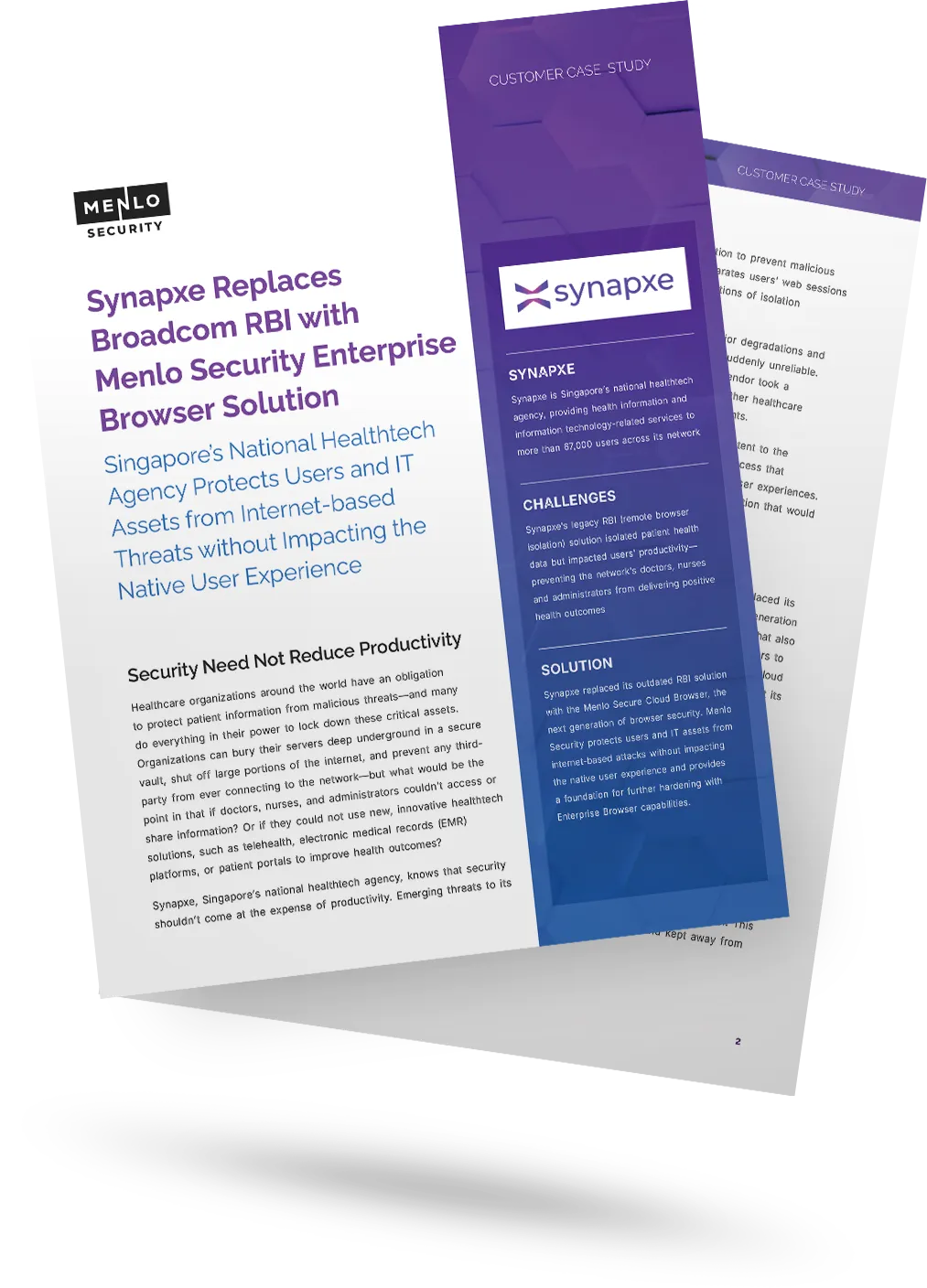
To protect its 67,000+ users, Singapore’s healthtech agency Synapxe replaced its disruptive, pixel-streaming RBI solution. They adopted the Menlo Security Enterprise Browser, which uses Adaptive Clientless Rendering™ (ACR) and DOM mirroring to deliver a lightweight, safe view of websites. This provided seamless security without the performance degradation of their previous solution.


"Menlo was easy to roll out and integrates well with our security and technology stack in the cloud.”

“To employees, Menlo is completely transparent, allowing users to navigate a completely functional web resource.”

“…allows Synapxe to protect its assets from malicious threats without impacting the native user experience.“

“I wanted a layered approach that would protect users from web-based threats without slowing down their ability to get work done.”

“The platform has decreased our remediation needs, while reducing patch pressure.”

“Menlo Security helped us eliminate the possibility of a malware infection, rather than just detecting and removing an infection.”
“Before, we had to manually examine every single potential malware problem. Now, my job is much easier…with the Menlo Secure Cloud Browser.”
“Menlo takes care of all the unknown risks running rampant around the internet.”
“Zero-client,easy scaling, and cloud provisioned versus appliance.”
“Menlo Secure Cloud Browser provided the scalability to ensure that users world wide have the same transparent experience and unyielding protection.”
“[Menlo has] eliminated the need to manually apply and update policies across an increasingly distributed IT infrastructure.”
“Menlo provides protection from email-based malware embedded in links and attachments without impacting the user’s native email experience.”
The clientless, cloud-native path to retiring your vulnerable VPN.
VPN Replacement

Deliver zero-trust through standard browsers with zero infrastructure changes, removing the high cost and complexity of legacy ZTNA.
Zero Trust Access
Eliminate the cost, complexity and performance issues of VDI with a streamlined, cloud delivered solution that secures access for alll users and devices with no infrastructure overhaul
VDI Reduction
Enable agentless secure access to SaaS and private apps for unmanaged devices while ensuring compromised endpoints never reach your apps, files, or data
BYOD Security
Go beyond traditional signatures-based detection and protect against unknown phishing attacks targeting the browser with real-time, AI-powered threat prevention.
Phishing Prevention
Stop polymorphic ransomware in the cloud before it ever reaches your devices or penetrates your network perimeter.
Evasive Ransomware
Gain unprecedented visibility into browser sessions for fast incident resolution, threat hunting, audit/compliance, and more.
Browsing Visibility
Enable safe access to generative AI platforms while protecting enterprise data and intellectual property.
Generative AI Governance
Stop file-borne threats that go beyond the browser, including web downloads, portal uploads, and email attachments.
File Security
Use zero trust security to isolate your people and data from threats while providing fast, secure access to apps.
Government Agency Security
All that you expect from SSE with lower cost and complexity, plus browser security.
Browser SSE
Take a self-guided tour to see how Menlo blocks attacks, secures apps, and provides browsing insight.
Product Demos and Tours