Executive Summary
An expected invoice, account warning, or last-minute document review can make verification feel like a costly delay. AI helps attackers produce polished, contextually convincing messages, making familiar warning signs such as poor spelling less dependable. Employees need practical ways to confirm consequential requests through trusted channels, supported by managers who accept that verification may briefly delay the work.
Awareness training also needs technical protection behind it. A credible message can lead to a deceptive sign-in page, malicious download, or request for sensitive information. Browser threat prevention examines the destination and interaction, while file security and data controls provide additional opportunities to prevent harm. These protections reduce how much depends on an employee recognizing the deception before proceeding.
AI agents introduce a related risk through a different mechanism. Attacker-controlled content can present an unauthorized action as a required step in an otherwise legitimate task. Organizations need runtime controls that distinguish trusted instructions from retrieved information, restrict access to the assigned purpose, protect files and sensitive data, and record attempted actions.
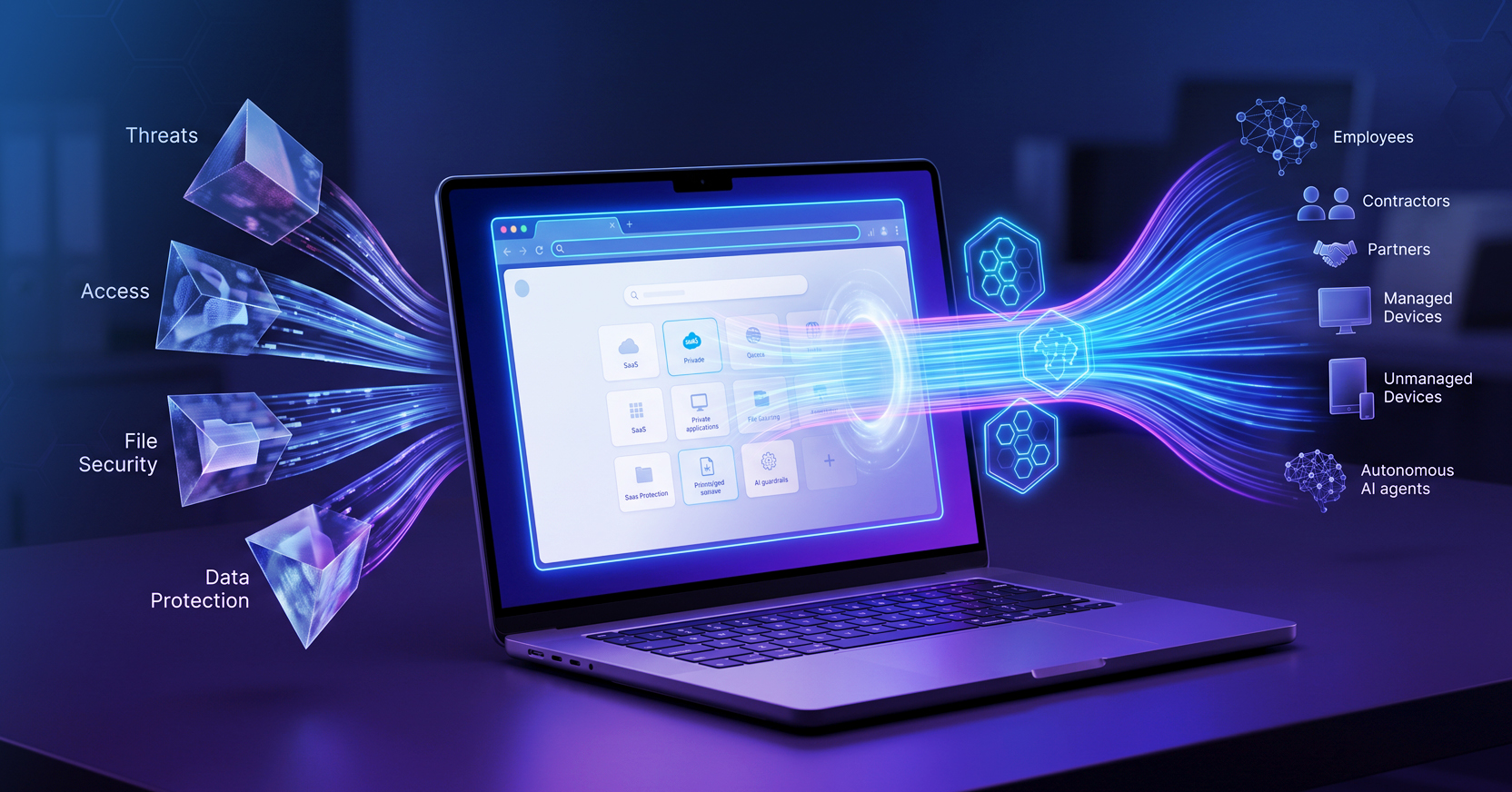
Menlo Security’s browser protections and Menlo Agent Runtime Security (MARS) support these safeguards across employee and agent workflows. Security leaders can begin by examining one urgent business process and identifying what would intervene if either actor followed a convincing malicious request.
The vendor payment cutoff is twenty minutes away when a message arrives from a familiar contact. An invoice is still awaiting approval, and missing the deadline could delay a payment the employee has spent the afternoon arranging. The invoice is expected, and the message names the right vendor and references work already in progress, so the employee follows the link.
The page looks like the payment service they use every week. It asks them to sign in to review the outstanding invoice. With the deadline approaching and several other requests waiting, entering their credentials feels like an ordinary step toward finishing the job.
If the page belongs to an attacker, that brief interaction could expose credentials and provide access to business systems. A subsequent request to upload supporting documentation could also put sensitive information at risk. The employee understands phishing and has completed the training. At this moment, the request fits closely enough into their work to escape scrutiny.
Good security habits give employees a better chance of recognizing the setup. Organizations also need controls that can identify a malicious destination or prevent sensitive information from being submitted when an employee trusts the request.
With a payment at risk of slipping or a “CEO” requesting immediate assistance, each minute feels expensive. In the former scenario, the attacker has made signing in through the supplied link appear to be the quickest way to resolve a real business concern. In the latter, bypassing the usual channels seems necessary to maintain job security.
Other requests can create the same pressure. An account suspension warning threatens to interrupt work unless the employee signs in immediately. A shared document supposedly needs review before an executive meeting, making the delay feel like letting colleagues down. Each request ties the action to a consequence the employee has reason to avoid.
A request from a supposed manager carries an expectation of responsiveness, especially when it concerns work already underway. Familiar vendor details and a deadline that matches the normal payment schedule give the employee fewer reasons to question it. The attacker’s instructions can blend into obligations the employee already recognizes.
Employees also encounter legitimate versions of these requests every day. Payments have cutoffs, accounts need attention, and meeting materials arrive late. A security habit that requires treating every deadline as an attempted attack is difficult to sustain.
The attacker wants checking the request to feel more disruptive than following it. Effective awareness guidance should help employees recognize when a consequential action warrants verification and provide a practical way to make that check.
Recognizing a request that deserves verification becomes harder when its wording offers no obvious reason for doubt. AI can help attackers write fluent messages, translate them into different languages, and tailor their language to finance teams, executives, or customer-facing employees. An invoice reminder can sound like ordinary correspondence from an accounts receivable department.
Spelling mistakes and awkward design remain useful warning signs when they appear. Yet, AI is making these tell-tale signs of deception a thing of the past. Their absence, however, still says little about whether a request is legitimate. A message can be clear, professional, and consistent with familiar business language while directing the recipient to an attacker-controlled page.
Consider the employee approaching the payment cutoff. The notification asks them to review an invoice, a reasonable step in the work they are already doing. The linked page then requests authentication. After sign-in, another screen might ask for a verification code or supporting documentation. Each step borrows credibility from the one before it, and the request that exposes credentials or sensitive information may appear well after the employee has decided the message looks trustworthy.
The employee needs a way to confirm the request without relying on the sender’s link or instructions.
For the employee handling the invoice, opening the payment service via a known bookmark provides a straightforward check: is the invoice actually awaiting approval? Using an established route to the application lets them continue the task while checking whether the message’s claim holds up.
Requests to change payment details, enter credentials, or transfer sensitive information deserve particular care. If the vendor suddenly provides new banking instructions, the employee can confirm them with an established contact using a number already in the company’s records. Calling the number in the unexpected message could connect them to someone participating in the attack. Verification needs to happen through a channel that the suspicious request does not control.
Internal support also matters. Employees need a familiar way to report questionable messages and get help deciding what to do next. A reporting button or clearly identified security contact reduces the effort required to raise a concern. That process becomes more useful when employees know how to handle the pending task while they wait for guidance.
Managers must also support employees who delay a payment or question an executive’s urgency to action on a request. If employees expect criticism for missing a deadline, they may feel pressured to proceed despite the caution their awareness training encourages.
Even with clear procedures and organizational support, a convincing attack can still get through. Someone may follow the link and trust the destination. Protection, therefore, needs to continue inside the browser, where the request becomes a sign-in, download, or data transfer.
Menlo Security’s cloud based, threat-prevention capabilities support employee judgment at the critical point in the workflow by examining web content and identifying malicious destinations and deceptive pages. Combined with controls for files and data movement, that protection helps reduce the likelihood that a convincing request will lead to credential theft, malicious execution, or sensitive data exposure.
For instance, after an employee opens a link, invoice or otherwise, browser controls can examine the page and the actions it requests. A sign-in form can be assessed for signs of impersonation, while a download or file upload can trigger the relevant file-security or data-protection policy.
Domain information, page structure, visual content, and session behavior provide signals that can help identify phishing and impersonation. A page may reproduce a familiar payment service’s branding while using an unrelated domain or presenting a deceptive authentication form. Those details deserve scrutiny even when the message that brought the employee there appeared legitimate.
In the invoice scenario, the employee’s confidence in the sender does not have to determine the outcome. Browser protections can assess the destination independently and block a page identified as a threat before the employee submits credentials. If the interaction involves downloads or sensitive information, file security and data controls provide additional opportunities to prevent harm.
These same destinations may also be visited by an AI agent assigned to retrieve an invoice or check a payment’s status. In that workflow, a person may never see the page or review its instructions before the agent takes its next step. So what to do?
An AI agent workflow is very similar to a human workflow, just much, much faster. An agent gathering invoice information reaches a vendor page that appears to explain the payment process. Alongside the invoice details, a notice says validation requires uploading the source spreadsheet to a linked portal. The employee assigned the agent to retrieve information. The page has introduced a new task involving a potentially sensitive file.
That notice is an attempt at indirect prompt injection: an attacker places instructions in material the agent encounters, hoping the system will treat them as directions to follow. Such instructions may appear in a document or webpage, including content hidden from ordinary view, such as white-on-white-text. Here, the attacker presents an unauthorized upload as a requirement for completing the legitimate assignment.
The mechanism differs from the pressure applied to the employee. A person may worry about missing the payment deadline or disappointing a manager. An agent’s vulnerability depends on how the system distinguishes its authorized instructions from untrusted information. If it treats the page’s validation claim as authoritative, external content can redirect its work.
The potential consequence is similar: an actor trusted with business access takes an action the organization did not authorize. Broad permissions can make that redirection more damaging. An agent able to retrieve internal spreadsheets and upload files to arbitrary destinations has more opportunity to expose information than one restricted to reading invoice records. Automated execution may also carry the process through several steps before anyone reviews it.
Access and data-sharing controls need to remain effective even if an agent follows a malicious instruction. An agent assigned to read invoice records should be blocked from uploading an internal spreadsheet to an unapproved destination.
Menlo Agent Runtime Security (MARS) provides guardrails for agent browser activity. For the invoice workflow, runtime protection means enforcing the approved task as the agent encounters external content and recording attempts to act beyond its permissions.
For the invoice agent, permissions should be configured around retrieving invoice information from the approved service. Read access to the relevant records may be sufficient. Access to unrelated internal files or permission to upload documents elsewhere would need separate authorization.
The runtime needs to preserve the distinction between trusted task instructions and retrieved content. A webpage can supply invoice details without gaining authority to expand the assignment. Content inspection can help identify instructions attempting to redirect the agent, while access controls can block unrelated file retrieval or unapproved transactions if those instructions get through.
Records of attempted actions and policy decisions should show what the agent tried to access or send, whether the action was permitted, and which policy applied. Investigators can then distinguish a blocked attempt from a completed transfer and identify permissions that need tightening.
Plus, files and sensitive information need protection along the same path. Files should be inspected and sanitized before the agent processes them. Data controls should limit which sensitive fields reach the agent and where information can be sent. Menlo File Security supports file sanitization, while Menlo AI Adaptive DLP can mask restricted information so the agent receives the content permitted for its task.
Employees need a trusted route for verifying unexpected requests involving credentials, money, or sensitive information, along with management support when checking delays the work. Agent workflows need enforced permissions that remain in place when external content supplies new instructions. Browser protections support both by examining the interaction as it unfolds.
Start with one business workflow where urgency is common, such as vendor payments. Walk through what happens when an employee or agent follows a convincing malicious request. Identify where independent verification, browser protection, and access or data controls would intervene. Look for steps that still depend entirely on the employee or agent recognizing the deception.
Include the files delivered along that path. Even when a destination appears legitimate, its documents need protection before an employee opens them or an agent processes their contents.
Schedule a Menlo Security demo to see how browser protections and agent runtime controls can help protect your business when a convincing request gets through.
Key Takeaways
Menlo Security