Menlo Closes the Loop on Zero-Day and AI Agent Attacks with New Google Security Operations Integration
Details


Granting application access to the growing BYOD and third-party workforce forces a dual compromise: high security risk and operational headaches. Unmanaged endpoints introduce malware, data exfiltration, and lateral movement, without visibility into user activity. For IT, this means managing a fragmented set of security tools with different management interfaces, leading to operational strain and a poor user experience.
The risk of granting application access to unmanaged and BYOD devices is clear from an IT and security standpoint: it introduces malware risk, creates security blind spots, and leaves sensitive data vulnerable to unmonitored access. To safely enable your entire workforce without increasing IT management burden or jeopardizing compliance, organizations need a modern, agentless access solution that completely separates the user's device from the application and data.
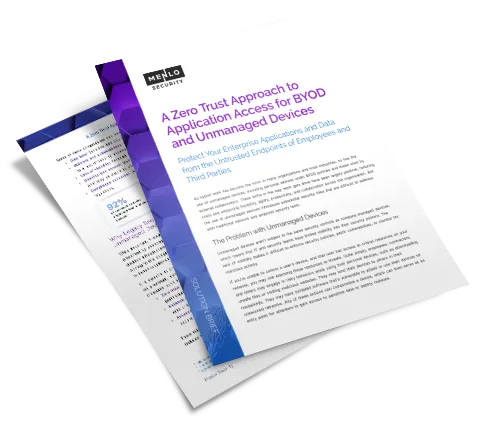
This solution brief covers how organizations can ensure secure, seamless access to enterprise applications from unmanaged devices. Unmanaged devices, including those used for employee BYOD or third parties can put enterprises at risk, as these endpoints are not subject to internal security control. Dangers include unauthorized access, data loss, malware, and more.

Menlo Secure Application Access (SAA) delivers zero-trust access to SaaS and private web applications, remote desktops, and even legacy thick-client applications by transforming the browser into a ZTNA client, without the need to install additional agents or clients. This cloud-delivered platform physically separates internal applications from risk on unmanaged devices, providing seamless access while integrating a powerful set of security controls. The solution is complemented by browser DLP to prevent unauthorized data loss, File Security to inspect and control uploads and downloads, and full Forensic Visibility to log every user interaction, ensuring application data remains protected regardless of the access device.
The SAA platform establishes a protective barrier in the cloud, guaranteeing that no application code or sensitive session data ever executes on the user's unmanaged device. This immediately eliminates malware risk, preventing attacks like cookie stealing and header manipulation

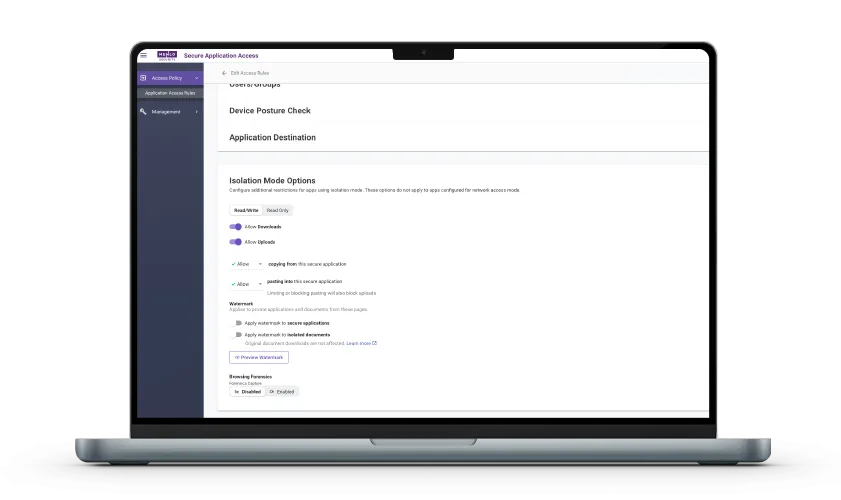
Enforce zero trust policies at the application layer, not the network layer. Utilize Menlo Secure Storage to ensure files are accessed safely in the cloud, and leverage advanced controls like watermarking and copy/paste restrictions to prevent unauthorized data loss (DLP) across all devices.

Gain full, application-level visibility into every user action for deep forensic investigation and simplified compliance auditing. This eliminates the blind spots of encrypted traffic, allowing security teams to see precisely what the user accessed and whether sensitive data was involved.

Menlo SAA transforms unmanaged devices from a security liability into a simple, flexible reality. By implementing zero trust at the application layer, your organization gains the control needed to accelerate business while eliminating endpoint threats, all without requiring an Agent.
Menlo SAA ensures your applications and data are safe from the risks of unmanaged and BYOD endpoints. By establishing a secure barrier that separates applications from the device, security and IT teams can have the confidence that the corporate network and sensitive applications are shielded from zero-day threats, evasive ransomware, and malware that may be present on an unmanaged device. Furthermore, Browser DLP controls ensure sensitive data never lands locally, virtually eliminating the risk of data exfiltration or breach from unmanaged endpoints.

The clientless and cloud-native deployment model allows IT teams to extend zero trust access to any unmanaged device (BYOD, contractor laptops, etc.), eliminating the need for complex, resource-intensive tasks like installing, managing, and troubleshooting VPN clients, VDI software, installing a new browser, or certificates on personal devices. This dramatically simplifies the onboarding/off-boarding process, and reduces help desk tickets related to remote access and client configuration.

For end-users, Menlo SAA provides secure access to necessary applications through their familiar, native browser, without requiring them to install any corporate software or clients on their personal device. This delivers a native, high-performance experience, allowing users to remain productive on any device, anywhere, without the friction, slowness, or privacy concerns typically associated with legacy remote access tools like VPNs or VDI.

Unlike solutions that rely on agents or network tunneling, the capabilities detailed below provide the foundation for zero trust access from unmanaged devices. This eliminates the endpoint as a threat vector and enforces uncompromising data control and visibility.

Streamline IT operations and eliminate user friction. By being truly agentless and cloud-delivered, Menlo Secure Application Access allows your entire workforce, including BYOD and third-party contractors, to gain secure access to any application type instantly via any standard browser. This shift eliminates the high cost and complexity of purchasing, patching, and maintaining legacy client software.


Users can now launch legacy apps alongside modern SaaS tools in the same browser. There's no need for managed laptops or complex VDI logins. Streamline IT operations and eliminate user friction. By being truly agentless and cloud-delivered, Menlo Secure Application Access allows your entire workforce, including BYOD and third-party contractors, to gain secure access to any application type instantly via any browser. This shift eliminates the high cost and complexity of purchasing, patching, and maintaining legacy client software.
This capability enforces a complete separation between the user's endpoint and the corporate application. Every session runs entirely within the Menlo Cloud, ensuring no application code or data ever reaches the endpoint. This instantly removes the external attack surface and blocks lateral movement risk. In contrast, replacement browsers install locally, meaning application code executes natively on the endpoint, leaving it vulnerable to exploits. Additionally, network separation capabilites are extending to legacy thick-client applications, enabling users to safely access these applications via the browser on any BYOD device.
Menlo SAA enforces true zero trust principles by validating the real-time security health of every device before and during a session. Our dynamic posture check verifies essential factors like OS patch levels, firewall status, and disk encryption. If a device fails, access is instantly restricted or limited, ensuring that your corporate applications are never accessed by a compromised or non-compliant endpoint. Furthermore, seamless integration with Google Chrome Enterprise enables granular posture checks without requiring users to install any additional software, which is especially helpful for managed devices, BYOD users, and contractors using their own devices.
This capability moves beyond simple network access to enforce highly detailed policies based on user identity, group, geolocation, or source IP. This ensures every user is granted the absolute minimum "per-request" access, preventing the broad network access of legacy systems. Additionally, you can apply data security controls, including watermarking, upload/download limits, and copy/paste restrictions, to protect sensitive data, even on unmanaged endpoints.
Unlike legacy access tools, which offer zero data control once the session is established, this capability protects your sensitive data through multiple layers of defense. Organizations can enforce controls like watermarking, upload/download limits, and copy/paste restrictions to prevent leakage, even on unmanaged endpoints. Furthermore, instead of downloading files, users can access and view files within the secure Menlo Cloud environment. Features like watermarking and copy/paste prevention also apply to legacy Windows apps without requiring a client.
Eliminate the security blind spots inherent in encrypted legacy access traffic. By capturing a complete, browsing forensic record of every session, organizations gain full visibility into user activity, even on unmanaged devices. This detailed, contextual logging allows security and IT to conduct rapid investigations, simplifying auditing and compliance efforts.
Answers to the burning questions in your mind.

Unmanaged devices (BYOD or contractor laptops) often lack the same security controls as managed devices and may be infected with malware from personal browsing. Legacy access methods like VPNs grant full network access, allowing any threat on the unmanaged device to spread laterally into your network and applications.
Yes, for browser-based applications. Access is provided via:
A browser portal: Users simply navigate to a secure URL, authenticate via your Identity Provider (IdP), and see a dashboard of only the applications they are authorized to use.
A browser extension: A lightweight extension on their existing browser (Chrome, Edge) provides the secure connection.
There is no heavy client software to install, manage, or troubleshoot on the unmanaged endpoint, making deployment frictionless for contractors and BYOD users.
Yes. Menlo SAA provides access to any type of application.
Yes, with Menlo Browsing Forensics. This feature provides granular, non-disruptive visibility into all secure application sessions. For high-risk users, you can choose to record the session, capturing screen grabs and user inputs (e.g., keystrokes) for audit, compliance, and incident response. This ensures your security and compliance teams have the necessary context for high-risk access.
Because Menlo SAA integrates directly with your Identity Provider (IdP) and is cloud-managed, provisioning, adjusting, or revoking access takes only a few clicks in the centralized management console. There is no infrastructure change, making the process instant and highly efficient for onboarding/off-boarding third parties.
Menlo is unlike on-premises and cloud-based network security tools that rely on signatures of known threats or systems that employ network-based telemetry alone, which fail to detect unknown phishing threats and other evasive techniques. Instead, Menlo Security offers a simple-to-deploy cloud-based browser security service that supports any browser, anywhere in the world.
Menlo Security provides an agentless DLP enforcement point for all unmanaged devices. Instead of installing software on the personal device (which is risky and complex), the Menlo Cloud enforces Browser DLP with granular, browser-centric controls, such as blocking copy/paste and restricting file upload/download, directly on the sensitive data flow. Menlo does this without ever trusting or engaging the unmanaged local endpoint, thereby providing immediate data leakage prevention.
BYOD (Bring Your Own Device) security is more challenging because these unmanaged devices usually lack organizational data protection controls and mandated malware prevention. Menlo addresses this by extending Zero Trust Access quickly and easily, without requiring clients or configuration changes on the unmanaged device. The Menlo Cloud protects mission-critical applications from the unmanaged device's risk, and Browser DLP prevents data loss, ensuring security without needing to control the endpoint itself.
Take a self-guided tour to observe some of the ways that Menlo products enable secure app access, block sophisticated attacks, and provide critical insight into browsing sessions.
See exactly how Menlo can be tailored to solve your unique security challenges. We offer a live demo customized to your teamʼs goals, showing you how to secure your stack and protect your users. A truly secure browsing experience is one click away.


Discover why organizations around the world rely on Menlo Security to protect the enterprise and enable secure access to applications, preventing attacks that legacy security tools cannot stop.
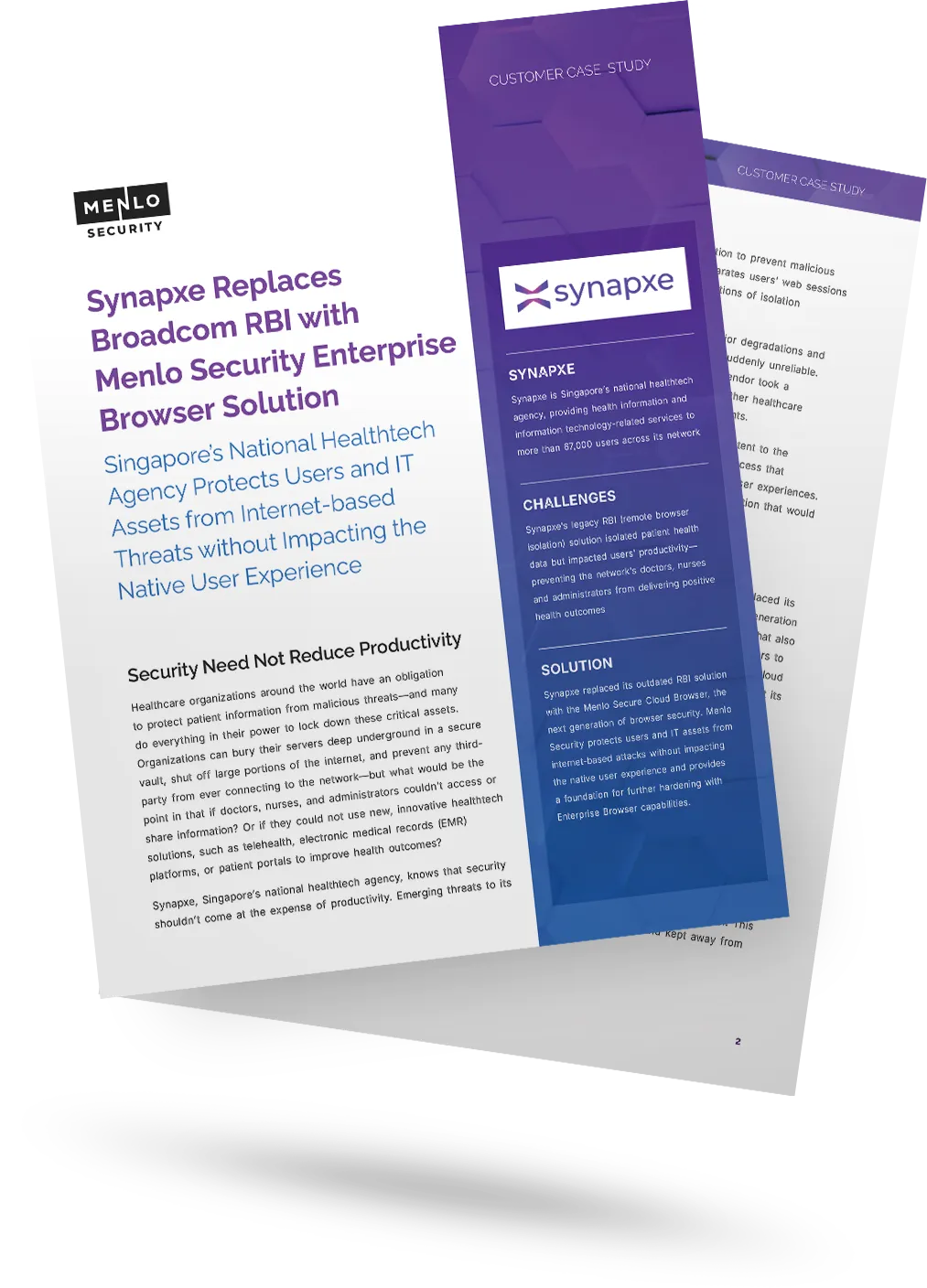
To protect its 67,000+ users, Singapore’s healthtech agency Synapxe replaced its disruptive, pixel-streaming RBI solution. They adopted the Menlo Security Enterprise Browser, which uses Adaptive Clientless Rendering™ (ACR) and DOM mirroring to deliver a lightweight, safe view of websites. This provided seamless security without the performance degradation of their previous solution.
"Menlo was easy to roll out and integrates well with our security and technology stack in the cloud.”
“To employees, Menlo is completely transparent, allowing users to navigate a completely functional web resource.”

“…allows Synapxe to protect its assets from malicious threats without impacting the native user experience.“

“I wanted a layered approach that would protect users from web-based threats without slowing down their ability to get work done.”

“The platform has decreased our remediation needs, while reducing patch pressure.”

“Menlo Security helped us eliminate the possibility of a malware infection, rather than just detecting and removing an infection.”
“Before, we had to manually examine every single potential malware problem. Now, my job is much easier…with the Menlo Secure Cloud Browser.”
“Menlo takes care of all the unknown risks running rampant around the internet.”
“Zero-client,easy scaling, and cloud provisioned versus appliance.”
“Menlo Secure Cloud Browser provided the scalability to ensure that users world wide have the same transparent experience and unyielding protection.”
“[Menlo has] eliminated the need to manually apply and update policies across an increasingly distributed IT infrastructure.”
“Menlo provides protection from email-based malware embedded in links and attachments without impacting the user’s native email experience.”
The clientless, cloud-native path to retiring your vulnerable VPN.
VPN Replacement

Deliver zero-trust through standard browsers with zero infrastructure changes, removing the high cost and complexity of legacy ZTNA.
Zero Trust Access
Eliminate the cost, complexity and performance issues of VDI with a streamlined, cloud delivered solution that secures access for alll users and devices with no infrastructure overhaul
VDI Reduction
Enable agentless secure access to SaaS and private apps for unmanaged devices while ensuring compromised endpoints never reach your apps, files, or data
BYOD Security
Go beyond traditional signatures-based detection and protect against unknown phishing attacks targeting the browser with real-time, AI-powered threat prevention.
Phishing Prevention
Stop polymorphic ransomware in the cloud before it ever reaches your devices or penetrates your network perimeter.
Evasive Ransomware
Gain unprecedented visibility into browser sessions for fast incident resolution, threat hunting, audit/compliance, and more.
Browsing Visibility
Enable safe access to generative AI platforms while protecting enterprise data and intellectual property.
Generative AI Governance
Stop file-borne threats that go beyond the browser, including web downloads, portal uploads, and email attachments.
File Security
Use zero trust security to isolate your people and data from threats while providing fast, secure access to apps.
Government Agency Security
All that you expect from SSE with lower cost and complexity, plus browser security.
Browser SSE
Take a self-guided tour to see how Menlo blocks attacks, secures apps, and provides browsing insight.
Product Demos and Tours
%20Support-Solution%20Brief.png)