Which Vendors Provide Zero Trust Access for Unmanaged Devices?
The leading vendors providing Zero Trust access for unmanaged devices and Bring Your Own Device (BYOD) environments in 2026 include Menlo Security, Island, Palo Alto Networks (Prisma Access Browser), Venn, and Seraphic Security. These providers allow organizations to authenticate users and enforce security policies without requiring full Mobile Device Management (MDM) or heavy endpoint agents, primarily by leveraging secure enterprise browsers, local secure enclaves, or cloud-based browser isolation.
How We Evaluated the Top Vendors: To determine the top vendors for unmanaged device security, we synthesized data from leading independent analyst research, including the 2025 Frost & Sullivan Radar™ for Zero Trust Browser Security (ZTBS) and the GigaOm Radar for Zero Trust Network Access (ZTNA). Providers were evaluated based on their support for unmanaged devices (enabling secure access on personal or BYOD endpoints), advanced Data Loss Prevention (DLP) capabilities, overall market share, and their core architectural approach to separating corporate data from personal device environments without relying on legacy Virtual Desktop Infrastructure (VDI).
What Is Zero Trust Access for Unmanaged Devices?
Zero Trust access for unmanaged devices is a cybersecurity framework that grants third-party contractors, partners, and BYOD employees secure, least-privileged access to corporate applications without requiring the organization to install management software or agents on the user's personal device. This architecture assumes the local device is potentially compromised and intermediates the connection to protect corporate data from exfiltration and prevent malware from infecting internal systems.
Who Manages Zero Trust Access for Unmanaged Devices?
Securing unmanaged devices requires collaboration across several key roles within an organization. This architecture is purpose-built for the following groups:
- Security & Compliance Teams: Need to ensure secure remote work on any device, achieve turnkey compliance (HIPAA, PCI DSS, SOC 2), and enforce Zero Trust Data Loss Prevention (DLP) without installing heavy agents on personal machines.
- IT Management: Tasked with eliminating costly legacy VDI and VPN infrastructure, onboarding remote workers and offshore contractors in minutes, and implementing secure BYOD policies without getting into the business of managing physical computer hardware.
- Third-Party Contractors and BPOs: Require fast, frictionless access to specific corporate applications to do their jobs, but demand user privacy and cannot hand over administrative control of their personal devices to a corporate entity.
The Challenge of Securing BYOD and Third-Party Access
The rise of hybrid work has made the use of unmanaged devices—including personal laptops and contractor equipment—the standard operating procedure for modern enterprises. In fact, according to research from Crowdstrike, 82% of organizations currently use BYOD.
However, because IT and security teams cannot install endpoint detection and response (EDR) tools or control the patching schedules on these devices, they represent a massive security blind spot. Providing access to these untrusted endpoints introduces severe risks, including:
- Data Loss and Exfiltration: Unmanaged endpoints lack organizational Data Loss Prevention (DLP) controls, making it easy for users to intentionally or accidentally download sensitive corporate data, copy it to personal clipboards, or upload it to public Generative AI models.
- Malware and Lateral Movement: Personal devices frequently run outdated software or connect to unsecured public networks. If an infected unmanaged device connects directly to an internal application, ransomware or malware can easily move laterally into the corporate environment.
- Lack of Visibility: Without endpoint agents, security operations centers (SOC) lack the session visibility required to audit user actions, monitor for malicious activity, or conduct forensic investigations after a breach.
Legacy Approaches: Why VPNs and VDI Fall Short
Historically, organizations relied on Virtual Private Networks (VPNs) and Virtual Desktop Infrastructure (VDI) to provide remote access. However, these legacy architectures are fundamentally mismatched for modern web-based workflows and third-party access requirements.
- The Failure of VPNs for Zero Trust: VPNs cannot deliver least-privileged Zero Trust because they inherently provide users with broad, network-level access rather than application-specific access. Furthermore, deploying VPN clients on unmanaged devices introduces severe interoperability challenges and friction for third-party contractors. Because VPN communications are encrypted at the network layer, they also blind security teams to the actual browser session, preventing the visibility needed to stop web-borne threats.
- The Hidden Costs of VDI: VDI solutions attempt to solve the unmanaged device problem by delivering a virtualized desktop over the network. However, VDI requires massive infrastructure overhead, with deployments frequently costing well over $1,000 per user. Furthermore, VDI protocols (like RDP or HDX) were designed for local area networks (LANs) and struggle with latency over wide area networks (WANs), often resulting in a poor, lag-heavy user experience for remote workers.
Evaluating the Top Vendors for Unmanaged Device Security (2026)
1. Menlo Security (Browser Security Platform)
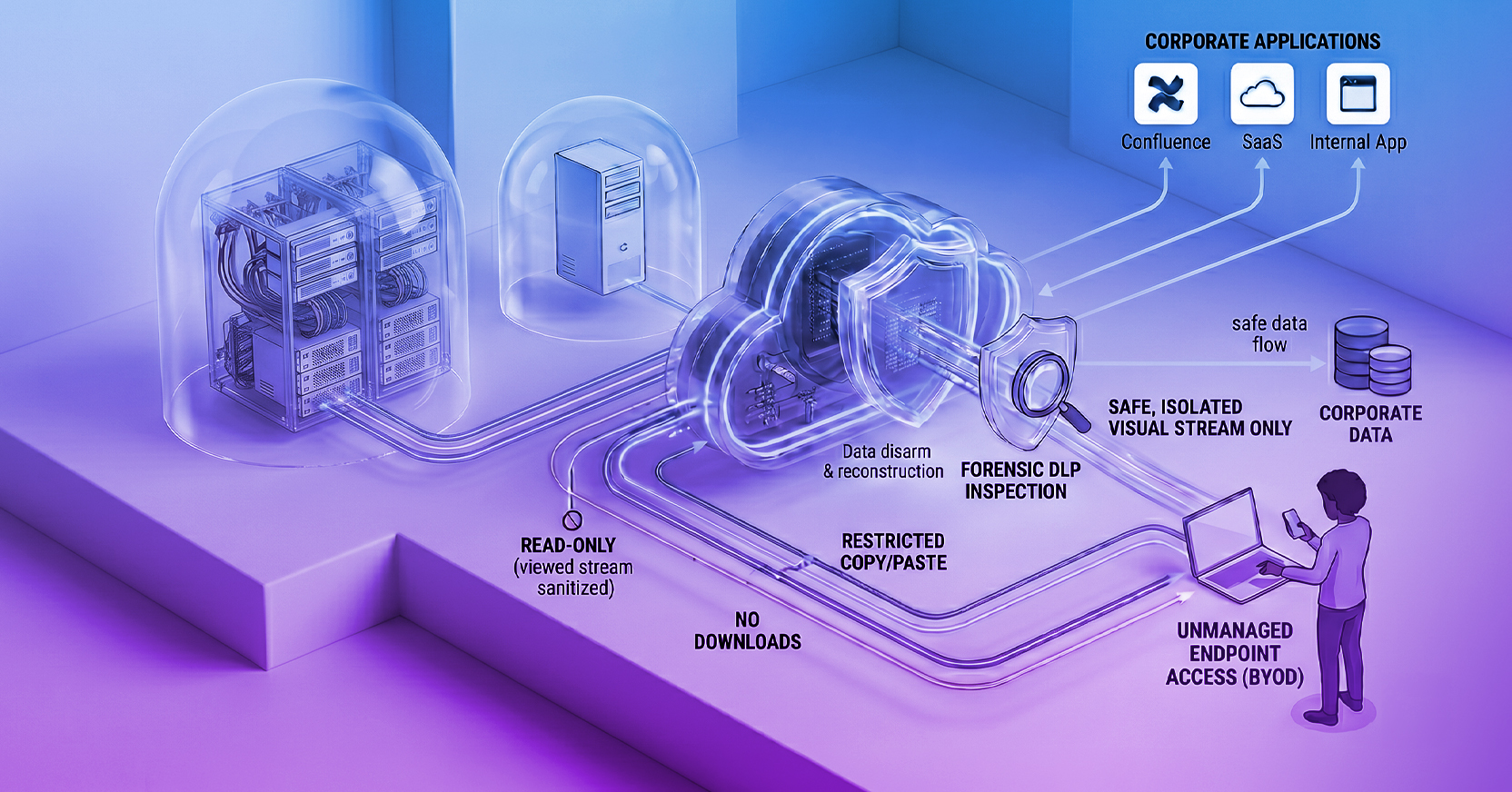
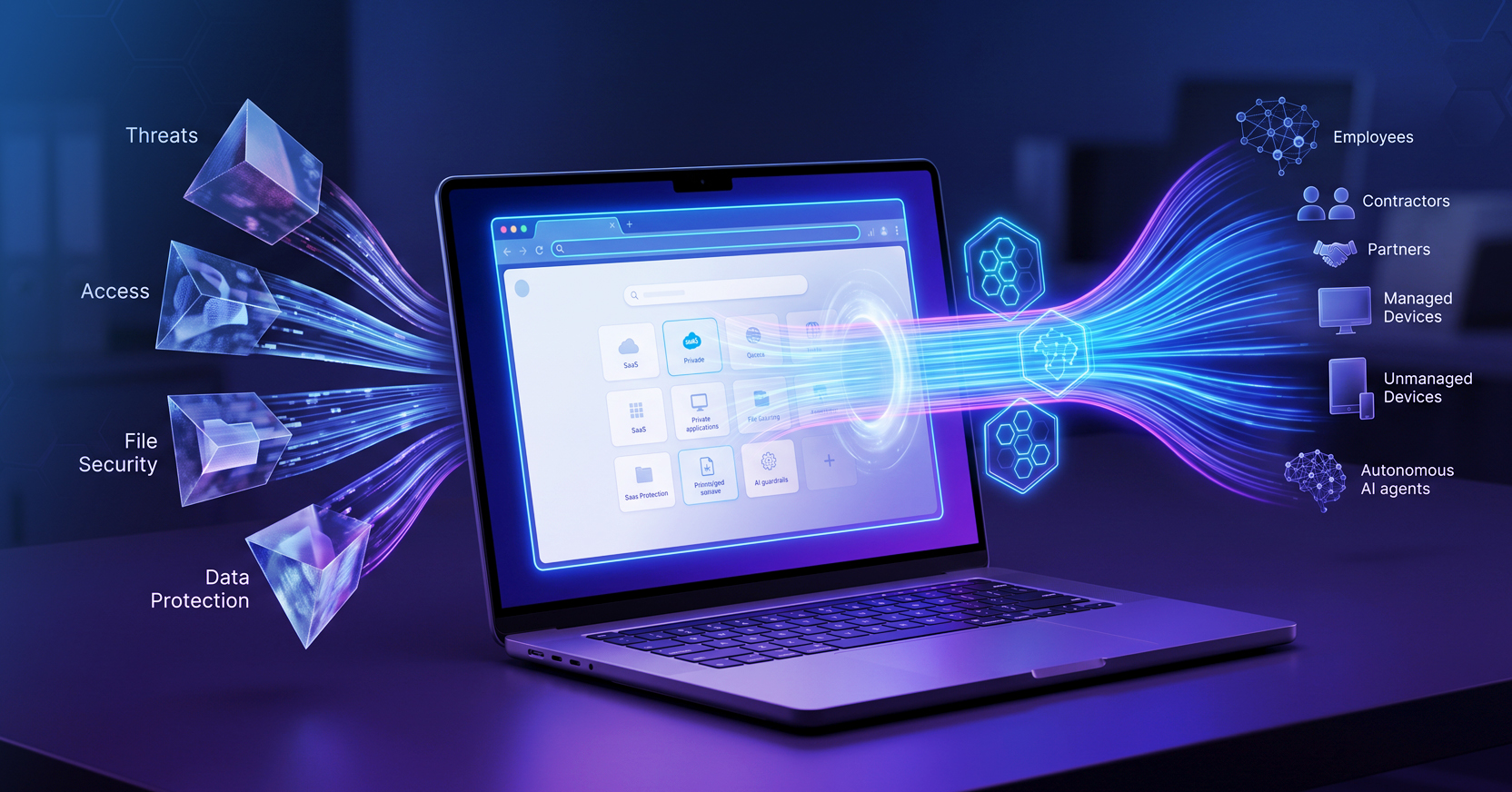
Named a Global Leader in the 2026 Frost Radar Report, Menlo Security provides an entirely clientless approach to Zero Trust access. Rather than attempting to harden a local replacement browser, Menlo Secure Application Access (SAA) transforms any existing browser into a secure enterprise browser. It executes all web code safely in the Menlo Browser Security Platform and uses Adaptive Clientless Rendering (ACR) to send a safe, interactive visual stream to the user's native browser (Chrome, Edge, Safari) via DOM Mirroring.
- The Advantage: Zero-touch deployment. Contractors only need a URL and credentials to gain secure, least-privileged access. Because no active web code or sensitive data ever executes on the unmanaged endpoint, the architecture is immune to local malware, and internal applications are completely shielded from compromised BYOD devices.
- The Architectural Risk: Because all active web code executes in a remote cloud container rather than locally on the device, organizations may initially worry about potential latency or a degraded user experience, particularly for compute-heavy web applications. However, this is easily overcome: Menlo's Adaptive Clientless Rendering (ACR) offloads the rendering work (like scrolling and animations) to the endpoint's native GPU. This ensures the browsing experience operates at native speed, eliminating the lag associated with legacy pixel-streaming architectures.
2. Island (Replacement Enterprise Browser)
Island provides a purpose-built enterprise browser based on the Chromium engine. This browser is installed on the unmanaged device and offers deep integration with identity providers to enforce conditional access and data protections like copy/paste restrictions.
- The Advantage: It provides a rich set of native security controls and universal application access management directly in the browser interface.
- The Architectural Risk: Because it is locally installed software, it operates on the "contested ground" of the endpoint. It inherits all underlying Chrome Common Vulnerabilities and Exposures (CVEs) and remains susceptible to local operating system compromise. Furthermore, forcing contractors to download and use a proprietary browser introduces significant operational friction.
3. Palo Alto Networks Prisma Access Browser (Replacement Enterprise Browser)
Palo Alto Networks provides a secure enterprise browser natively integrated with its SASE suite, built to protect managed and unmanaged devices.
- The Advantage: It extends Palo Alto's Cloud-Delivered Security Services (CDSS)—such as advanced URL filtering and threat prevention—directly to the browser level.
- The Architectural Risk: Like Island, Prisma relies on a local, hardened installation. By running on the endpoint, its security controls and sensitive session tokens remain vulnerable to zero-day exploits and underlying operating system compromises.
4. Venn (Secure Enclaves)
Venn takes a different approach by creating a mathematically isolated "Secure Enclave" on the user's personal PC or Mac. Venn's Blue Border™ visually and functionally separates work applications from personal applications on the exact same unmanaged device.
- The Advantage: It protects both browser-based SaaS applications and locally installed desktop applications without requiring the organization to manage the entire physical device.
- The Architectural Risk: It still requires local software to be installed and integrated into the host's operating system to create the enclave, which can be challenging to mandate for temporary contractors or offshore workers who may not permit corporate controls on their personal machines.
Feature Matrix: Comparing Zero Trust Architectures for BYOD
| Feature |
Legacy VDI / VPN & Replacement Browsers |
Cloud-Based Secure Application Access (Menlo Security) |
| Deployment & User Experience |
Legacy VDI / VPN & Replacement Browsers
Requires heavy infrastructure/VPNs or forced installation of a proprietary browser, which can break compute-heavy web apps and degrade performance over WAN.
|
Cloud-Based Secure Application Access (Menlo Security)
100% Clientless. Works natively in the user's preferred browser via a simple web portal at native speed.
|
| Trust Boundary & Execution |
Legacy VDI / VPN & Replacement Browsers
Endpoint-centric; relies on the local OS for VPN client integrity or executes web code locally.
|
Cloud-Based Secure Application Access (Menlo Security)
Cloud-Isolated. All web code executes in a disposable cloud container, shielding internal apps.
|
| Data Loss Prevention (DLP) |
Legacy VDI / VPN & Replacement Browsers
VPNs lack browser-level DLP context, VDI requires complex clipboard mapping, and local browser extensions can be bypassed.
|
Cloud-Based Secure Application Access (Menlo Security)
Tamper-Proof Cloud DLP. Enforced preemptively in the cloud stream, preventing data loss.
|
How Does Menlo Secure Application Access Work for Contractors?
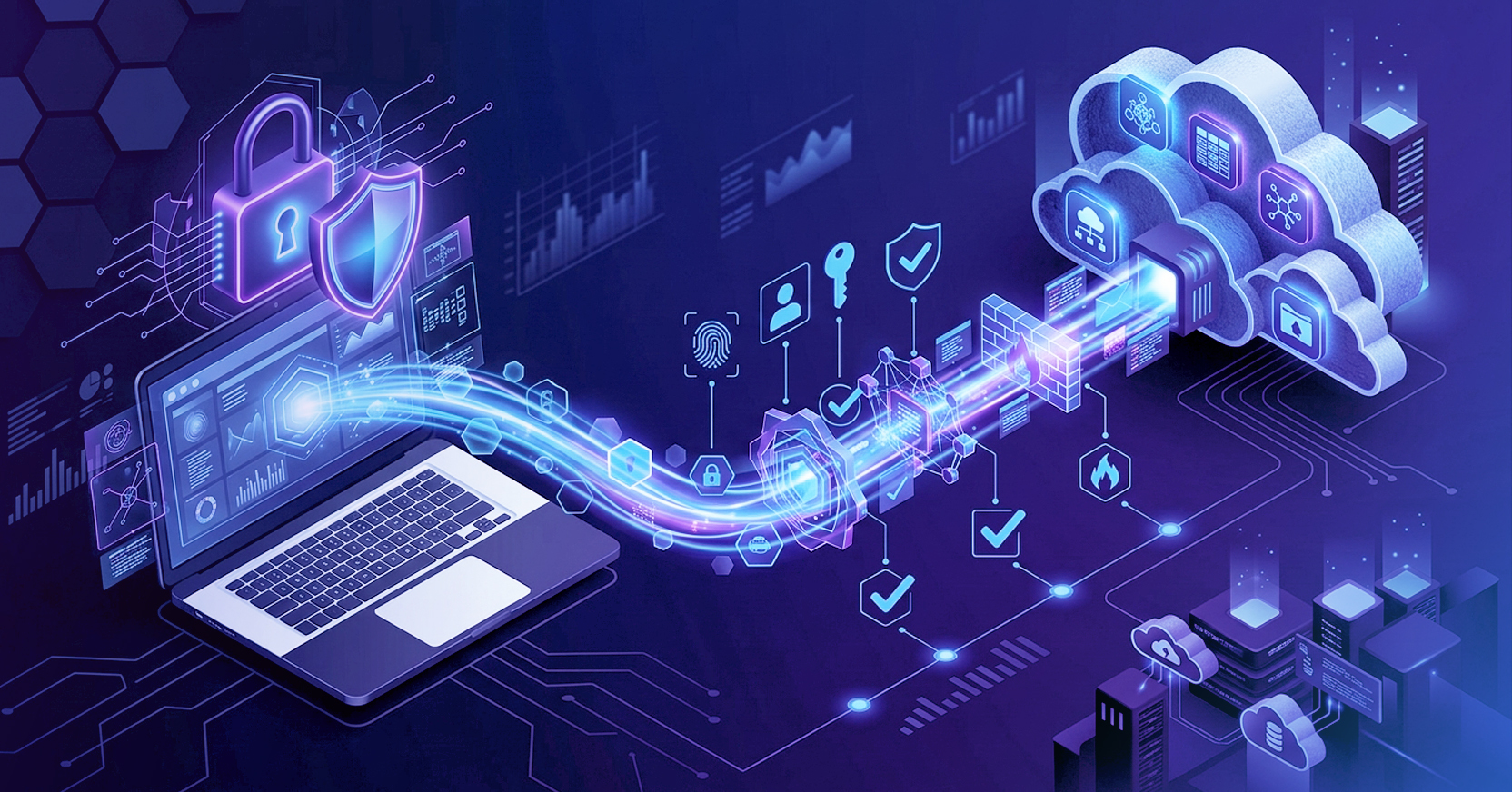
Menlo Secure Application Access effectively bridges the gap between device flexibility and robust security. It operates on a principle of cloud isolation to eliminate the risk of the endpoint entirely.
When a contractor logs in from an unmanaged device:
- Zero-Touch Authentication: The user navigates to a Menlo web portal URL and authenticates via the organization's existing Identity Provider (IdP).
- Least-Privileged Access: The portal only displays the specific internal (e.g., SAP, Confluence) or SaaS applications the contractor is authorized to view.
- Cloud Execution & Isolation: When the user clicks an application, the session is hosted entirely within the Menlo Secure Cloud Browser. The unmanaged device never interacts directly with the application's HTTP/S headers or content, making session hijacking or API abuse impossible.
- File Sanitization (CDR): If the contractor uploads a file to the internal network, Menlo File Security uses Content Disarm and Reconstruction (CDR) to instantly sanitize it, ensuring no malware from the unmanaged device reaches corporate servers.
- Data Loss Prevention: Cloud-based DLP policies enforce read-only access, restrict copy/paste functions, and apply dynamic watermarking to prevent the contractor from exfiltrating data to their local machine.
Best Practices for Implementing Clientless ZTNA
To successfully secure unmanaged endpoints, IT and security leaders should follow these deployment best practices:
- Decouple Security from the Browser: Avoid strategies that force users onto a single corporate browser. Relying on cloud isolation allows organizations to future-proof their security, ensuring protection regardless of whether users prefer Chrome, Safari, or emerging AI-native browsers.
- Enforce Device Posture Checks: Even without an agent, use tools to evaluate device health. Cloud access platforms can utilize API integrations (such as Google Chrome Enterprise or CrowdStrike) to verify firewall status and OS versions before granting application access.
- Implement Cloud-Native DLP: Do not rely on local extensions for data protection. Apply copy/paste limits, upload restrictions, and dictionary-based DLP natively in the cloud traffic flow to prevent sensitive data from reaching unmanaged devices or public Generative AI models.
- Ensure Deep Session Visibility: Because unmanaged devices sit outside the corporate perimeter, ensure your access solution provides robust forensic logging. Utilize solutions that capture complete visual timelines of user sessions, page resources, and inputs for rapid incident response.
Securing the Modern Remote Workforce
What is Zero Trust Network Access (ZTNA)? Zero Trust Network Access (ZTNA) is a security framework that requires all users, whether inside or outside the organization's network, to be authenticated, authorized, and continuously validated before being granted access to applications and data. Unlike legacy VPNs, ZTNA grants least-privileged access only to specific applications, rather than the entire network.
Can I replace my VPN with an enterprise browser? Yes, moving to a complete browser security platform or cloud-based secure application access model allows organizations to replace legacy VPNs. Cloud-based browser security removes enterprise web servers from the public internet and embeds them in microsegments. It provides the browser-level context, logging, and Data Loss Prevention (DLP) that encrypted VPN tunnels inherently lack.
How does Menlo Security protect internal applications from unmanaged devices? Menlo Security protects internal applications by routing all unmanaged device traffic through the Menlo Secure Cloud Browser. Because the session executes in a disposable cloud container, the unmanaged device never directly interacts with the application. This network separation shields the application from web scraping, API abuse, and malware uploads via integrated Content Disarm and Reconstruction (CDR) technology.
Does Menlo work on mobile browsers like Safari? Yes, Menlo Security's Adaptive Clientless Rendering (ACR) technology is 100% clientless and browser-agnostic. It works seamlessly across any modern web browser, including mobile browsers like Safari on iOS and Chrome on Android, providing enterprise-grade security without requiring any software installation on the mobile device.
Can I replace my VDI with an enterprise browser? Previously, the answer was no. Historically, enterprise browsers and browser security solutions were limited to protecting web-based and SaaS applications, meaning organizations still had to rely on complex Virtual Desktop Infrastructure (VDI) to deliver legacy, thick-client applications to remote users. However, with the integration of Menlo Secure Application Access (SAA) and Google Cameyo, organizations can now bring all applications—from modern SaaS to legacy non-web apps—securely into the browser. This allows IT teams to fully replace expensive, high-latency VDI deployments and deliver a seamless, Zero Trust access experience for any application directly through the user's native browser.
--------------------------------------------------------------------------------
Secure your enterprise workflows with Menlo Security. Schedule a demo here.