Menlo Closes the Loop on Zero-Day and AI Agent Attacks with New Google Security Operations Integration
Details



In the past, IT security, compliance, and audit teams have struggled to reassemble browser activities following a potential security incident. They can’t, for example, see how users and groups interact with applications or threats like zero-day phishing or ransomware, and they can’t see how users are accessing internal applications. They cannot see how users are interacting with GenAI tools, making it difficult to troubleshoot access. That's because traditional network, security, and endpoint tools can't see what's happening inside the browser and thus:
By the time teams can parse information from logs or cobble together “clues” from disparate tools in the security stack, it’s often too late. Servers could have been infected, valuable data may have been leaked, or a single successful phishing attack might have matured into enterprise-wide ransomware.
The same is true for users accessing internal or SaaS apps. By the time you become aware of inappropriate access, it can be too late. Your teams need real insight into browsing.
Security, IT, and compliance teams have struggled for years trying to discover exactly what happens in browsing sessions. From security breaches that began with a user clicking on a phishing link to user application access that should have been revoked, there has been no way to get definitive proof of exactly what occurred inside the user's browser. That ends with Menlo Browsing Forensics.
With Menlo Browsing Forensics, you can get the details you need to ensure that your data is protected, threats are analyzed, GenAI guardrails are working, and application access policies are functioning as they should. All while you maintain complete security and control.
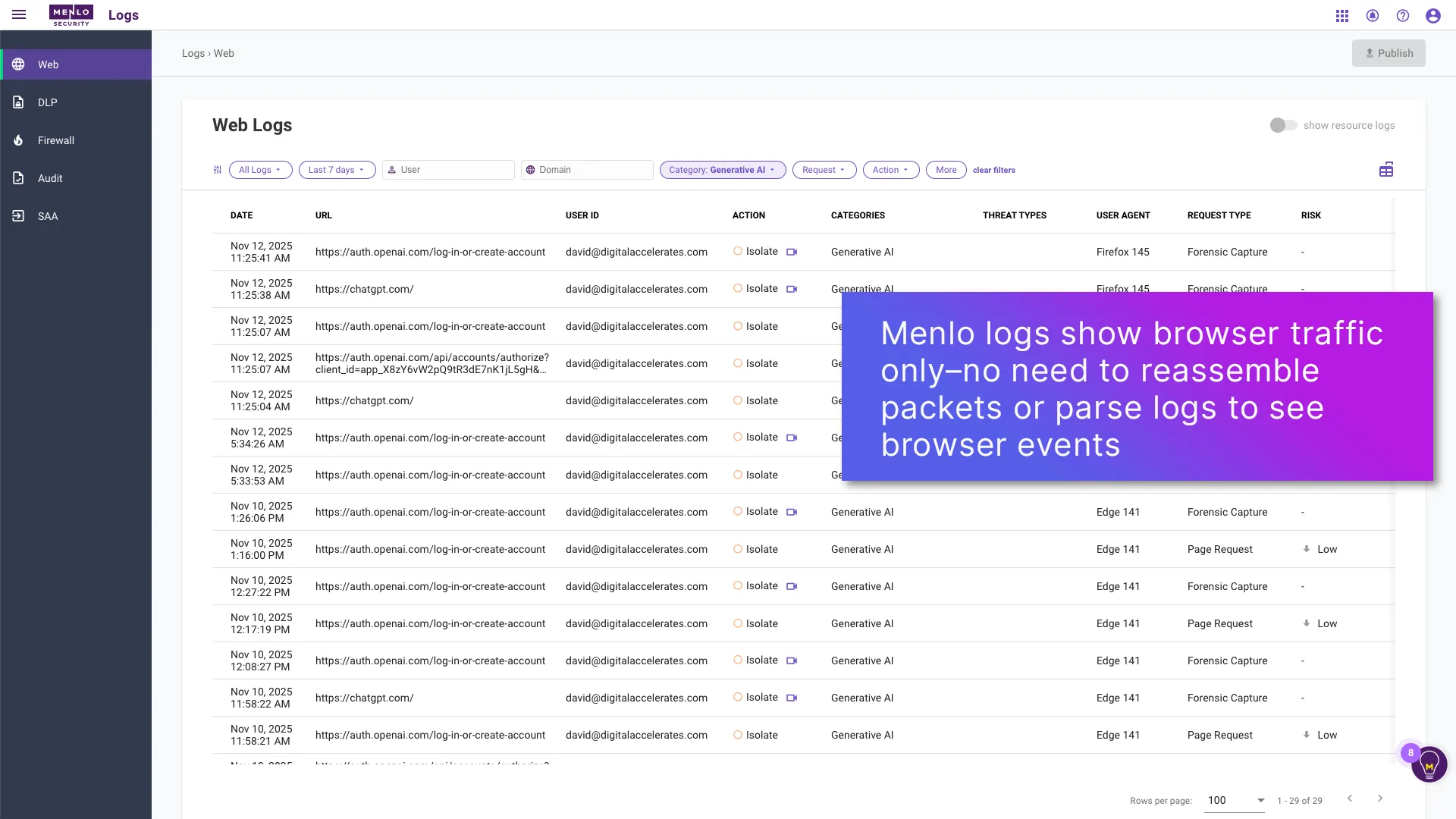


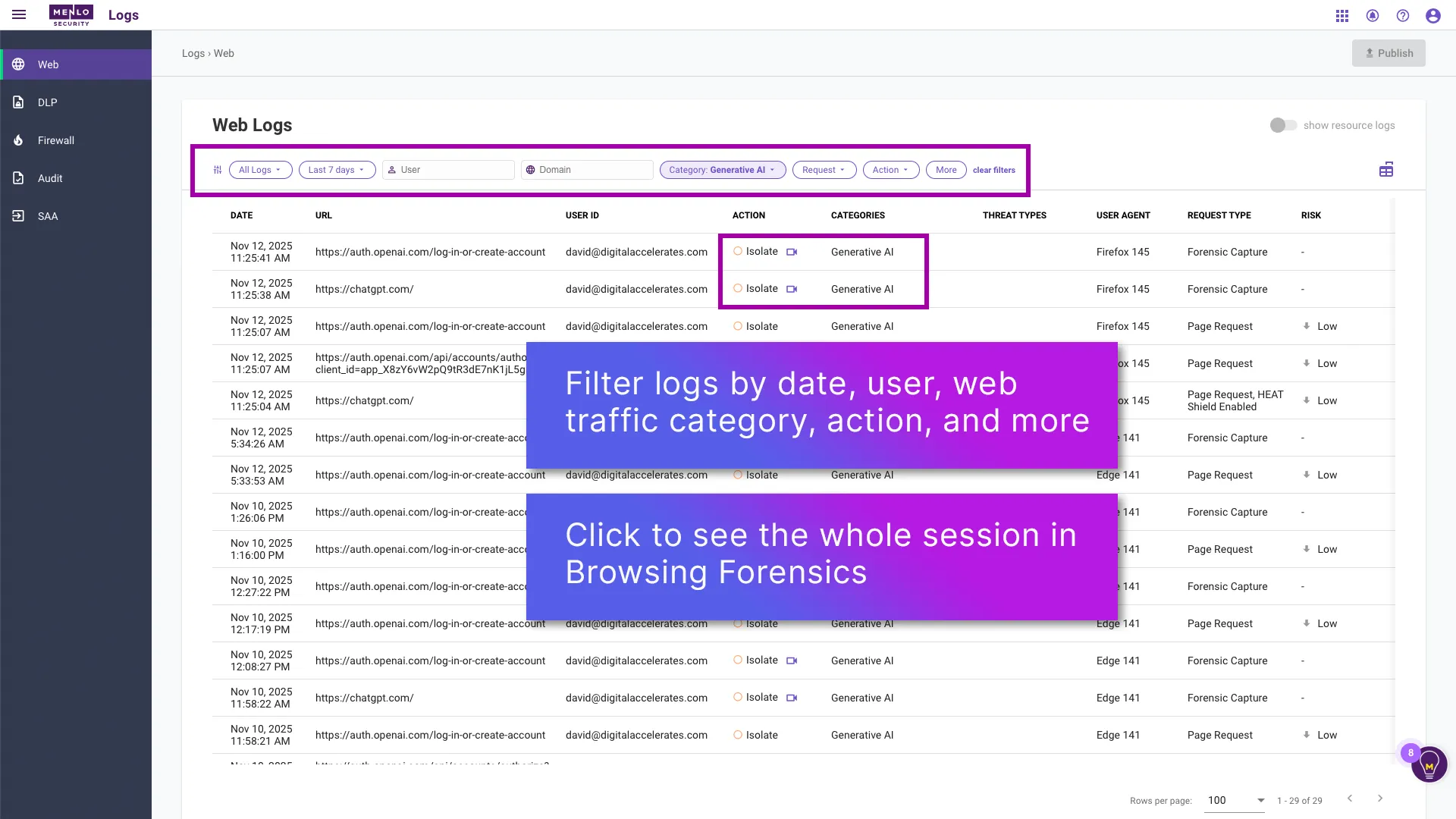
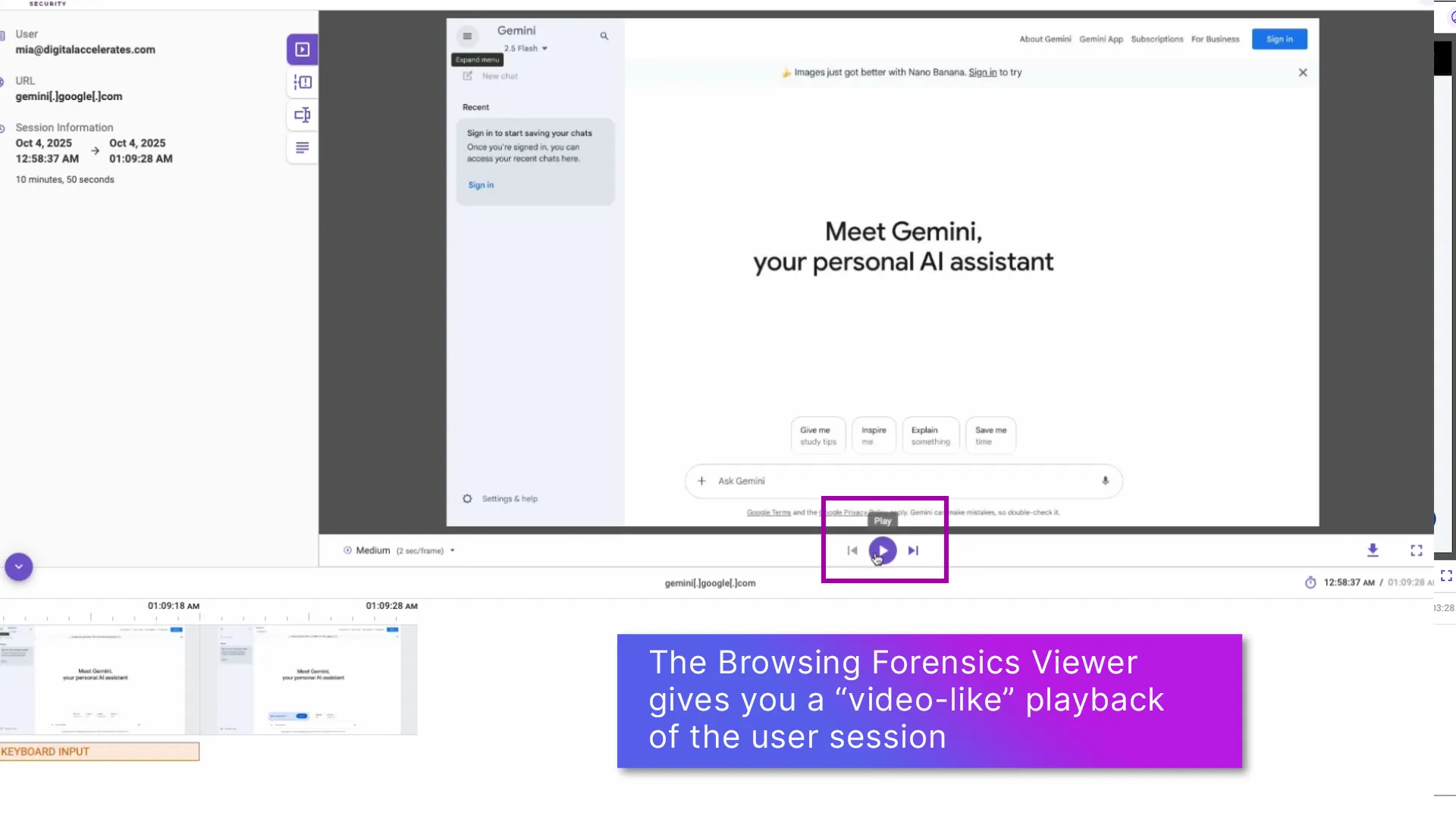
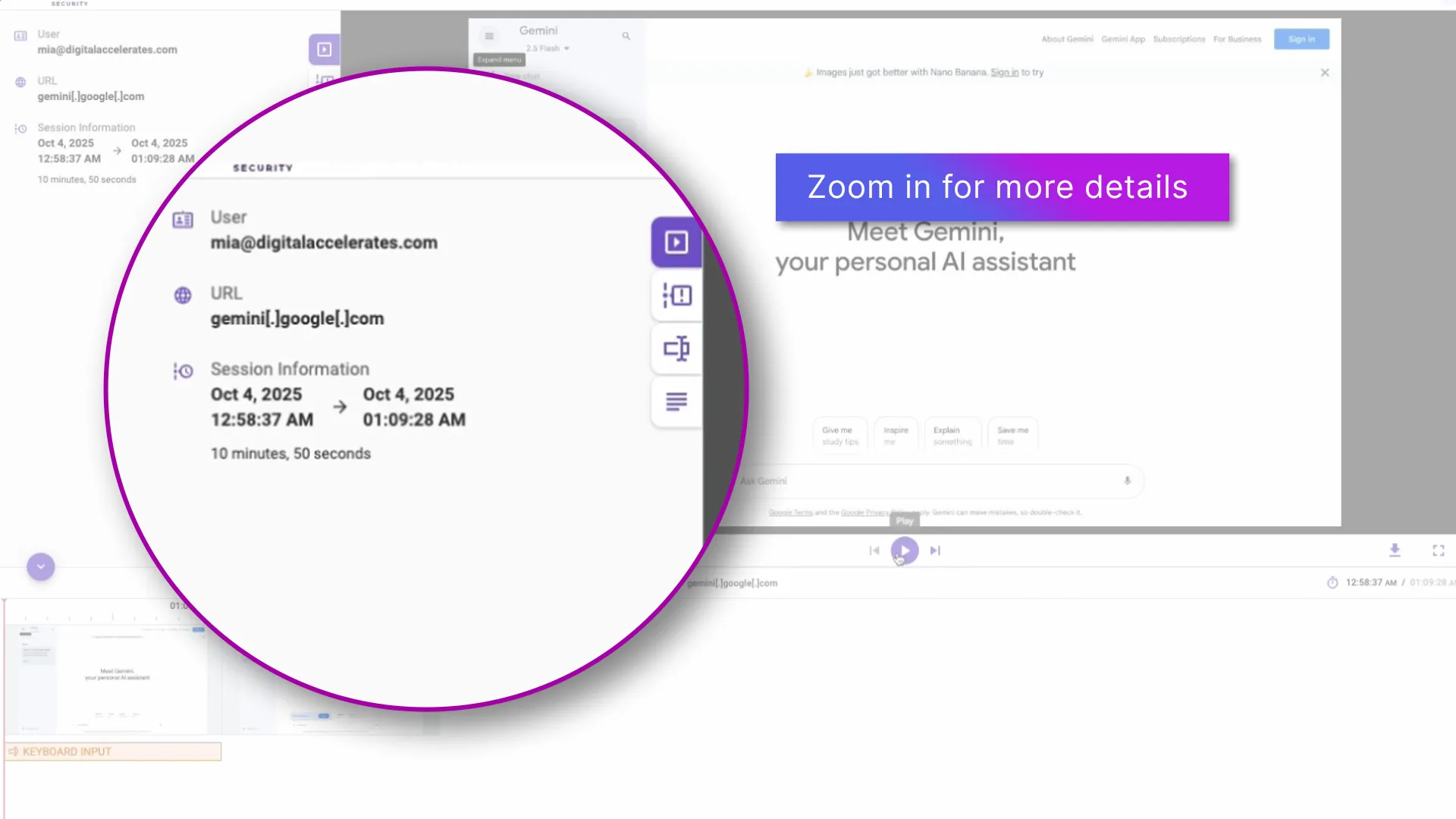
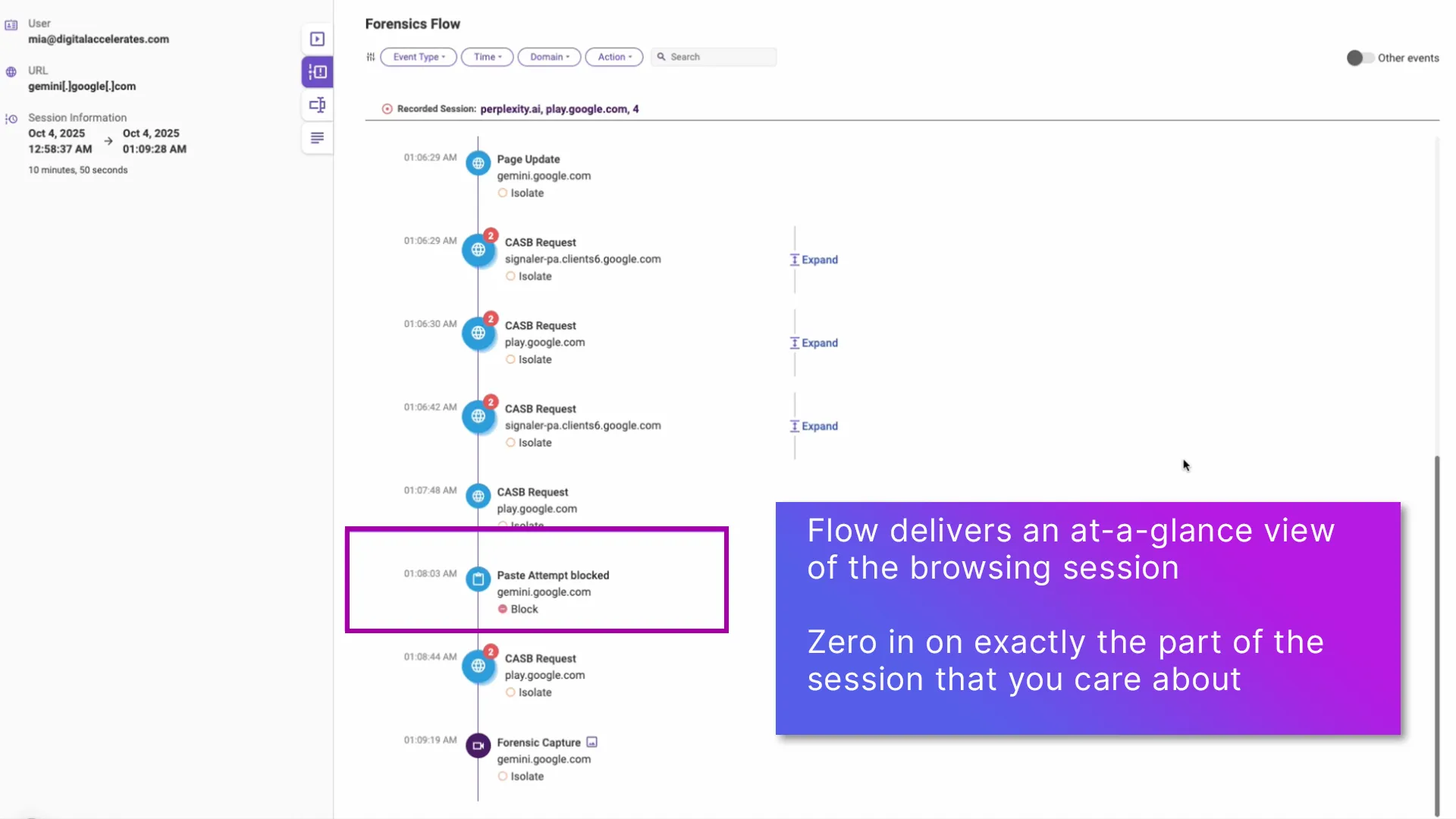
The unmatched visibility that Browsing Forensics provides come from the unique Menlo architecture. All browser requests and actions are executed in the Menlo Cloud, isolating the user from threats and protecting internal apps and data. As the traffic passes through the Menlo Cloud, you can record the details of session activities. That means that you can derive actual user intent based on their actions, rather than guesswork, and act accordingly. All Browsing Forensics sessions are instantly sent to your choice of encrypted storage to protect security and privacy; Menlo does not retain these recordings, or have any ability to view them.

GenAI has delivered amazing productivity, but governing its use runs into the "browser blind spot." Browsing Forensics makes it GenAI governance easy, with visibility that lets you understand user intent. With Browsing Forensics, you can see it all, so you can secure tool use and stop DLP in real time.

When a security event occurs, time is of the essence. Every minute you spend on investigation can spell potential exposure for your company. Menlo Browsing Forensics delivers the details in near-real time, so you can see what users did, what credentials they used, and even the page resources. Further, you can see where attacks began, and you can learn about attackers' techniques, even if their malicious sites are no longer live.

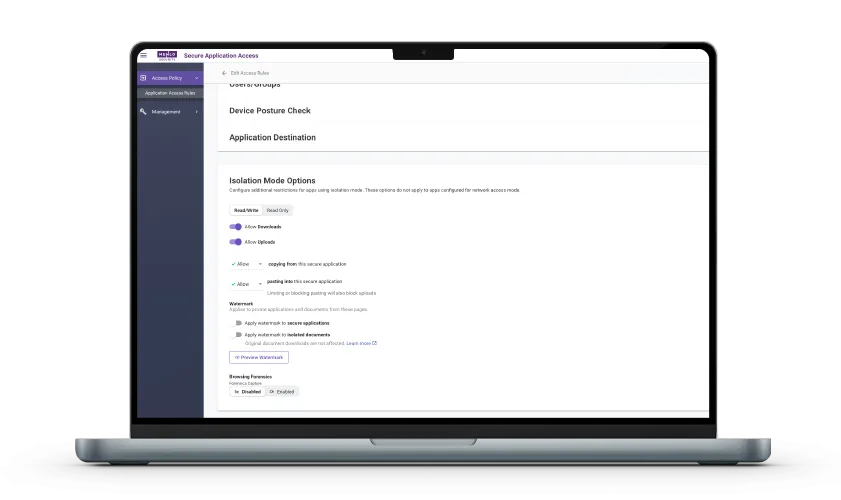
Many different users and groups need to get to enterprise apps and data. With Menlo Secure Application Access, you can ensure that everyone whose job requires app access has it, in accordance with controls that are appropriate to their roles. By adding Browsing Forensics, you can actually see those controls in action, enabling quick response if things aren’t working as they should. Browsing Forensics also enables visibility into the use of GenAI tools, making them easier to control.

While Menlo Browsing Forensics provides detailed views of user sessions, Menlo does not retain access to them. Instead, all content is sent directly to the storage system of your choice, and logs can be ported to your SIEM or SOAR platform at your discretion.
By adopting a cloud-native application access architecture, organizations gain proven security assurance while dramatically reducing operational complexity and capital expenditure.

Browser-based threats are increasingly sophisticated, exhibiting dynamic behavior known as highly evasive and adaptive threat (HEAT) attacks. Menlo Browsing Forensics empowers security teams with the visibility that has been missing, providing full visibility into user behavior during attacks (like phishing), capturing credentials entered, and recording page resources. This data allows threat hunters to analyze attacker methods even after malicious sites go offline, providing the intelligence needed for incident response and regulatory compliance.
The average cyberattack, once discovered, can take days or weeks to identify and contain.
With Menlo Browsing Forensics, you can see what actually happened during the earliest stages of the attack, giving you vital information about what to protect and the extent of user involvement.
As application access moves to the browser, it is essential to have control and visibility. Menlo Secure Application Access lets you tailor precise rules, and Browsing Forensics surfaces actual user sessions, to ensure that policies are adhered to. The combination is invaluable in a variety of situations, including VPN replacement, VDI reduction, BYOD security and zero trust access.
With Browsing Forensics, you can see actual user activity for all users, even third parties and users on BYOD. That means you can see the effect of policy decision in near real time, making it easy to tailor access rules based on evidence.
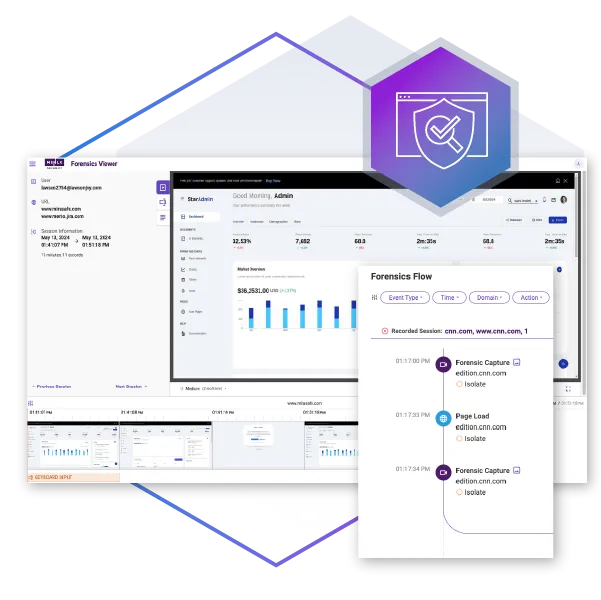
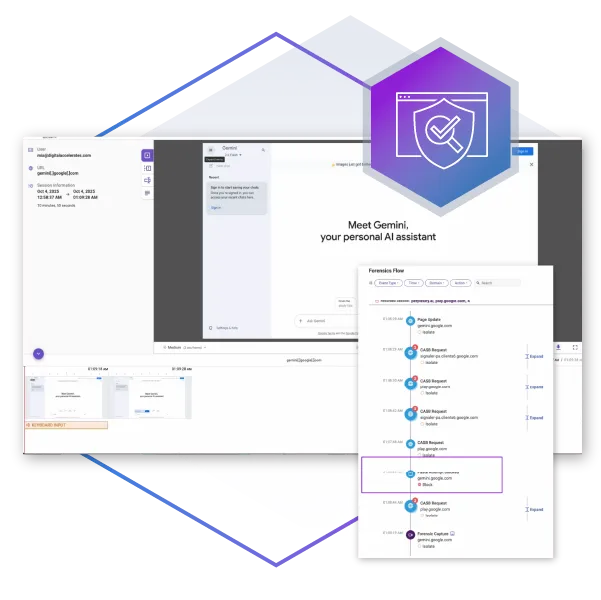
GenAI lives in the browser, and with Menlo, you can secure it there. Beyond establishing access controls, it is vital to be able to view user sessions to ensure that policies are working as they should be. With Browsing Forensics, you can easily see the GenAI tools that are in use, get an at-a-glance view of overall activities, tailor policies with proof, and base audit responses on evidence, not guesswork.
See how users are actually working with GenAI tools, including vendor and user actions in sessions. Browsing Forensics can be set to trigger on traffic type, DLP violations, and more, so you can be sure that users are acting in accordance with policy and that data loss is being prevented.
Discover why organizations around the world rely on Menlo Security to protect the enterprise and enable secure access to applications, preventing attacks that legacy security tools cannot stop.

"Menlo was easy to roll out and integrates well with our security and technology stack in the cloud.”

“To employees, Menlo is completely transparent, allowing users to navigate a completely functional web resource.”

“…allows Synapxe to protect its assets from malicious threats without impacting the native user experience.“

“I wanted a layered approach that would protect users from web-based threats without slowing down their ability to get work done.”

“The platform has decreased our remediation needs, while reducing patch pressure.”

“Menlo Security helped us eliminate the possibility of a malware infection, rather than just detecting and removing an infection.”
“Before, we had to manually examine every single potential malware problem. Now, my job is much easier…with the Menlo Secure Cloud Browser.”
“Menlo takes care of all the unknown risks running rampant around the internet.”
“Zero-client,easy scaling, and cloud provisioned versus appliance.”
“Menlo Secure Cloud Browser provided the scalability to ensure that users world wide have the same transparent experience and unyielding protection.”
“[Menlo has] eliminated the need to manually apply and update policies across an increasingly distributed IT infrastructure.”
“Menlo provides protection from email-based malware embedded in links and attachments without impacting the user’s native email experience.”
Whether you are enforcing policies around the use of GenAI, investigating a security incident, or looking at application access by users, Browsing Forensics makes it easy to see exactly what happened, with features that include:

Security and IT teams have long struggled with browser-based incidents, like phishing attacks preceding ransomware, often wasting time on reactive, manual steps like reconstructing packet captures, combing through SIEM/SOAR logs, and relying on interviews with users who can't recall the event. Browsing Forensics eliminates this costly guesswork, giving security and IT teams a one-stop shop to get the visibility they need in near real time by instantly viewing the complete session in question and watching full user interactions via a video-like interface.
With Browsing Forensics you have a one-stop shop to get the details you need, in near real time.
Learn About Menlo Protect with HEAT Shield AI and Browsing Forensics
As attackers target the browser with sophisticated threats, the page that launched the attack is often gone by the time a security alert surfaces. This forces threat hunters to pull archived session copies, harvest indicators from threat intelligence, correlate DNS and hosting records, analyze phishing kits, and attempt to manually rebuild the entire attack session. Browsing Forensics eliminates this guesswork by capturing all page resources at the exact moment the threat is identified, providing threat teams with real-time visibility and actual information correlated to the threat. Security professionals can see an attacker's Tactics, Techniques, and Procedures (TTPs), enabling them to proactively prevent further damage.
Learn More About Browsing Forensics


Ensuring policy and regulatory compliance for remote, BYOD, and third-party users is challenging. While they need access to internal resources, the lack of browsing session visibility makes their actions unclear. Browsing Forensics solves this by providing actual user session recordings, so security and IT teams can ensure access precisely matches policy, adjust controls as needed, and easily generate the definitive evidence required to satisfy audit requirements.
Learn About Menlo Secure Application Access with Browsing Forensics
Answers to the burning questions in your mind.


Menlo Security Browsing Forensics, enabled in the Menlo Cloud, provides visibility into user browsing behavior and actions. It captures policy-defined browsing sessions to assist security, incident response, and compliance teams in investigating security incidents, compliance issues, and other events.
No, we do not. Browsing Forensics captures are automatically ported to the customer’s choice of storage. Menlo does not retain them or have any access to them.
Menlo Browsing Forensics captures a wide range of content from a user's web activity. This includes visual data, such as screen captures of the entire browsing session, as well as specific user inputs, like keystrokes and credentials typed into forms. Additionally, it records the underlying page resources, which consist of the essential components that build the webpage, such as its JavaScript, CSS, and HTML code.
Traditional network or endpoint security tools often lack visibility into browsing sessions, leaving security teams to guess what happened based on fragmented clues. Browsing Forensics provides definitive proof by capturing and recording the actual user actions, eliminating the ambiguity and guesswork that comes with traditional methods.
Take a self-guided tour to observe some of the ways that Menlo products enable secure app access, block sophisticated attacks, and provide critical insight into browsing sessions.
See exactly how Menlo can be tailored to solve your unique security challenges. We offer a live demo customized to your teamʼs goals, showing you how to secure your stack and protect your users. A truly secure browsing experience is one click away.