Many enterprise security teams have already done the responsible thing about generative AI. They picked a sanctioned tool, wrote an acceptable-use policy, ran the training, and maybe pointed a DLP product at the obvious destinations. The sanctioned GenAI problem, they reasonably concluded, was handled.
And then the risk quietly moved.
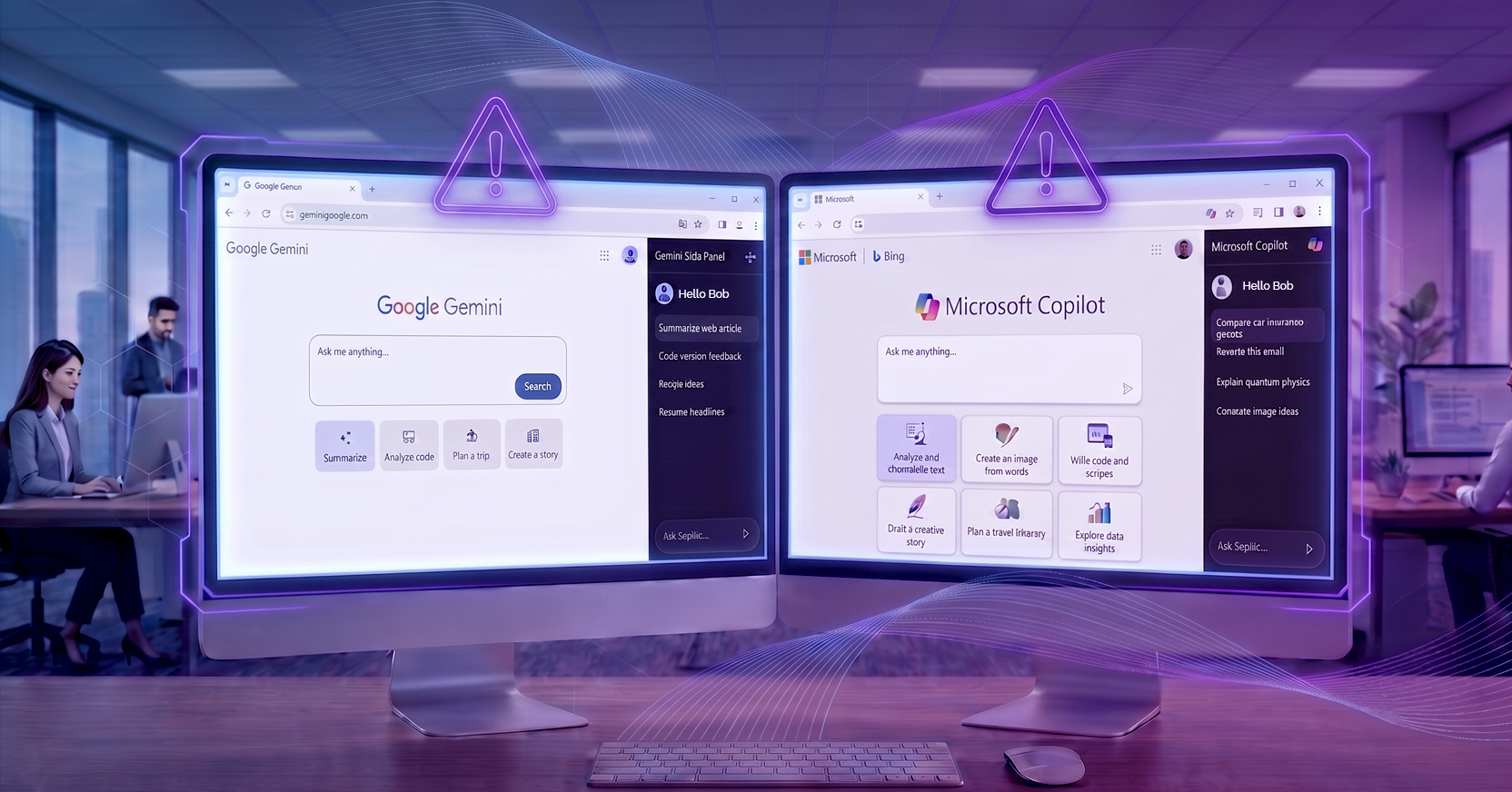
While everyone was watching the standalone GenAI tool, the browser itself grew an AI surface. In Chrome, a click on Ask Gemini opens a sidebar that uses tab content as context for the user prompt and sends it to the LLM. In Edge, Copilot opens from the chat icon and is woven through Microsoft 365. Neither is the sanctioned tool your policy governs, neither showed up in the training you ran, and both stream enterprise data to large language models from inside sessions your existing tools were never built to see.
The uncomfortable problem is that the thing you secured and the thing that's now leaking data are not the same thing.
Your people spend most of their working hours in the browser. It's where communication, workflows, SaaS apps, and web resources converge, and it's where most AI requests now begin. So it was only a matter of time before the browser stopped being a window onto AI tools and became an AI tool in its own right.
It helps to be precise about what these sidebars are, because simply saying "AI" has become something of a catch-all. The kind of AI that most users picture is conversational — you open a tool, type a question, and an answer comes back. It's passive, and the model knows only what you typed, which is what makes good prompting so important to getting the response that you want. That's the mental model your acceptable-use policy was written around.
Sidebars break that model. They're aware of what's on the screen as well as in your other tabs, and they can act on it. When you pose Ask Gemini or Copilot a question, the browser doesn't just send your words — it can send the contents of tabs you've shared with the sidebar. Worse, the sidebar reach extends past the open tabs in the browser: Gemini can pull from your Google Workspace, and Copilot can pull from Microsoft 365 content, depending on permissions, even when the relevant tab isn't open. The sidebar isn't answering from your prompt alone. It's answering from your working context and shipping that context off to an LLM to do it.
The failure mode here isn't malicious insiders. As with almost all AI use, people aren't trying to exfiltrate anything; they're trying to get their work done faster. What makes sidebars distinct is that users frequently don't realize they're sharing data at all. Three mechanics drive that.
The context is invisible. Asking the sidebar about the page in front of you feels somewhat intuitive — but the query can also sweep in tabs you weren't thinking about. Picture a user with the enterprise CRM in an open browser tab who asks the sidebar who won the World Cup; it may scrape the CRM page to answer, even though a football score has nothing to do with your pipeline.
Sometimes the data being inadvertently shared is regulated. Translate that mechanism into tabs that contain regulated content and the risk increases fast. An HR self-service page surrenders names, Social Security numbers, and compensation as a background tab. A finance tab hands over account numbers and balances. An attorney's matter-management system sends privileged client communications. An engineer's repository leaks source code and roadmap. Even a password-manager tab, caught in shared context, can expose credentials to the model. None of these are exotic edge cases — they're ordinary tabs open on ordinary workdays.
The permissions are inherited. The browser has become the way users reach enterprise applications, data, and systems. A sidebar inherits the user's permissions to reach all of it, because it is inside an authenticated session with the same access the employee has. Whatever the user can see, the sidebar can potentially see too.
Data leaking outward is only half the story. The same design that lets a sidebar read your context can let an attacker feed it instructions, via prompt injection, malicious commands buried in the web content a sidebar treats as context, or in a page an agent visits mid-task. The model reads everything and acts on it, including text a human eye would never notice, and commands no legitimate user would issue. The risk has been acknowledged by model makers as well. If you can't prevent every injected instruction, you need to see and constrain what the assistant does with one, which is exactly why session visibility becomes more important, not less.
Here's the structural problem. The interaction that matters, including prompts, scraped context, and the sidebar's action, happens inside an allowed, authenticated browser session. That's the one place most of the security stack doesn't reach.
Two more realities widen the gap. The browser vendors ship new sidebar capabilities very frequently and often without any warning, so whatever you assessed last quarter may already be stale. And while you can set policy on managed endpoints, BYOD and unmanaged devices may run browsers whose sidebars behave differently and sign in under personal rather than corporate accounts. Any durable answer must be flexible enough to move as fast as the browsers do.
If the exposure happens inside the session, that's where the control has to operate. The productive way to frame it is as four questions a security team should be able to answer about every sidebar interaction.
Visibility You need a single view of sidebar activity across the organization: an inventory of which tabs each user shared (with domain and category), prompt-level logging tied to user identity and the active tab at the moment of submission, and file-upload tracking with metadata and the action taken. Correlate those signals with the identity and DLP data you already have, and analysts stop pivoting between consoles to reconstruct what happened.
Access control Some destinations simply shouldn't feed a model. Policy should let you block sharing by domain, by URL category (Healthcare, Finance, Legal, Credential Management), and by user or group, so regulated teams get tighter rules. When a tab is blocked, the user gets a clear in-browser explanation rather than a silent failure, and the event is logged.
Data security Inspection has to cover three streams, not one: the prompts users type, the content the sidebar scrapes, and file uploads. For each, the right response could include a variety of different answers, including:
Auditability Every action should generate a structured event your SIEM or data lake can ingest, complete with the data category, the rule that fired, file details, and the domain, category, and timing of shared tabs. Compliance isn't a policy document; it's evidence.
None of this stands still, because the sidebar is mid-transformation. What began as a chatbot in a panel is becoming a browser-automation agent. In Chrome, auto browse layers agentic capability on top of Ask Gemini; in Edge, Browse with Copilot does the same, to complete multi-step tasks on the user's behalf.
That evolution breaks identity, a core assumption of network security. When a sidebar agent makes a request, whether navigating, submitting a form, or uploading a file, it is in the same session as the human. Traditional tools can't tell the two apart. Closing that gap means surfacing agent-identity signals in the traffic itself, so logs can flag whether a request came from a person or an agent acting for them. That single distinction unlocks the need to audit agent actions separately, applying differentiated policy (let a human upload to a SaaS app while blocking an agent from the same move), spotting anomalies like high-velocity requests, and eventually creating agent-scoped rules. Examples could include read-but-not-write in specific apps, navigation confined to approved domains and confirmation before an agent submits a sensitive form, among others.
AI sidebars are here to stay. They deliver genuine productivity, and employees will use them with or without IT's blessing. The question is not whether to allow sidebars, but rather how to allow them safely. This depends entirely on getting control at the browser session, the one layer where these risks can be controlled.
You did secure the chatbot and conversational AI. That was the right instinct aimed at last year's surface. The work now is to follow the risk to where it moved — inside the session, where the sharing happens — and keep the productivity gain from quietly becoming a compliance nightmare.
Menlo Security