The Next Billion Users Will Not Be Human: Menlo Security Launches Industry’s First Browser Security Platform
Details



Users spend 85% of their day in the browser, which has become the most widely used application in the enterprise. The browser has become a portal to the applications, data, and tools that make business run.
In a world full of security tools, why is the browser still a blind spot?
Simple—because traditional security tools were built around defending the device, the network, and files. Browser security and monitoring have involved cobbling together network telemetry, SWG logs, CASB API feeds, EDR/XDR outputs, and identity-based events. It’s a tedious process that moves slowly—and unfortunately, the attacks that target the browser do not.
The browser has become one of the most vital assets in any organization, but the technology to protect it has not kept up.
That problem ends with Menlo. With Menlo, you get the visibility you need to deliver the right protections to the right user or group in the right place, at the right time. Right where the user is working—in the browser.
The tedious process of combing through unrelated logs only to have to guess at browser activities ends with Menlo. Securing the browser and protecting your applications and data are our only business, and that’s what you'll see, on every dashboard, log, and report.
See the big picture easily with graphical dashboards showing overall web traffic, Highly Evasive Adaptive Threat (HEAT) attacks, bandwidth use, DLP, CASB-based activities, and Secure Application Access health and user behavior.

Get the details of user behavior with Browsing Forensics, which can be triggered via your choice of criteria.

Instantly get customized reports of user activity, either one time, or regularly scheduled.

Once you have the visibility you need, you can provide a new kind of security. With Menlo, you can infuse browsing visibility throughout your workflow. Not only will this improve security, it can show you how your policies are really working, where users might need more help or education, which applications could be an issue, and more.
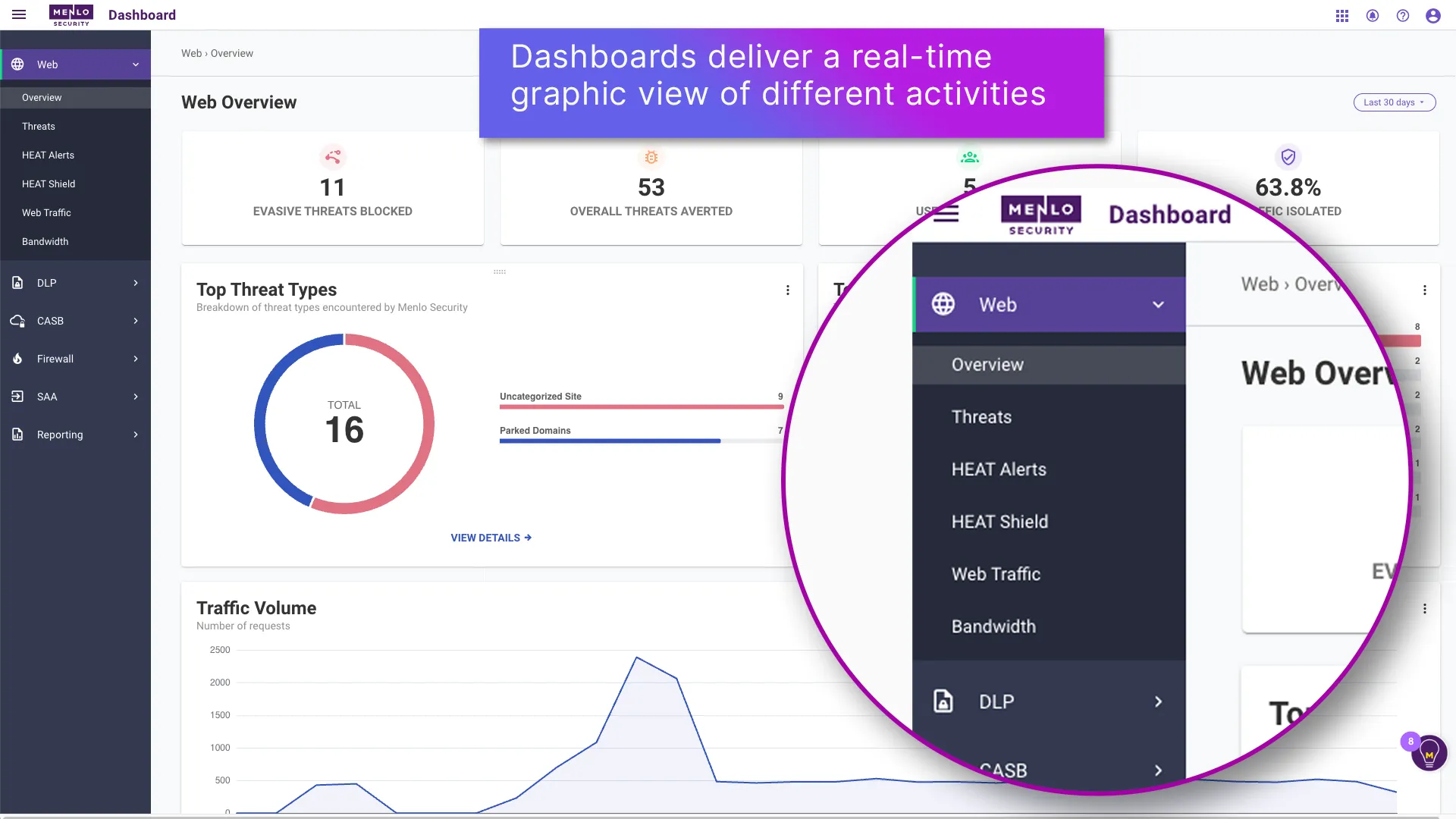


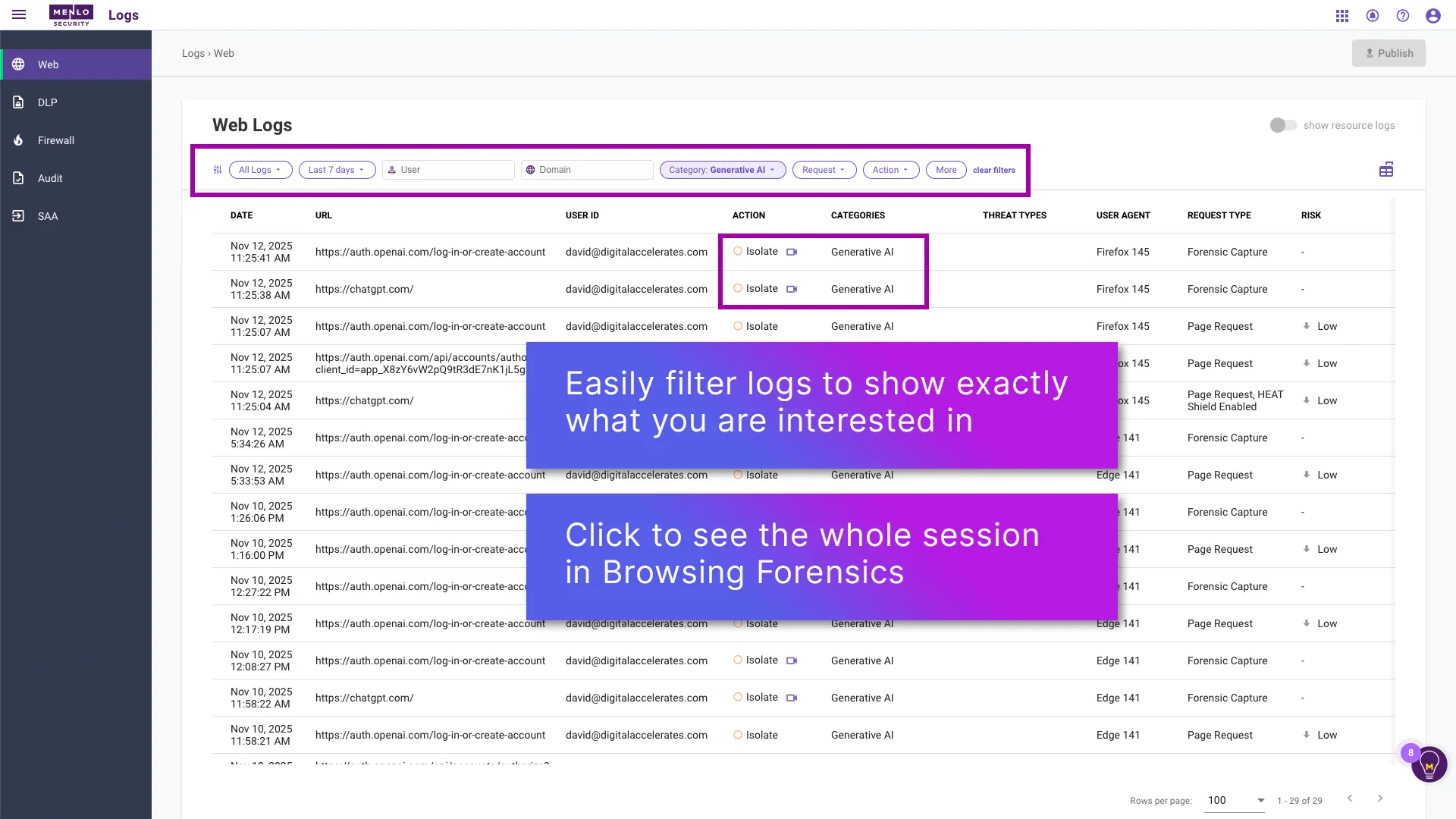
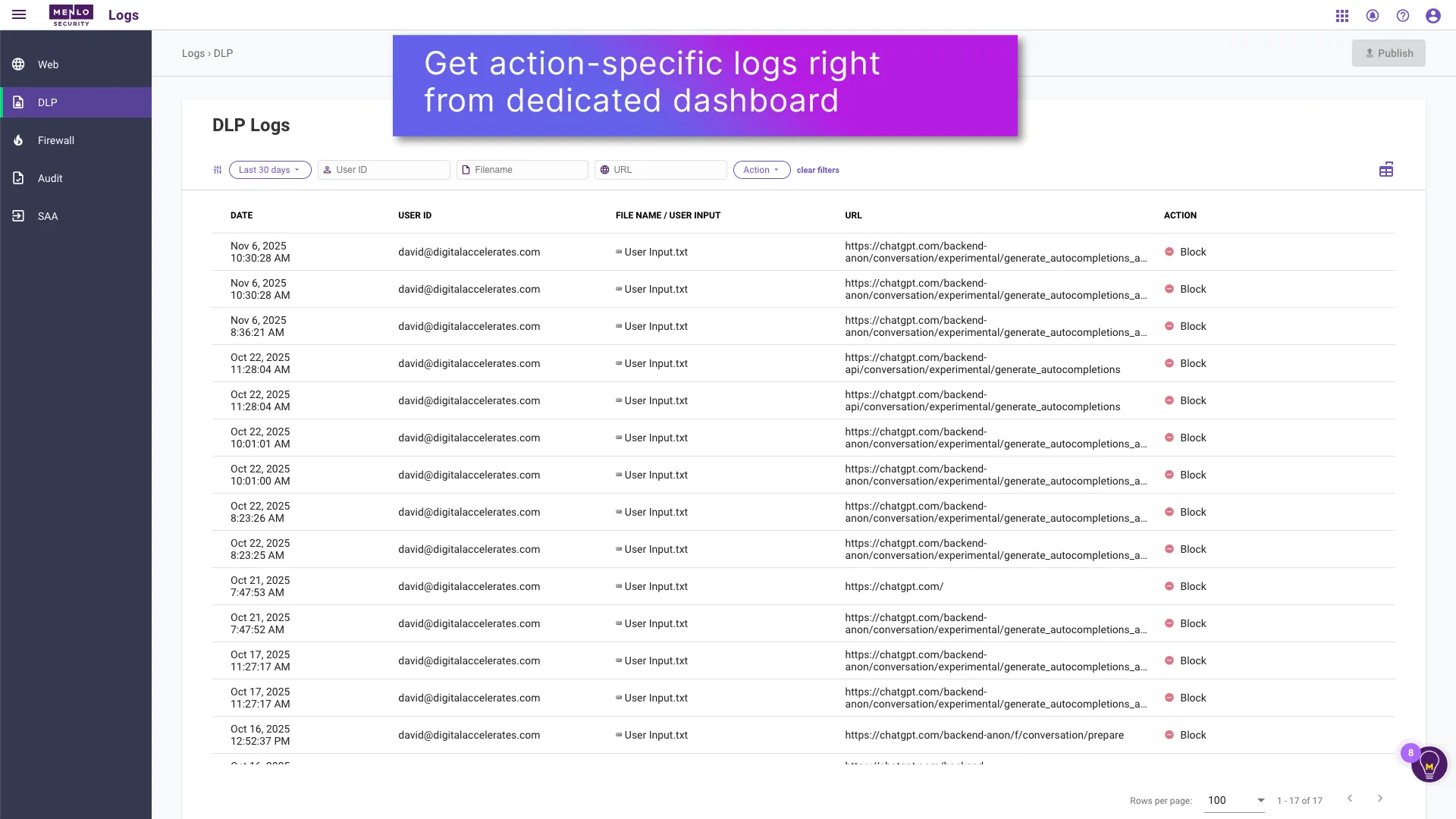
Menlo’s graphical dashboards help you cut through unrelated details to see the precise details that you need. Get an overall view of activity on any topic, with the ability to drill more deeply in only a few clicks.
If you are interested in specific users accessing your applications, just click on the SAA dashboard. Wondering about DLP? The DLP dashboard will present information at-a-glance. From any of the dashboards, you can click into the related logs, which can be filtered to present the information that you need, all from a single interface.

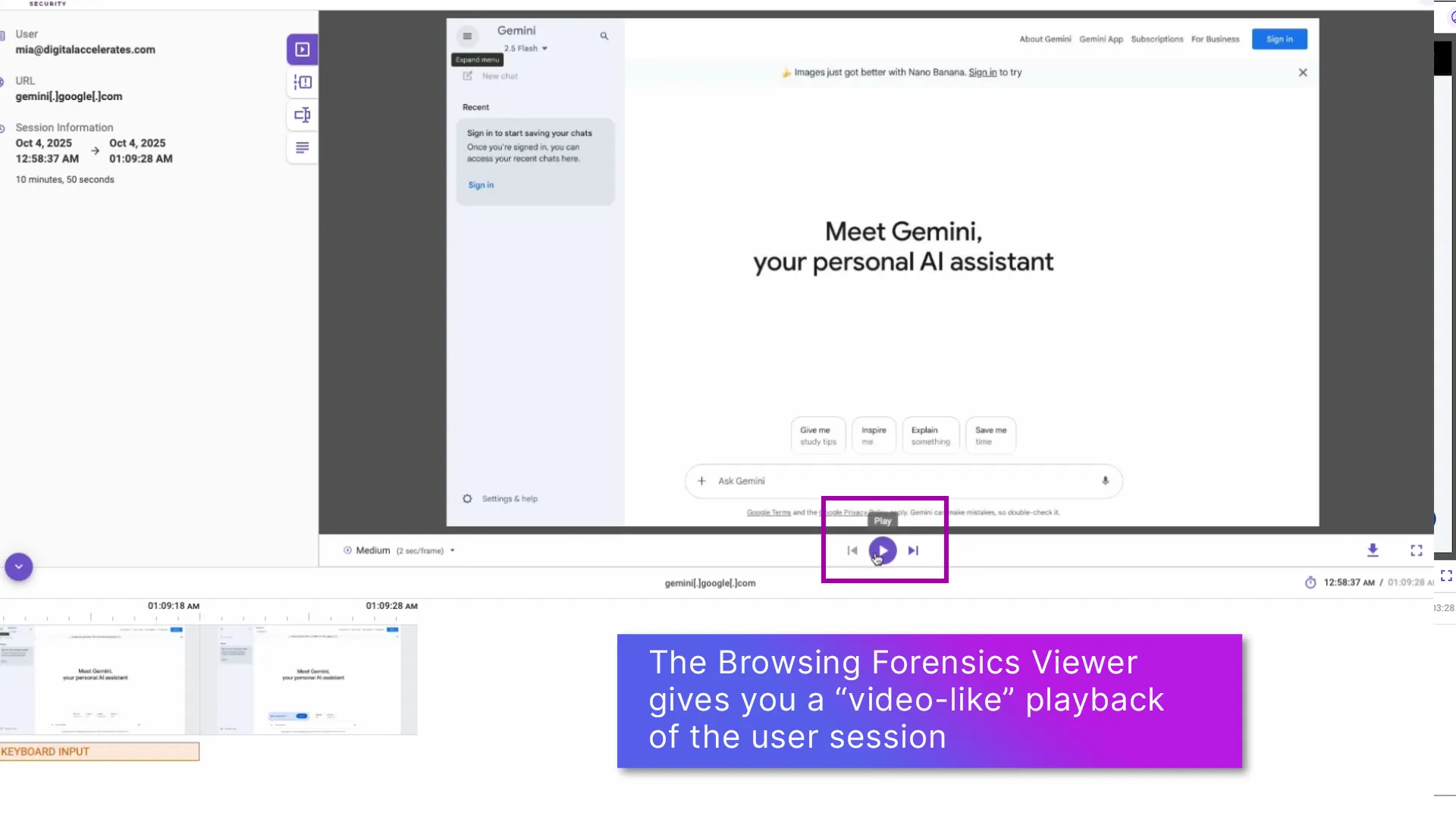
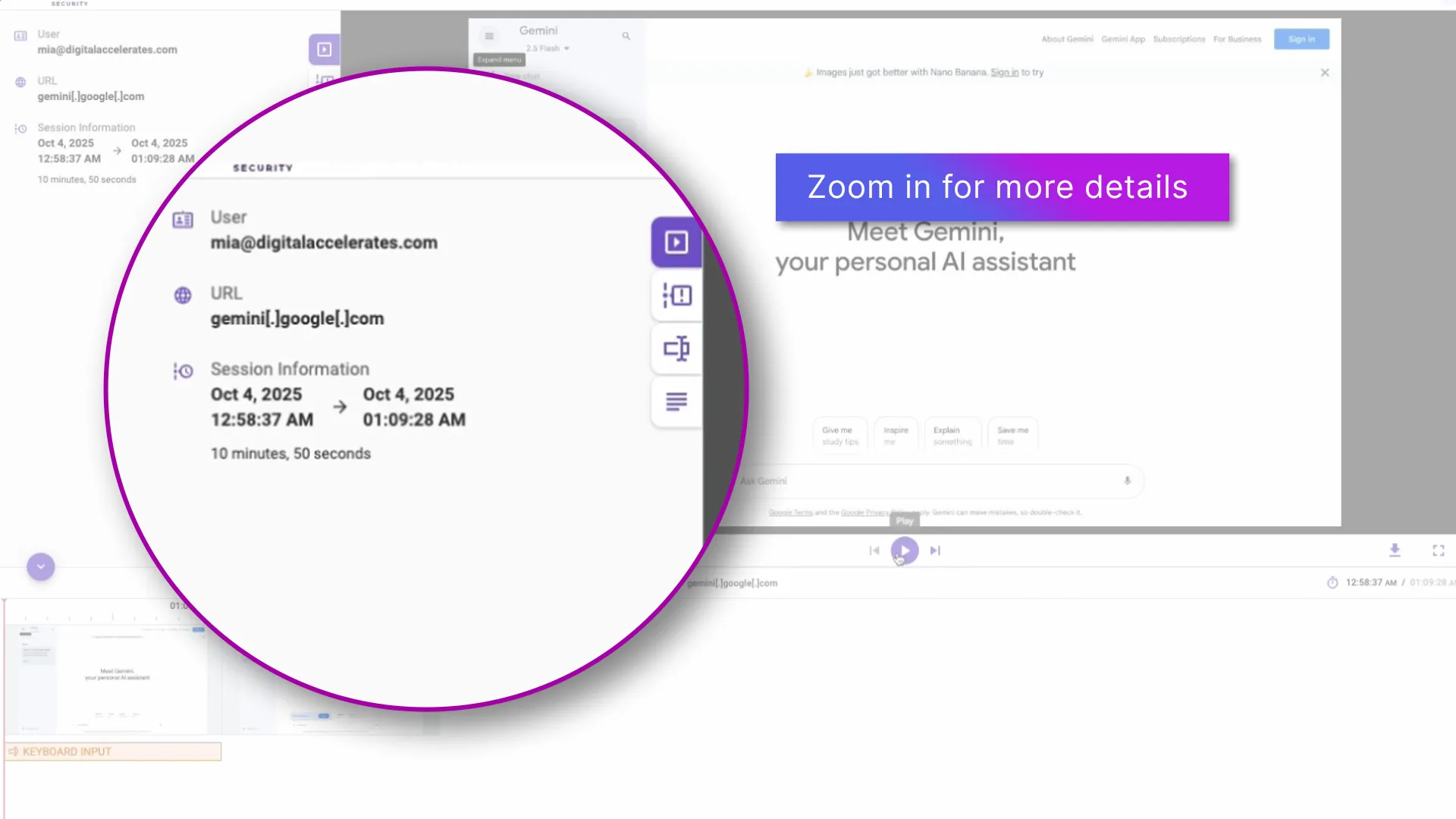
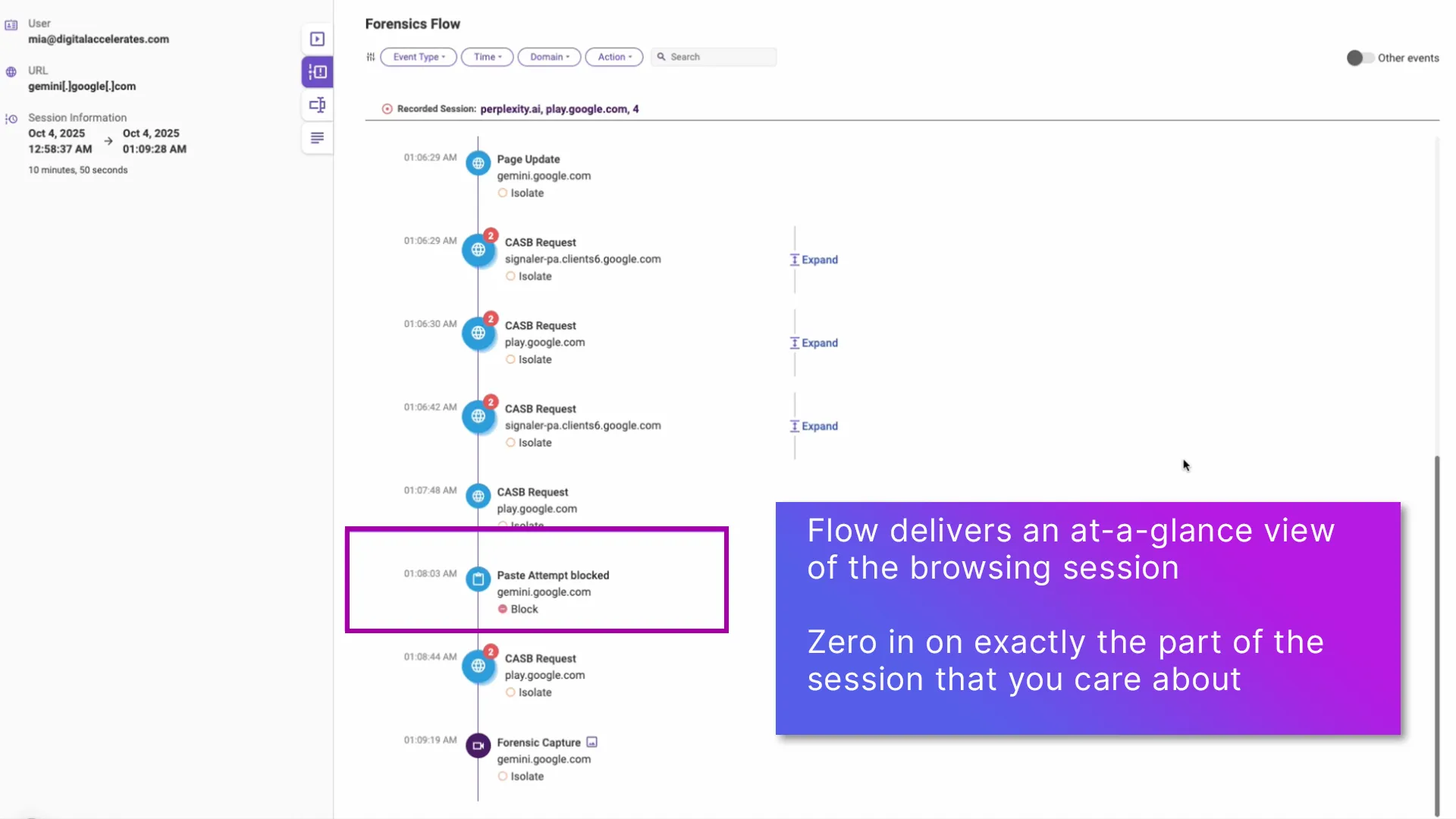
It is also easy to get visibility all the way down to the user browsing session level, with Menlo Browsing Forensics. You can set Browsing Forensics to record any activity that matters to you. Then follow from the dashboard to the logs to the specific session.
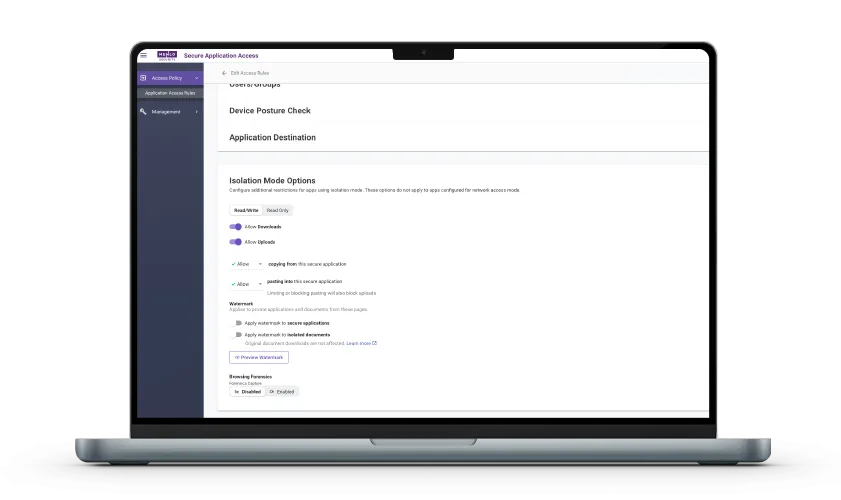
One current example is preventing data loss as you enable your users to work with GenAI tools; this is particularly important because DLP is usually an inadvertent consequence of users trying to be productive. Set the copy/paste or upload/download permissions that you want for your users, and set Browsing Forensics to record violations.
A quick look at the DLP dashboard will show what happened, and logs can show you when. Then click into Browsing Forensics to see the specific details of the user’s browsing session.

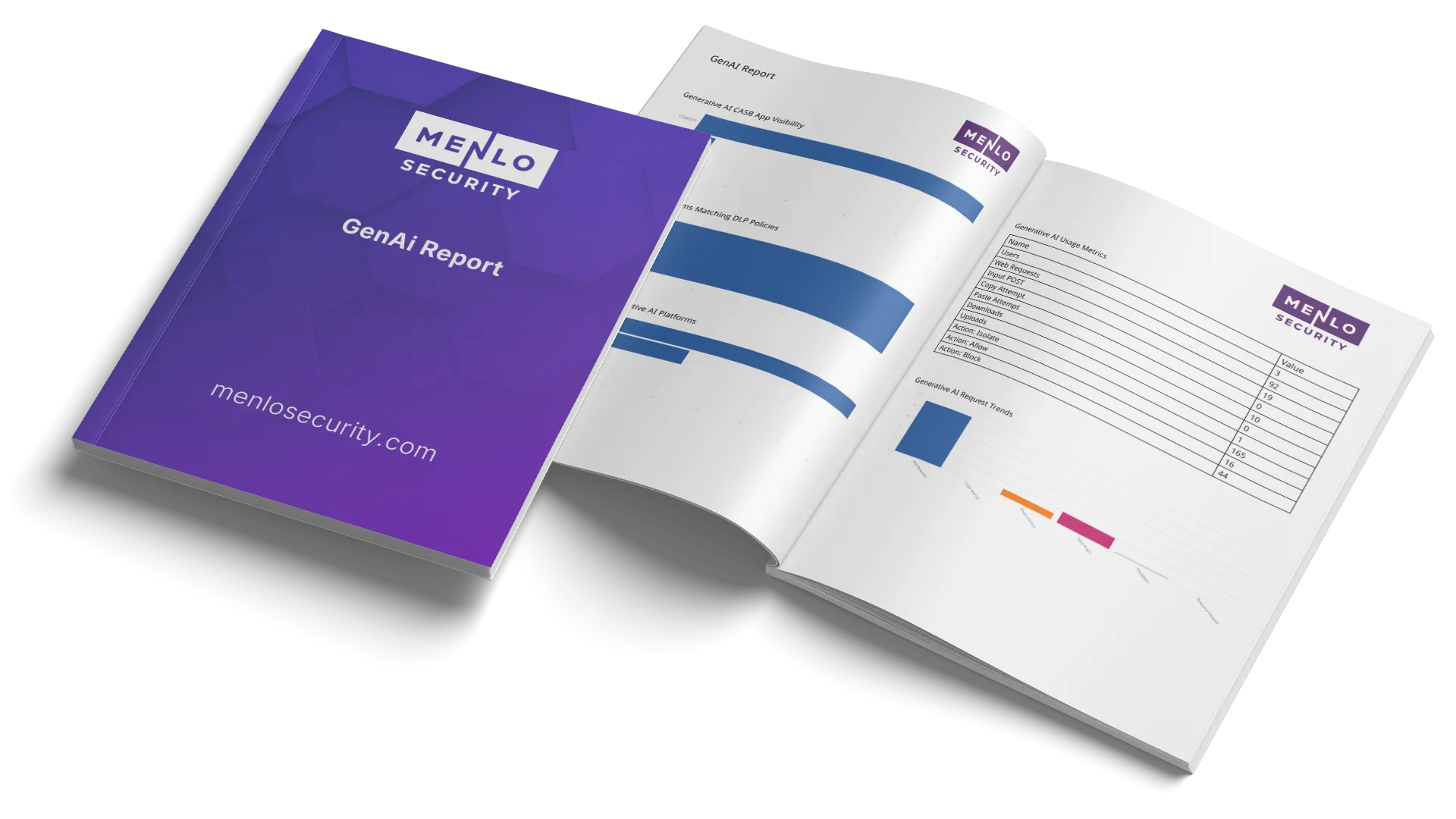
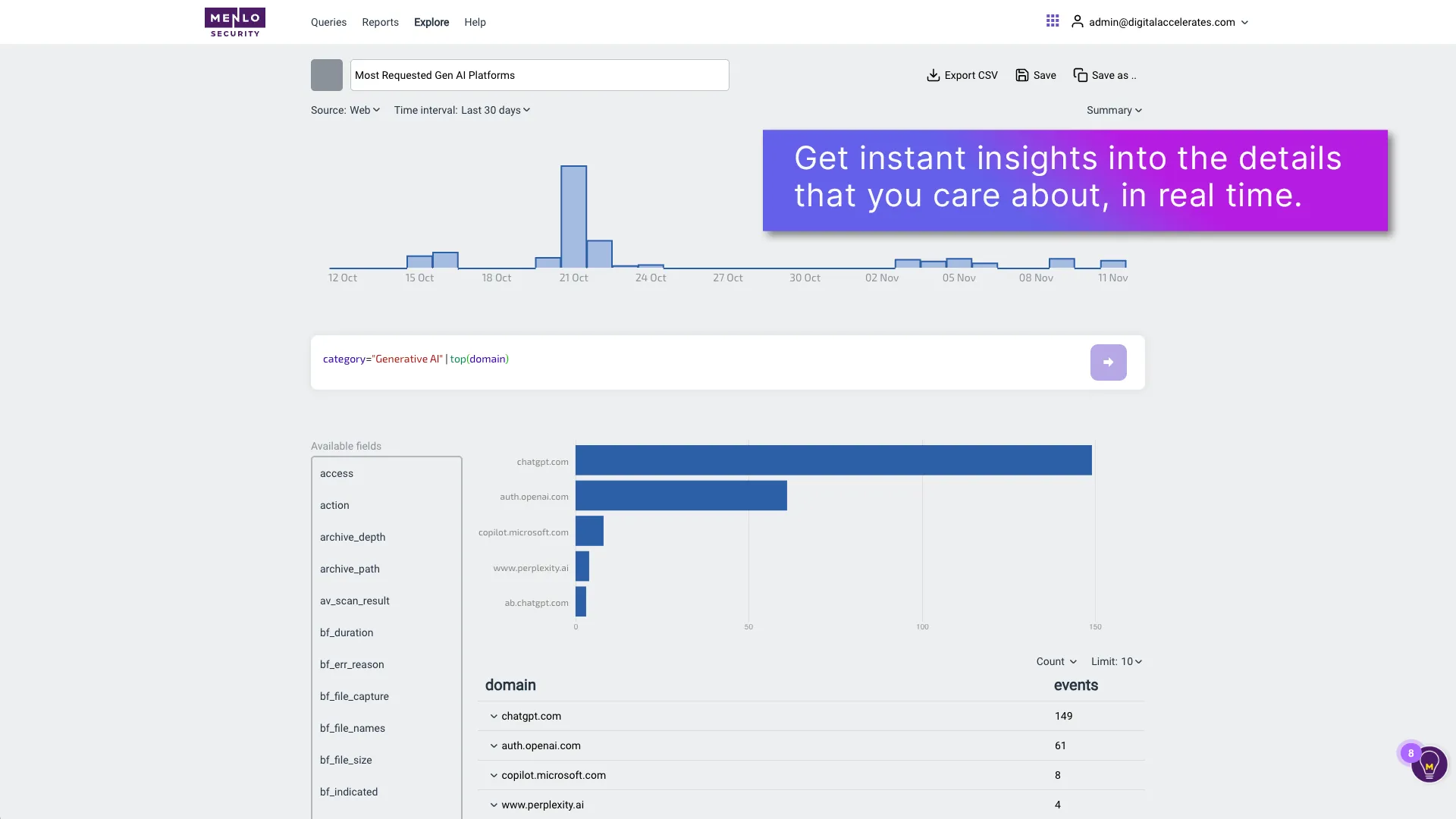
With Menlo Insights, you can go even further with reports that graphically deliver the specifics that you need to report the activities that you are most concerned about.
You can choose the data that you’d like to see and you can easily mix and match queries to get tailored reports. For example, if you can see users trying to access risky cloud apps, it might be time to update your blacklist!

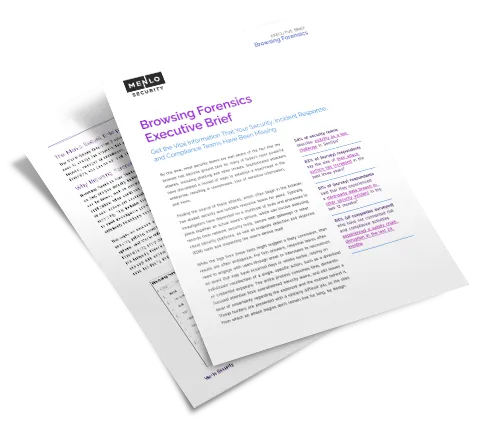
Get the vital information that your security, incident response, and compliance/audit teams have been missing.

Menlo Browsing Forensics is seamlessly integrated with all Menlo capabilities, including proactive threat prevention, secure applications access, DLP, and more. Like all Menlo capabilities, Browsing Forensics is easy to enable from a single integrated admin console—no need to switch interfaces or consoles.

As phishing, ransomware, and extortion attacks continue to rise, you need Menlo Protect with HEAT Shield AI. When you add Browsing Forensics to the mix, you can see the details of user actions in selected browsing sessions, providing a myriad of benefits for everything from initial triage to incident response, threat hunting, and compliance audits. This powerful combination helps you avoid critical threats such as Zero-Day Phishing and Evasive Ransomware.


As application access moves to the browser, it is essential to have control and visibility. Menlo Secure Application Access lets you tailor precise rules, and Browsing Forensics surfaces actual user sessions.
Traditional DLP tools are notoriously poor at capturing activities in the browser. Browsing Forensics can be set to record based on DLP rule violation—providing the visibility you need, particularly in the case of GenAI use.
Answers to the burning questions in your mind.

Actions that take place in the browser are a historic blind spot for security tools. With Menlo, it is easy to get the details about how users are working in the browser, going from dashboards to logs to Browsing Foresnics recordings to customizable insights.
So are we! That’s why Menlo does not retain recording packages, or even view them. Packages are immediately ported to your choice of secure storage.
GenAI lives in the browser, which is one reason that it has been difficult to secure it. With Menlo, you can see into every facet of using GenAI securely, including web traffic, specific applications accessed, DLP violations, and more. Once you have visibility, it's time to get proactive, directing users to sanctioned tools, explaining DLP rules as you enforce them, controlling Shadow AI, and building policies that work.
Take a self-guided tour to observe some of the ways that Menlo products enable secure app access, block sophisticated attacks, and provide critical insight into browsing sessions.
See exactly how Menlo can be tailored to solve your unique security challenges. We offer a live demo customized to your teamʼs goals, showing you how to secure your stack and protect your users. A truly secure browsing experience is one click away.


Discover why organizations around the world rely on Menlo Security to protect the enterprise and enable secure access to applications, preventing attacks that legacy security tools cannot stop.
To protect its 67,000+ users, Singapore’s healthtech agency Synapxe replaced its disruptive, pixel-streaming RBI solution. They adopted the Menlo Security Enterprise Browser, which uses Adaptive Clientless Rendering™ (ACR) and DOM mirroring to deliver a lightweight, safe view of websites. This provided seamless security without the performance degradation of their previous solution.


"Menlo was easy to roll out and integrates well with our security and technology stack in the cloud.”

“To employees, Menlo is completely transparent, allowing users to navigate a completely functional web resource.”

“…allows Synapxe to protect its assets from malicious threats without impacting the native user experience.“

“I wanted a layered approach that would protect users from web-based threats without slowing down their ability to get work done.”

“The platform has decreased our remediation needs, while reducing patch pressure.”

“Menlo Security helped us eliminate the possibility of a malware infection, rather than just detecting and removing an infection.”
“Before, we had to manually examine every single potential malware problem. Now, my job is much easier…with the Menlo Secure Cloud Browser.”
“Menlo takes care of all the unknown risks running rampant around the internet.”
“Zero-client,easy scaling, and cloud provisioned versus appliance.”
“Menlo Secure Cloud Browser provided the scalability to ensure that users world wide have the same transparent experience and unyielding protection.”
“[Menlo has] eliminated the need to manually apply and update policies across an increasingly distributed IT infrastructure.”
“Menlo provides protection from email-based malware embedded in links and attachments without impacting the user’s native email experience.”
The clientless, cloud-native path to retiring your vulnerable VPN.
VPN Replacement

Deliver zero-trust through standard browsers with zero infrastructure changes, removing the high cost and complexity of legacy ZTNA.
Zero Trust Access
Eliminate the cost, complexity and performance issues of VDI with a streamlined, cloud delivered solution that secures access for alll users and devices with no infrastructure overhaul
VDI Reduction
Enable agentless secure access to SaaS and private apps for unmanaged devices while ensuring compromised endpoints never reach your apps, files, or data
BYOD Security
Go beyond traditional signatures-based detection and protect against unknown phishing attacks targeting the browser with real-time, AI-powered threat prevention.
Phishing Prevention
Stop polymorphic ransomware in the cloud before it ever reaches your devices or penetrates your network perimeter.
Evasive Ransomware
Gain unprecedented visibility into browser sessions for fast incident resolution, threat hunting, audit/compliance, and more.
Browsing Visibility
Enable safe access to generative AI platforms while protecting enterprise data and intellectual property.
Generative AI Governance
Stop file-borne threats that go beyond the browser, including web downloads, portal uploads, and email attachments.
File Security
Use zero trust security to isolate your people and data from threats while providing fast, secure access to apps.
Government Agency Security
All that you expect from SSE with lower cost and complexity, plus browser security.
Browser SSE
Take a self-guided tour to see how Menlo blocks attacks, secures apps, and provides browsing insight.
Product Demos and Tours