With Island, web code executes on the device and corporate data resides there with it.
With Menlo, it executes in the cloud, so the endpoint receives only safe rendering information, never the data of record.
Two credible architectures, answering different questions.
Nothing to install, no corporate data on the device, and every file sanitized before it arrives. Three advantages that follow from where the code runs, in any vertical and under any compliance regime.
No agent, no extension, no browser replacement. A contractor opens a link and works in the browser they already use, so nothing is deployed on hardware your organization does not own. Faster onboarding, fewer help-desk tickets, and cleaner risk reviews.


Third-party and BYOD risk reviews all reach the same question: where does the data physically reside? With Menlo, corporate data never resides on an unmanaged device. The endpoint receives safe rendering information only, with no active code and no session tokens. Controls enforced on an untrusted device depend on the integrity of that device, which is the assumption unmanaged access is meant to remove in the first place.
Every compliance framework expects effective malicious-content controls on high-risk channels. Content Disarm and Reconstruction removes active content from every download and upload while rebuilding a usable file, across 220+ file types including archives and macros. That avoids the detect-then-allow trade-off between blocking business files and admitting native ones onto the device.
Both platforms are credible. They answer different architectural questions. Menlo executes all web content and file processing in a hardened cloud digital twin, so the endpoint receives only safe rendering information. Island is a Chromium-based enterprise browser: policies come from its Management Cloud, but web code executes and corporate data resides locally on the device. This matrix maps where each design carries risk and where it removes it.


How files moving in and out of the browser are handled.


Where untrusted web code actually executes.
All active content runs in disposable cloud containers. Menlo isolates all web traffic by default.

Local execution. A remote viewer is available for risky sites only, and it is user-initiated and disabled by default.
Where data of record physically resides during a session.
Never. The endpoint receives safe rendering information only, with no active code, no session tokens, and no original corporate data.
Data renders and caches in the local DOM, browser memory, and disk cache on the device.
What has to be installed on a device you do not own.
Any standards browser, with nothing installed. No agent, no extension, no browser replacement, so nothing is deployed on hardware your organization does not own.
Requires the Island browser, a browser extension, or the Desktop agent on every device that needs access.
Where DLP, watermarking, and copy or paste policy are actually enforced.
Cloud-side, before rendering information reaches the endpoint, and out of reach of the device.
Enforced locally in the browser or Desktop agent, on the same device the controls are meant to police.
Controls that reach beyond the browser to the device itself.
What happens between disclosure and a fully patched fleet.
Cloud containers are patched once, centrally. Endpoints never execute the vulnerable code.
Every endpoint must update independently. The zero-day window exists until all devices are patched.
How third parties and contractors reach internal applications.
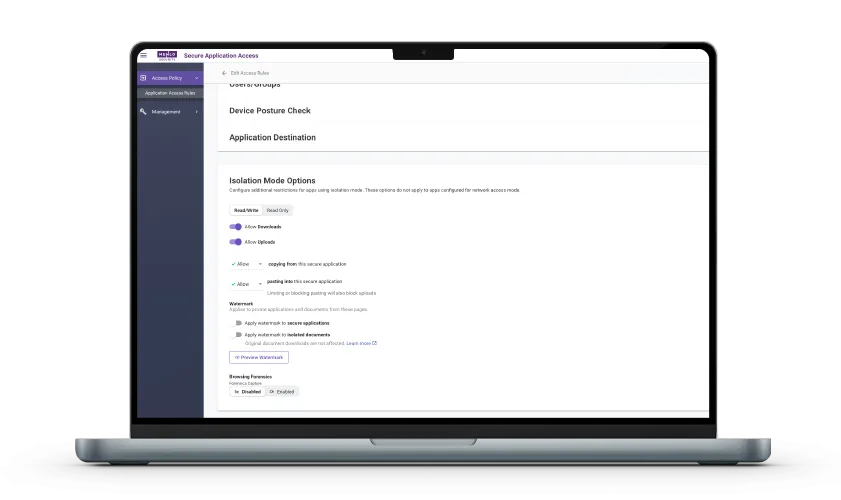
Secure Application Access is clientless and agentless, covering web, SaaS, RDP, SSH, and legacy thick-client applications with no lateral movement.
Island Private Access needs the Island browser, extension, or agent, and application data renders locally.
Where credentials are stored, shared, and injected.
How autonomous AI agents are governed inside the browser session.
Menlo Agent Runtime Security (MARS) is a cloud-native guardian runtime for autonomous agents, with instruction and data separation, PII masking, and human-in-the-loop controls.
Prompt-injection mitigation for Island Chat plus MCP governance, but no dedicated autonomous-agent runtime.
See it side by side
The architecture doesn't change from one vertical to the next, but the regulation asking about it does, and these are the three environments where that question gets sharpest.
FFIEC and DORA: Both put third-party risk and operational resilience at the center of the review. Those questions turn on where data physically sits and what executes on the device, not on how well an unmanaged endpoint is configured.
Data never resides on an unmanaged device: Third-party and BYOD risk reviews all reach the same question: where does the data physically reside? Controls enforced on the untrusted device itself depend on that device's integrity.
Files are sanitized, not just scanned: Content Disarm and Reconstruction removes active content from every download and upload while preserving usability, with no detect-then-allow trade-off between blocking business files and admitting native ones.
The exposure question: Clinicians and vendors reach systems holding PHI from devices your organization does not manage. What matters is whether that data lands on the endpoint at all.
PHI stays off the unmanaged endpoint: Corporate data never resides on an unmanaged device. The endpoint receives safe rendering information only, with no active code, no session tokens, and no original data of record.
Nothing to install for vendor access: No agent, no extension, no browser replacement. A vendor opens a link and works in the browser they already use, so nothing is deployed on hardware your organization does not own.
Zero trust mandates: They ask where enforcement happens and what the endpoint is trusted to do. Menlo runs FedRAMP-authorized isolation in production today.
Least-footprint zero trust access: Secure Application Access is clientless and agentless, covering web, SaaS, RDP, SSH, and legacy thick-client applications with no lateral movement.
Files are sanitized, not just scanned: Every compliance framework expects effective malicious-content controls on high-risk channels. Content Disarm and Reconstruction removes active content from every download and upload, so files arrive usable.
Take a self-guided tour to observe some of the ways that Menlo products enable secure app access, block sophisticated attacks, and provide critical insight into browsing sessions.
See exactly how Menlo can be tailored to solve your unique security challenges. We offer a live demo customized to your teamʼs goals, showing you how to secure your stack and protect your users. A truly secure browsing experience is one click away.


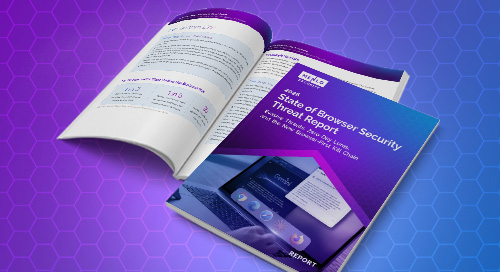
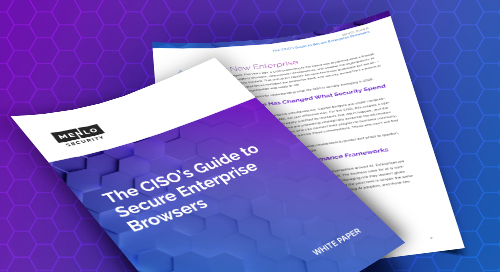
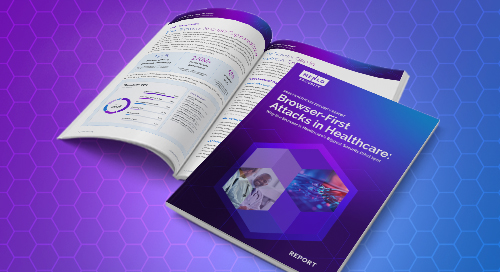
Three resources that go deeper: current browser threat data, what secure enterprise browsers mean for security leaders, and how the risk plays out in a regulated environment.