Cloud based browser security is an evolution from remote browser isolation technology that some vendors are just now adding to their security offerings. Menlo Security creates a secure digital twin of a user's local browser on the fly. Because the browser has been our sole focus, we are able to deliver a solution that offers all the security you want with the performance and familiarity that users require.

















Backed by Gartner Peer Insights, discover why enterprise leaders choose Menlo Security, with verified reviews from top organizations.


"Menlo's Crucial Role in Securing Remote Workforce Amid Pandemic"
Enterprise Security Engineer
"Menlo Secure Cloud Browser's Praise-Worthy Approach Towards Internet Safety"
Chief Information Security Officer
"Achieving Secure Collaboration with Menlo Security"
Security Architecture
"Smooth Implementation and Effective Support of New Proxy for more Security"
Senior Network and Security Expert
"Menlo's Secure Cloud Browser: A Critical Tool in Advanced Threat Protection"
Cyber Defence Architect
"Website Activity Security: Menlo Offers Insight on User Browsing"
Senior Vice President
"Overcoming Web Risks: The Role of Remote Browser Isolation"
CISO
"Distributed Workforces Benefit from Menlo Secure Cloud Browser's Centralized Management"
TBM
"Menlo's Robust Cybersecurity Solution for Web and Email Access"
Technology Consultant
"Website Activity Security: Menlo Offers Insight on User Browsing"
Senior Vice President
"Overcoming Web Risks: The Role of Remote Browser Isolation"
CISO
"Distributed Workforces Benefit from Menlo Secure Cloud Browser's Centralized Management"
TBM
GARTNER 및 PEER INSIGHTS는 Gartner, Inc. 및 그 계열사의 상표입니다. Gartner Peer Insights 콘텐츠는 개별 최종 사용자의 의견으로 구성되며, 이는 자신의 경험을 기반으로 하며 사실로 해석되어서는 안 되며, Gartner 또는 그 계열사의 견해를 대표하지 않습니다. Gartner는 이 콘텐츠에 묘사된 공급업체, 제품 또는 서비스를 보증하지 않으며, 이 콘텐츠와 관련하여 상품성 또는 특정 목적에의 적합성에 대한 보증을 포함하여 그 정확성 또는 완전성에 대해 명시적이든 묵시적이든 어떠한 보증도 하지 않습니다.
The competitive matrix must be the anchor of the mid-page content, presenting the core differentiators side-by-side using a clean, three-column format.7 Iconography (e.g., green checkmarks for Menlo, red or neutral icons for Island) must be used to ensure scannability and immediate contrast.




The foundational distinction between Menlo and Island lies in their approach to threat execution. Every browser installed on an endpoint, including a replacement browser like Island, is vulnerable to zero-day attacks. These attacks, by definition, have no existing signature and have not been patched. Because all locally-installed browsers execute and render web traffic directly on the endpoint, they fundamentally expand the attack surface and become a point of entry for phishing, malware and ransomware zero-days.
Replacement browsers are also at the mercy of privileged attackers on compromised endpoints, who can gain access to sensitive data like session tokens from browser memory, exploit vulnerabilities in web applications, and even manipulate audit logs. can also Furthermore,. Replacement browsers, running on potentially compromised devices, have audit logs susceptible to manipulation.1
Menlo eliminates this risk entirely by proxying all web traffic through the Menlo cloud, where all web content is executed and isolated.1 Only a safe, rendered version of the browsing session is delivered to the user's device, establishing a network separation that neutralizes threats before they ever reach the endpoint or network. And unlike legacy RBI solutions, Adaptive Clientless Rendering technology delivers a native, transparent user experience. Menlo’s cloud-native architecture also delivers superior compliance and visibility features, with tamper-proof audit logs and forensics are generated in the cloud.
This architectural difference also addresses a critical IT operational challenge: patching. All Chromium-based browsers, Island included, required over 30 critical patches in a recent year, taking enterprises an average of five days to implement across thousands of endpoints.1 This leaves a sustained, repeating vulnerability window where attackers can easily exploit gaps.1 Menlo removes this exposure immediately for all users, regardless of endpoint patch status, by securing the environment centrally in the cloud.1
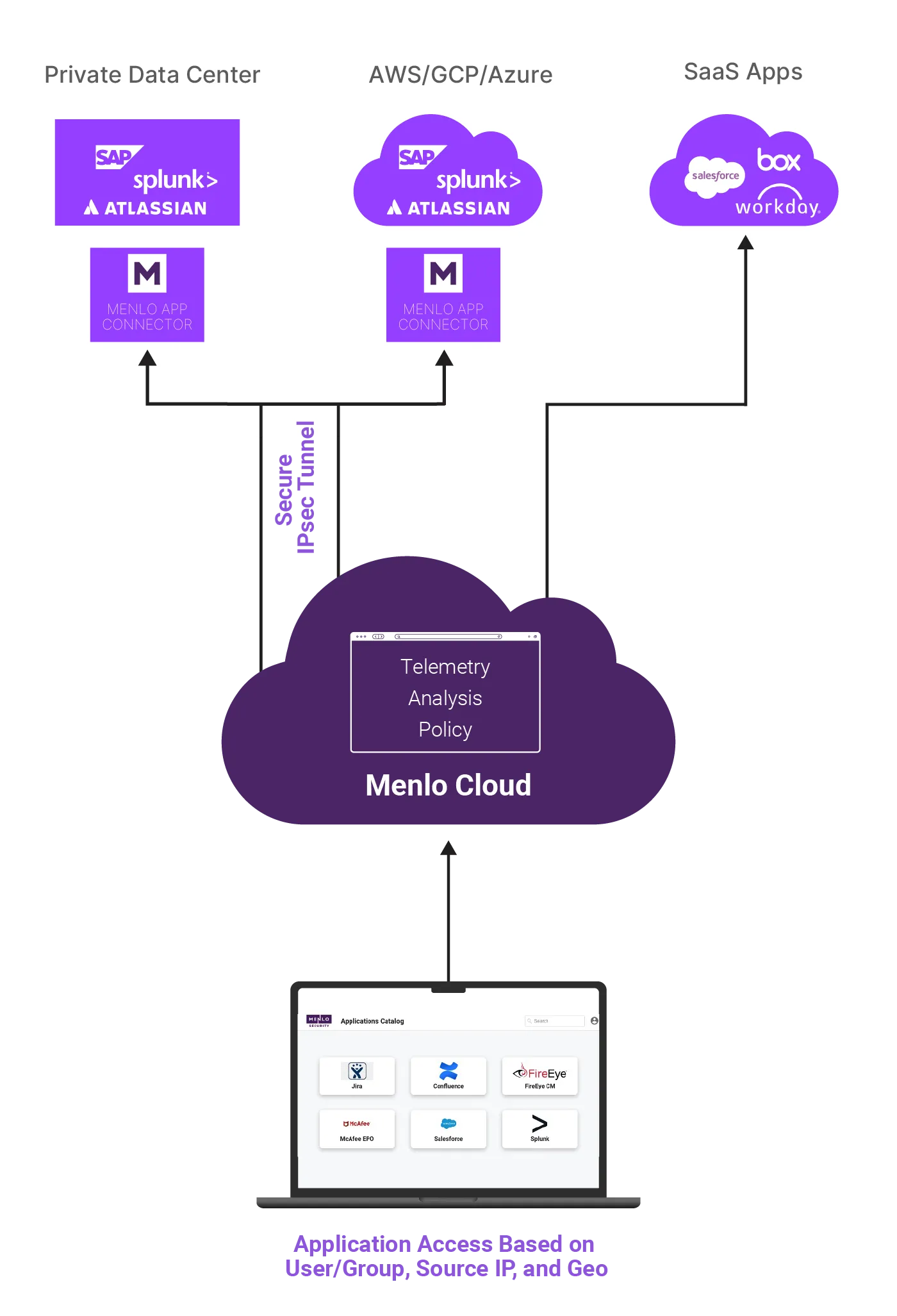
If your enterprise could standardize on a single browser, why hasn’t it yet? For about 80% of enterprises the answer lies in assuring application and workflow compatibility. Specific business-critical applications and extensions may only support a single browser, internal users and teams may have preferences and workflows based on their browser of choice, and contractors and other third parties may have their own workflows or needs based on using a specific browser.Eliminate the risks of legacy VPNs and the cost and complexity of VDI with Menlo Secure Application Access (SAA)
Island looks to close the browser security gap by forcing standardization across the enterprise, creating significant IT and LOB friction,disrupting existing workflows, and creating vendor lock-in.Menlo SAA is a cloud-delivered zero-trust solution that makes access effortless and safe for your hybrid workforce. Because unmanaged devices are often unknown and unsecured endpoints on your network, they represent a critical vulnerability. Menlo SAA removes this risk entirely by acting as a protective shield, ensuring that an unmanaged or compromised user device can never infect an enterprise application.
Deploying any new software has a real cost across the enterprise, and forced browser standardization translates directly into operational inefficiencies and excessive cost. Enterprises rolling out a new mandatory browsert face expensive and time-consuming migration projects, new rounds of user training, and staff resistance.1 This complexity runs counter to the objectives of CIOs who seek cost-effective, scalable platforms.1
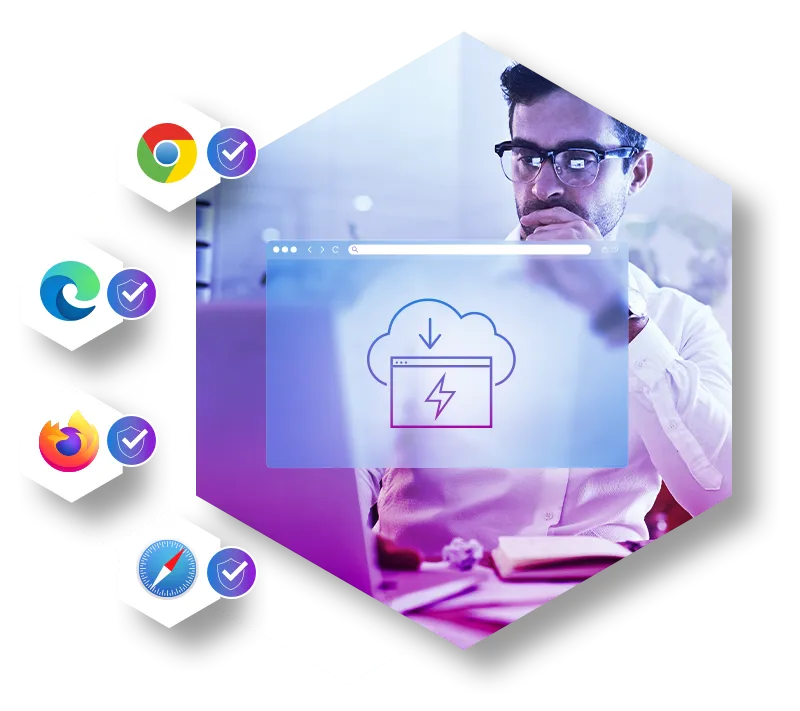
Menlo is browser-agnostic, providinginstant protection for existing browser infrastructure and allowing organizations to continue to use multiple browsers as dictated by business needs. This approach simplifies IT management by providing consistent security across heterogeneous environments, assuring continued application compatibility, and reducing the support tickets associated with compatibility issues and user frustration.
Island’s browser security story is based on the premise that every endpoint in the enterprise will exclusively use the Island browser, but the market is currently undergoing a rapid transformation where high-value AI components like Google Gemini and Microsoft Copilot are being embedded into mainstream browsers. These innovations will only accelerate as Microsoft and Google continue to commit their vast development resources to AI integration. Standardizing on a replacement browser eliminates the possibility of benefiting from these deep, productivity-enhancing integrations.The foundational distinction between Menlo and Island lies in their approach to threat execution. Every browser installed on an endpoint, including a replacement browser like Island, is vulnerable to zero-day attacks. These attacks, by definition, have no existing signature and have not been patched. Because all locally-installed browsers execute and render web traffic directly on the endpoint, they fundamentally expand the attack surface and become a point of entry for phishing, malware and ransomware zero-days.
Fully deploying a replacement browser also walls off access to the new generation of AI-native browsers, like Perplexity Comet and ChatGPT Atlas, which integrate search, summarization, and task automation directly into the client.
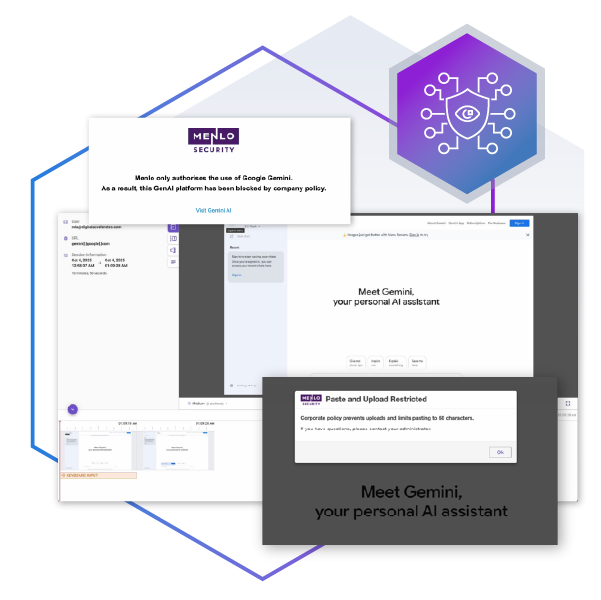
Island’s solution to this is to embed some AI functionality into their own browser, but their capabilities lag far behind the AI browser frontrunners, and that gap is almost certain to increase given the vast resources of the major players. Menlo’s solution is to enable your organization to use any AI-native or AI-enabled browser with the assurance of effective AI governance. Menlo’s cloud-native architecture automatically supports and secures any browser, enabling instant adoption of new, cutting-edge productivity solutions.Menlo eliminates this risk entirely by proxying all web traffic through the Menlo cloud, where all web content is executed and isolated.1

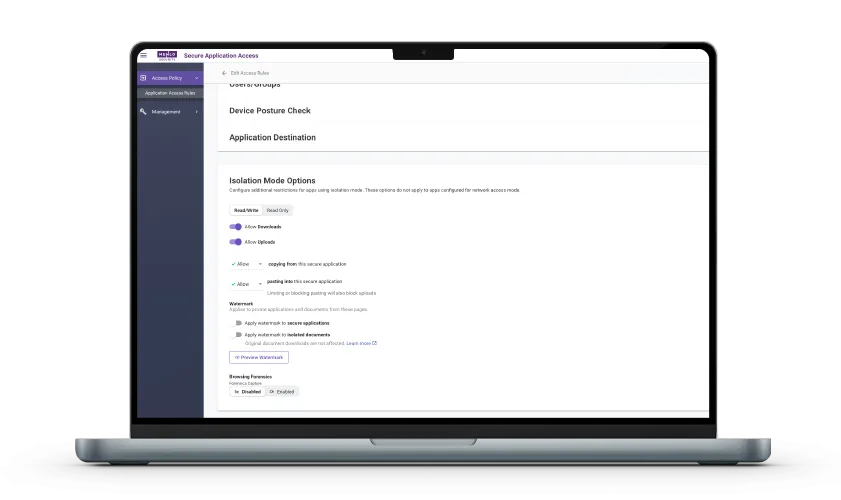
Menlo Secure Application Access (SAA) delivers a solution for secure app delivery and VDI reduction that is fundamentally more secure than replacement browsers, , especially for scenarios involving third-party contractors and BYOD workers.
The crucial security distinction here relates to the principle of Zero Trust. Replacement browsers like Island, critically, still execute the web session code locally on the potentially unmanaged or compromised endpoint. This creates a false sense of security, as malware on the local device can still compromise the authenticated session, performing actions like screen scraping or exfiltrating sensitive data from browser memory.
Menlo’s network separation ensures the session never delivers sensitive application data to the endpoint. This architecture enforces true least-privilege, granular controls, ensuring that the application server and the corporate organization are protected from infected endpoints. The zero local attack surface also guarantees instant compliance (e.g., PCI, HIPAA) because application data is never downloaded to the end device.
Answers to the burning questions in your mind.


The difference is where untrusted web code is executed. Replacement Browsers (like Island) execute web content locally on the endpoint, meaning the browser software itself and the endpoint device remain vulnerable to zero-day exploits. Menlo Security executes 100% of the web code in a disposable, remote container in the cloud. We stream only safe, rendered visual information back to the user’s native browser, effectively neutralizing threats before they ever reach the endpoint.
No, it expands the attack surface. By introducing a new, proprietary software asset (the browser) onto every endpoint, you create a new potential target that must be constantly managed, patched, and secured. Menlo's Cloud Isolation eliminates the attack surface because no active, untrusted web code is ever executed on the device itself.
Yes, it often will. Replacement Browsers create vendor lock-in by forcing your team to use a single tool. This stifles innovation because you must wait for the vendor to update their proprietary browser to support new, cutting-edge tools or new native browser features. Menlo's solution is browser-agnostic, ensuring your employees can immediately and securely access the latest AI tools and features available in Chrome, Edge, and other leading browsers.
It significantly increases it. Replacement Browsers require a costly, enterprise-wide migration project (often 6–12 months) to deploy and test compatibility. Furthermore, they require urgent, ongoing patch management and are associated with an estimated 25% increase in helpdesk volume due to user training and compatibility issues. Menlo provides instant, zero-touch protection for your existing browser infrastructure, eliminating this operational headache.
Patching, even if quick, still creates a vulnerability window. In large enterprises, deploying urgent patches across thousands of endpoints can take several days. During that time, your entire organization is exposed to active zero-day attacks. Menlo's isolation eliminates the need for emergency endpoint patching entirely, giving you instant protection against all browser vulnerabilities.
Quite the opposite. Because Menlo Security's isolation is clientless, it can provide full security and policy enforcement for unmanaged or BYOD devices just by directing their web traffic through the cloud. Replacement Browsers typically require a full installation of their proprietary software on the endpoint, making securing personal or unmanaged devices difficult or impossible.
셀프 가이드 투어를 통해 보안 앱 액세스를 지원하고, 정교한 공격을 차단하며, 브라우징 세션과 관련하여 중요한 인사이트를 제공하는 Menlo 제품의 작동 방식을 직접 살펴보세요.
Menlo를 맞춤 구성하여 고유한 보안 문제를 해결하는 방법을 자세히 알아보세요. 팀 목표에 맞춘 라이브 데모를 통해 조직의 스택을 보호하고 사용자를 안전하게 지키는 방법을 보여드립니다. 클릭 한 번으로 진정한 보안 브라우징을 경험해 보세요.